Free Markdown to HTML Converter Converter Markdown Cheatsheet Convert Markdown to HTML Paste or type your markdown and see it rendered as HTML. Download or copy the resulting HTML. Coming Soon! This page will also allow you to: Save stylesheets to use with your conversion Edit the configuration
settings for conversion Enter Markdown Custom CSS ## *Athens offers a deep dive into over 2500 years of history ...* A democratic city-state, the birthplace of Western civilisation, a Byzantine backwater, an Ottoman provincial town, the capital of a young nation - Athens has been it all. In *The Shortest History of Athens*, Jennifer Roberts takes us on a journey through 2500 years of the city's extraordinary story. She covers the birth of democracy, tragedy and philosophy (as well as Socrates, 'the most irritating person in history'). With wit and pace, she explores the ancient golden age, medieval decline, the War of Independence, the catastrophe at Smyrna, the Nazi occupation, the junta and the crash of 2008. She goes beyond the obvious, capturing the voices of occupation diarists and the story of the teenagers who tore the swastika from the Acropolis. And she takes on the idealised 'lost paradise' that has haunted Athenians since antiquity. Closing with a stroll through Athens' most remarkable landmarks and hidden gems, *The Shortest History of Athens* is the quintessential guide to this energetic yet enigmatic metropolis. Preview Raw HTML Athens offers a deep dive into over 2500 years of history ...
A democratic city-state, the birthplace of Western civilisation, a Byzantine backwater, an Ottoman provincial town, the capital of a young nation - Athens has been it all.
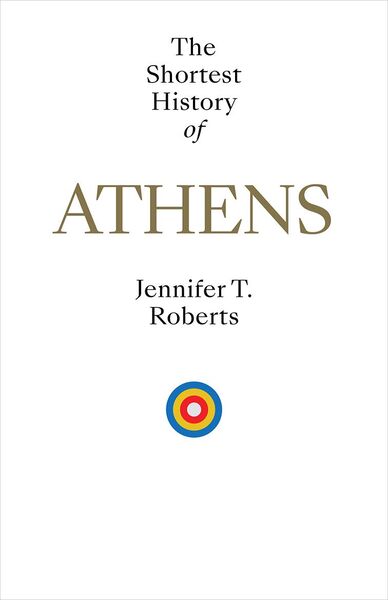
In The Shortest History of Athens, Jennifer Roberts takes us on a journey through 2500 years of the city's extraordinary story. She covers the birth of democracy, tragedy and philosophy (as well as Socrates, 'the most irritating person in history'). With wit and pace, she explores the ancient golden age, medieval decline, the War of Independence, the catastrophe at Smyrna, the Nazi occupation, the junta and the crash of 2008.
She goes beyond the obvious, capturing the voices of occupation diarists and the story of the teenagers who tore the swastika from the Acropolis. And she takes on the idealised 'lost paradise' that has haunted Athenians since antiquity.
Closing with a stroll through Athens' most remarkable landmarks and hidden gems, The Shortest History of Athens is the quintessential guide to this energetic yet enigmatic metropolis.
Markdown Syntax Cheatsheet This is a quick reference for Markdown syntax. A more complete guide can be found on GitHub. Basic Formatting Bold: **Bold** Emphasized: *Emphasized* Strikethrough : ~~Strikethrough~~ Horizontal rules: --- (three hyphens), *** (three asterisks), or ___ (three underscores). Headings All heading levels (e.g. H1, H2, etc), are marked by # at the beginning of a line. For example, an H1 is # Heading 1 and an H2 is ## Heading 2. This continues to ###### Heading 6. Links Links can be created using several methods: Links can be [inline](https://markdowntohtml.com) Inline links can [have a title](https://markdowntohtml.com "Awesome Markdown Converter") Also, there can be reference links that allow the URL to be placed later in the document: Here is a [reference link][markdowntohtml] that links to this site. References are case-insensitive (for example [this link][MarkDownToHTML] works). References can also [use numbers][1]. Or leave it empty and use the [link text itself]. Also, you can use relative links [like this](../blob/master/LICENSE.txt). URLs and URLs in angle brackets will automatically get turned into links: https://markdowntohtml.com or . URLs for reference links are somewhere later in the document like this: [markdowntohtml]: https://markdowntohtml.com [1]: https://markdowntohtml.com [link text itself]: https://markdowntohtml.com Images Images can also be inline or use a reference style, similar to links. Simply prepend an exclamation point to turn the link into an image. For example: Images with the full URL:  Or, a reference-style image: ![alt text][bears]. [bears]: https://placebear.com/300/300 Lists (Ordered Lists and Unordered Lists) Lists are made by using indentation and a beginning-of-line marker to indicate a list item. For example, unordered lists are made like this: * One item * Another item * A sub-item * A deeper item * Back in sub-item land * And back at the main level Unordered lists can use an asterisk (*), plus (+), or minus (-) to indicate each list item. Ordered lists use a number at the beginning of the line. The numbers do not need to be incremented - this will happen for you automatically by the HTML. That makes it easier to re-order your ordered lists (in markdown) as needed. Also, ordered and unordered lists can be nested within each other. For example: * One item * Another item 1. A nested ordered list 1. This is the second item * And now an unordered list as its child * Another item in this list 1. One more in the ordered list * And back at the main level Code and Syntax Highlighting Inline code uses `backticks` around it. Code blocks are either fenced by three backticks (```) or indented four spaces. For example: ``` var foo = 'bar'; function baz(s) { return foo + ':' + s; } ``` Blockquotes Use > to offset text as a blockquote. For example: > This is some part of a blockquote. > Some more stuff. Will produce: This is some part of a blockquote. Some more stuff. Copyright © Jeremy Thomerson - Expert Tech Services, LLC 2017 1Password menu is available. Press down arrow to select.