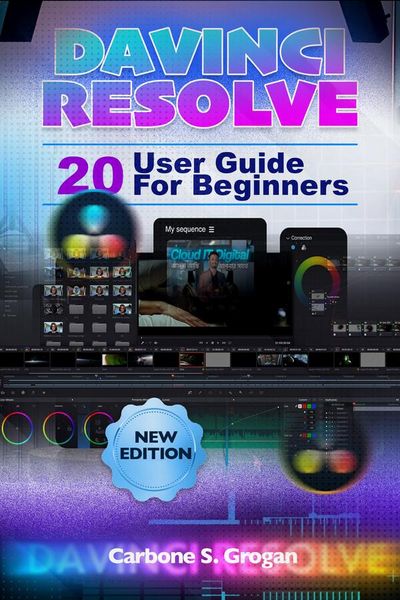
Davinci Resolve 20 User Guide For Beginners Learn Editing, Transitions, Color Correction, Audio, and Professional Video Workflows
-
- Einzelkauf Download ausgewählt
-
Sprache:Englisch
11,49 €
inkl. gesetzl. MwSt.Beschreibung
Produktdetails
Format
ePUB
Kopierschutz
Nein
Family Sharing
Ja
Text-to-Speech
Ja
Erscheinungsdatum
31.03.2026
Verlag
Carbone S. GroganSeitenzahl
(Printausgabe)
Dateigröße
10097 KB
Sprache
Englisch
EAN
9791224447504
Disclaimer
This book is an independent user guide created for educational and informational purposes only. It is not affiliated with, endorsed by, sponsored by, or officially connected to Blackmagic Design, the developer of DaVinci Resolve 20. All product names, trademarks, logos, and brand names mentioned in this book are the property of their respective owners and are used strictly for identification and instructional purposes.
You opened DaVinci Resolve 20 expecting to create stunning videos.
What you got instead… felt overwhelming.
Seven different pages.
Hundreds of tools.
An interface that looks more like a cockpit than a creative workspace.
You try to edit a clip… and get stuck.
You add footage… but the timeline feels confusing.
You watch tutorials… but nothing connects into a complete workflow.
And the biggest frustration?
You know this software is used for Hollywood-level productions…
but you're nowhere near those results.
Here's the truth most beginners never realize:
It's not about learning everything.
It's about understanding the workflow that makes everything make sense.
That's exactly what this guide gives you.
The DaVinci Resolve 20 User Guide for Beginners is your step-by-step roadmap-from your very first project to a fully edited, color-graded, and exported video. No guesswork. No confusion. Just a clear system that works from start to finish.
From the moment you start, something shifts.
You stop clicking randomly…
and start editing with purpose.
Inside this guide, you'll learn how to:
• Set up your workspace and optimize your system for smooth editing
• Understand the powerful 7-page workflow without feeling overwhelmed
• Import, organize, and manage your media like a professional
• Build your first timeline using the Cut and Edit pages with confidence
• Trim, arrange, and refine your footage for clean storytelling
• Add transitions, titles, and motion graphics that elevate your video
• Correct color and apply cinematic grading for a polished look
• Clean up audio and mix sound using the Fairlight page
• Export your videos perfectly for YouTube, social media, or professional use
• Avoid the most common beginner mistakes that slow your progress
This isn't just about tools.
It's about finally understanding how everything connects.
Because once that clicks…
Editing becomes faster.
Your videos become sharper.
And your results start to look intentional-not accidental.
You'll open a project and instantly know where to begin…
what to do next…
and how to bring your vision to life from raw footage to final export.
Whether you're a beginner, content creator, YouTuber, or aspiring filmmaker-this guide gives you what most people spend months trying to piece together:
clarity, structure, and real creative control.
If you're ready to stop feeling overwhelmed, master the workflow, and start creating videos that truly stand out.
Order now and take full control of DaVinci Resolve 20 today.
This book is an independent user guide created for educational and informational purposes only. It is not affiliated with, endorsed by, sponsored by, or officially connected to Blackmagic Design, the developer of DaVinci Resolve 20. All product names, trademarks, logos, and brand names mentioned in this book are the property of their respective owners and are used strictly for identification and instructional purposes.
You opened DaVinci Resolve 20 expecting to create stunning videos.
What you got instead… felt overwhelming.
Seven different pages.
Hundreds of tools.
An interface that looks more like a cockpit than a creative workspace.
You try to edit a clip… and get stuck.
You add footage… but the timeline feels confusing.
You watch tutorials… but nothing connects into a complete workflow.
And the biggest frustration?
You know this software is used for Hollywood-level productions…
but you're nowhere near those results.
Here's the truth most beginners never realize:
It's not about learning everything.
It's about understanding the workflow that makes everything make sense.
That's exactly what this guide gives you.
The DaVinci Resolve 20 User Guide for Beginners is your step-by-step roadmap-from your very first project to a fully edited, color-graded, and exported video. No guesswork. No confusion. Just a clear system that works from start to finish.
From the moment you start, something shifts.
You stop clicking randomly…
and start editing with purpose.
Inside this guide, you'll learn how to:
• Set up your workspace and optimize your system for smooth editing
• Understand the powerful 7-page workflow without feeling overwhelmed
• Import, organize, and manage your media like a professional
• Build your first timeline using the Cut and Edit pages with confidence
• Trim, arrange, and refine your footage for clean storytelling
• Add transitions, titles, and motion graphics that elevate your video
• Correct color and apply cinematic grading for a polished look
• Clean up audio and mix sound using the Fairlight page
• Export your videos perfectly for YouTube, social media, or professional use
• Avoid the most common beginner mistakes that slow your progress
This isn't just about tools.
It's about finally understanding how everything connects.
Because once that clicks…
Editing becomes faster.
Your videos become sharper.
And your results start to look intentional-not accidental.
You'll open a project and instantly know where to begin…
what to do next…
and how to bring your vision to life from raw footage to final export.
Whether you're a beginner, content creator, YouTuber, or aspiring filmmaker-this guide gives you what most people spend months trying to piece together:
clarity, structure, and real creative control.
If you're ready to stop feeling overwhelmed, master the workflow, and start creating videos that truly stand out.
Order now and take full control of DaVinci Resolve 20 today.
Noch keine Bewertungen vorhanden
Verfassen Sie die erste Bewertung zu diesem Artikel
Helfen Sie anderen Kundinnen und Kunden durch Ihre Meinung.
Kurze Frage zu unserer Seite
Vielen Dank für Ihr Feedback
Wir nutzen Ihr Feedback, um unsere Produktseiten zu verbessern. Bitte haben Sie Verständnis, dass wir Ihnen keine Rückmeldung geben können. Falls Sie Kontakt mit uns aufnehmen möchten, können Sie sich aber gerne an unseren Kund*innenservice wenden.
zum Kundenservice