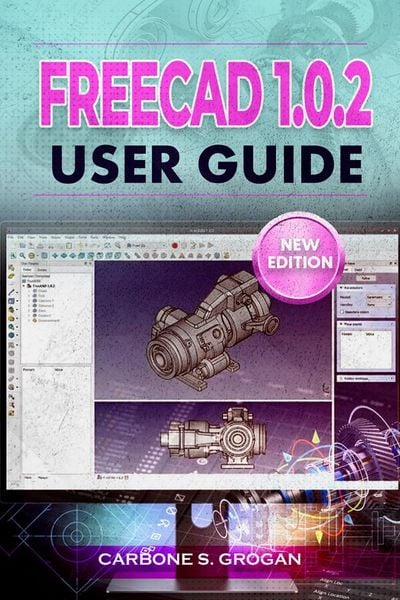
FreeCAD 1.0.2 User Guide Learn Parametric 3D Modeling, Sketching, Part Design, Assemblies, and Technical Drawings
-
- Einzelkauf Download ausgewählt
-
Sprache:Englisch
8,99 €
inkl. gesetzl. MwSt.Beschreibung
Produktdetails
Format
ePUB
Kopierschutz
Nein
Family Sharing
Ja
Text-to-Speech
Ja
Erscheinungsdatum
09.03.2026
Verlag
Carbone S. GroganSeitenzahl
(Printausgabe)
Dateigröße
2661 KB
Sprache
Englisch
EAN
9791224435136
Disclaimer
This book, FreeCAD 1.0.2 User Guide: From Beginner to Master, is an independent educational resource created to provide practical, step-by-step instruction for users of FreeCAD version 1.0.2. It is not affiliated with, endorsed by, sponsored by, or officially connected to the FreeCAD project, its developers, or any related organizations.
FreeCAD is one of the most powerful open-source 3D modeling platforms available today. It allows engineers, makers, designers, and hobbyists to create precise parametric models, mechanical assemblies, and production-ready technical drawings-all without the high cost of commercial CAD software.
But when many users open FreeCAD for the first time, the experience quickly becomes overwhelming.
The interface feels unfamiliar.
Workbenches seem confusing.
And even simple tasks like creating a sketch or building a 3D part can feel frustrating without the right guidance.
You may find yourself asking:
Where do I even start?
Why does my model break when I change a dimension?
How do professionals design stable parametric models without errors?
If online tutorials feel scattered…
If the official documentation feels too technical…
Or if you want a clear, structured path to mastering FreeCAD without wasting weeks experimenting-this guide was written for you.
The FreeCAD 1.0.2 User Guide is a practical, step-by-step roadmap designed to help beginners and aspiring designers confidently master parametric 3D modeling. Instead of overwhelming you with complex theory, this book focuses on hands-on workflows, clear explanations, and real design projects that help you build practical skills quickly.
Inside this comprehensive guide, you will learn how to:
• Install and optimize FreeCAD for Windows, macOS, and Linux
• Navigate the interface, workbenches, and modeling environment with confidence
• Build fully constrained 2D sketches using the powerful Sketcher workbench
• Apply geometric and dimensional constraints for stable parametric designs
• Transform sketches into solid 3D parts using Pad, Pocket, Revolve, Loft, and Sweep tools
• Refine designs using fillets, chamfers, and Boolean operations
• Build real-world components such as mounting brackets and mechanical enclosures
• Create precise multi-part assemblies with accurate constraints
• Generate professional technical drawings with dimensions and annotations
• Prepare models for 3D printing, CNC machining, and manufacturing
• Export production-ready files such as STL, STEP, IGES, and G-Code
Unlike scattered tutorials that leave critical gaps in your knowledge, this guide follows a structured learning path-starting with installation and interface mastery, then progressing into parametric modeling, assemblies, and professional documentation.
Every chapter includes clear instructions, real design examples, troubleshooting advice, and practical exercises that help you build confidence while you work.
Whether you are a student learning CAD, a maker designing parts for 3D printing, an engineer developing mechanical components, or a hobbyist exploring digital design, this guide will help you eliminate confusion and unlock the true power of FreeCAD.
If you're ready to overcome the steep learning curve, master FreeCAD 1.0.2 with clarity, and start turning your ideas into professional 3D designs.
Order now and begin designing powerful parametric models with FreeCAD today.
This book, FreeCAD 1.0.2 User Guide: From Beginner to Master, is an independent educational resource created to provide practical, step-by-step instruction for users of FreeCAD version 1.0.2. It is not affiliated with, endorsed by, sponsored by, or officially connected to the FreeCAD project, its developers, or any related organizations.
FreeCAD is one of the most powerful open-source 3D modeling platforms available today. It allows engineers, makers, designers, and hobbyists to create precise parametric models, mechanical assemblies, and production-ready technical drawings-all without the high cost of commercial CAD software.
But when many users open FreeCAD for the first time, the experience quickly becomes overwhelming.
The interface feels unfamiliar.
Workbenches seem confusing.
And even simple tasks like creating a sketch or building a 3D part can feel frustrating without the right guidance.
You may find yourself asking:
Where do I even start?
Why does my model break when I change a dimension?
How do professionals design stable parametric models without errors?
If online tutorials feel scattered…
If the official documentation feels too technical…
Or if you want a clear, structured path to mastering FreeCAD without wasting weeks experimenting-this guide was written for you.
The FreeCAD 1.0.2 User Guide is a practical, step-by-step roadmap designed to help beginners and aspiring designers confidently master parametric 3D modeling. Instead of overwhelming you with complex theory, this book focuses on hands-on workflows, clear explanations, and real design projects that help you build practical skills quickly.
Inside this comprehensive guide, you will learn how to:
• Install and optimize FreeCAD for Windows, macOS, and Linux
• Navigate the interface, workbenches, and modeling environment with confidence
• Build fully constrained 2D sketches using the powerful Sketcher workbench
• Apply geometric and dimensional constraints for stable parametric designs
• Transform sketches into solid 3D parts using Pad, Pocket, Revolve, Loft, and Sweep tools
• Refine designs using fillets, chamfers, and Boolean operations
• Build real-world components such as mounting brackets and mechanical enclosures
• Create precise multi-part assemblies with accurate constraints
• Generate professional technical drawings with dimensions and annotations
• Prepare models for 3D printing, CNC machining, and manufacturing
• Export production-ready files such as STL, STEP, IGES, and G-Code
Unlike scattered tutorials that leave critical gaps in your knowledge, this guide follows a structured learning path-starting with installation and interface mastery, then progressing into parametric modeling, assemblies, and professional documentation.
Every chapter includes clear instructions, real design examples, troubleshooting advice, and practical exercises that help you build confidence while you work.
Whether you are a student learning CAD, a maker designing parts for 3D printing, an engineer developing mechanical components, or a hobbyist exploring digital design, this guide will help you eliminate confusion and unlock the true power of FreeCAD.
If you're ready to overcome the steep learning curve, master FreeCAD 1.0.2 with clarity, and start turning your ideas into professional 3D designs.
Order now and begin designing powerful parametric models with FreeCAD today.
Noch keine Bewertungen vorhanden
Verfassen Sie die erste Bewertung zu diesem Artikel
Helfen Sie anderen Kundinnen und Kunden durch Ihre Meinung.
Kurze Frage zu unserer Seite
Vielen Dank für Ihr Feedback
Wir nutzen Ihr Feedback, um unsere Produktseiten zu verbessern. Bitte haben Sie Verständnis, dass wir Ihnen keine Rückmeldung geben können. Falls Sie Kontakt mit uns aufnehmen möchten, können Sie sich aber gerne an unseren Kund*innenservice wenden.
zum Kundenservice