KI-Beratung Beta

Gutscheinbedingungen

**Gültig am 20.11.2026 ab einem Mindestbestellwert von 30€ auf Spielzeug, Schreibwaren, Filme, Geschenke & Trends, Musik, tolino eReader & Zubehör, Hörbücher und Hörbuch-Downloads, nicht preisgebundene Bücher und Kalender online auf thalia.at und in der Thalia App. Einzelne Artikel können ausgeschlossen sein. Aufgrund der Buchpreisbindung sind deutschsprachige Bücher und eBooks ausgenommen. Zusätzlich ausgenommen sind Abos & Flatrates, Games, Geschenkkarten/-boxen, Shelfies, Software, Zeitschriften sowie einzelne Artikel von tonies®. Pro Einkauf einmal einlösbar. Click & Collect nur bei Onlinevorabzahlung möglich. Keine Barauszahlung. Nicht kombinierbar mit anderen Aktionen und Gutscheinen. Gutschein wird auf max. 500€ Bestellwert angerechnet. Nicht gültig für Versandkosten und Services. Preisgebundene Artikel sind vom Mindestbestellwert ausgeschlossen.

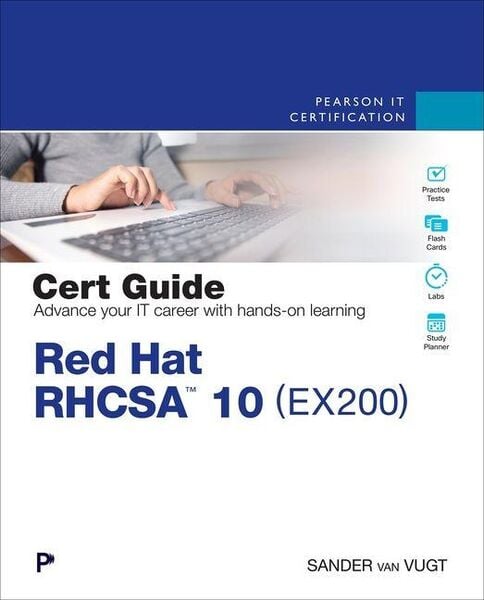
Produktbild: Red Hat RHCSA 10 Cert Guide

Red Hat RHCSA 10 Cert Guide EX200

Aus der Reihe Pearson IT Certification

65,99 €

inkl. gesetzl. MwSt., Versandkostenfrei


Beschreibung

Learn, prepare, and practice for the Red Hat RHCSA 10 (EX200) exam

  • Master Red Hat RHCSA 10 EX200 exam topics
  • Assess your knowledge with chapter-ending quizzes and labs
  • Review key concepts with exam-preparation tasks
  • Practice with four unique practice tests

Red Hat RHCSA 10 Cert Guide: EX200 is...

Beschreibung

Learn, prepare, and practice for the Red Hat RHCSA 10 (EX200) exam

  • Master Red Hat RHCSA 10 EX200 exam topics
  • Assess your knowledge with chapter-ending quizzes and labs
  • Review key concepts with exam-preparation tasks
  • Practice with four unique practice tests

Red Hat RHCSA 10 Cert Guide: EX200 is a comprehensive exam study guide. Leading Linux consultant, author, and instructor Sander van Vugt shares preparation hints and test-taking tips, helping you identify areas of weakness and improve both your conceptual knowledge and hands-on skills. The material is presented in a concise manner, focusing on increasing your understanding and retention of exam topics.

The book presents you with an organized test-preparation routine through the use of proven series elements and techniques. Exam topic lists make referencing easy, and chapter-ending Exam Preparation Tasks help you drill deep on key concepts you must know thoroughly to pass the exam. Review questions help you assess your knowledge, and a final preparation chapter guides you through tools and resources to help you craft your final study plan.

Well regarded for its level of detail, assessment features, and challenging review questions and exercises, this study guide helps you master the concepts and techniques that will enable you to succeed on the exam the first time, including

  • Basic system management: Installation, tools, file management, text files, RHEL 10 connections, user/group management, permissions, and network configuration
  • Operating running systems: Managing software, processes, storage, and advanced storage; working with Systemd; scheduling tasks; and configuring logging
  • Advanced system administration: Managing the kernel and boot procedures, essential troubleshooting, bash shell scripting
  • Managing network services: Configuring SSH, firewalld, and time services; managing Apache HTTP services and SELinux and accessing network storage

Produktdetails

Einband

Taschenbuch

Erscheinungsdatum

04.06.2026

Verlag Pearson Academic
Seitenzahl

672

Produktdetails

Einband

Taschenbuch

Erscheinungsdatum

04.06.2026

Verlag Pearson Academic
Seitenzahl

672

Maße (L/B/H)

23,2/18,7/3,7 cm

Gewicht

1184 g

Auflage

1. Auflage

Sprache

Englisch

ISBN

978-0-13-557666-3

Herstelleradresse

Libri GmbH
Europaallee 1
36244 Bad Hersfeld
DE

Email: gpsr@libri.de

Noch keine Bewertungen vorhanden

Verfassen Sie die erste Bewertung zu diesem Artikel

Helfen Sie anderen Kundinnen und Kunden durch Ihre Meinung.

Kundinnen und Kunden meinen

Bewertungen (0)

Die Leseprobe wird geladen.
  • Produktbild: Red Hat RHCSA 10 Cert Guide
  • Introduction xxx
    Part I: Performing Basic System Management Tasks
    Chapter 1
    Installing Red Hat Enterprise Linux 3
    Do I Know This Already? Quiz 3
    Foundation Topics 6
    Preparing to Install Red Hat Enterprise Linux 6
        What Is Red Hat Enterprise Linux 10 Server? 6
        Getting the Software 7
            Using Red Hat Enterprise Linux 7
            Using CentOS Stream 8
            Other Distributions 8
        Understanding Access to Repositories 8
        Setup Requirements 9
        Cert Guide Environment Description 10
    Performing an Installation 10
    Summary 21
    Exam Preparation Tasks 21
    End-of-Chapter Lab 22
    Chapter 2 Using Essential Tools 25
    Do I Know This Already? Quiz 25
    Foundation Topics 28
    Basic Shell Skills 28
        Understanding Commands 28
        Executing Commands 28
        I/O Redirection 30
        Using Pipes 32
        History 33
        Bash Completion 35
    Editing Files with vim 35
    Editing Files with nano 38
    Understanding the Shell Environment 39
        Understanding Variables 39
        Recognizing Environment Configuration Files 40
        Using /etc/motd and /etc/issue 41
    Finding Help 42
        Using --help 42
        Using man 42
        Finding the Right man Page 43
        Updating mandb 45
        Using RHEL Lightspeed 46
    Summary 47
    Exam Preparation Tasks 47
    End-of-Chapter Lab 49
    Chapter 3 Essential File Management Tools 51
    Do I Know This Already? Quiz 51
    Foundation Topics 54
    Working with the File System Hierarchy 54
        Defining the File System Hierarchy 54
        Understanding Mounts 55
    Managing Files 60
        Working with Wildcards 60
        Managing and Working with Directories 60
        Working with Absolute and Relative Pathnames 61
        Listing Files and Directories 62
        Copying Files and Directories 63
        Moving Files and Directories 64
        Deleting Files and Directories 65
    Using Links 66
        Understanding Hard Links 66
        Understanding Symbolic Links 67
        Creating Links 68
        Removing Links 69
    Working with Archives and Compressed Files 70
        Managing Archives with tar 70
            Creating Archives with tar 71
            Monitoring and Extracting tar Files 71
        Using Compression 72
    Summary 74
    Exam Preparation Tasks 74
    End-of-Chapter Lab 76
    Chapter 4 Working with Text Files 79
    Do I Know This Already? Quiz 79
    Foundation Topics 82
    Using Common Text FileRelated Tools 82
        Doing More with less 82
        Showing File Contents with cat 83
        Displaying the First or Last Lines of a File with head and tail 84
        Filtering Specific Columns with cut 85
        Sorting File Contents and Output with sort 85
        Counting Lines, Words, and Characters with wc 86
    A Primer to Using Regular Expressions 87
        Using Line Anchors 88
        Using Escaping in Regular Expressions 89
        Using Wildcards and Multipliers 89
        Using Extended Regular Expressions 90
    Using grep to Analyze Text 91
    Working with Other Useful Text Processing Utilities 92
    Summary 94
    Exam Preparation Tasks 94
    End-of-Chapter Lab 96
    Chapter 5 Connecting to Red Hat Enterprise Linux 99
    Do I Know This Already? Quiz 99
    Foundation Topics 102
    Working on Local Consoles 102
        Logging In to a Local Console 102
        Switching Between Terminals in a Graphical Environment 103
        Working with Multiple Terminals in a Nongraphical Environment 105
        Understanding Pseudo Terminal Devices 106
        Booting, Rebooting, and Shutting Down Systems 107
    Using SSH and Related Utilities 108
        Accessing Remote Systems Using SSH 108
        Securely Transferring Files Between Systems 111
            Using scp to Securely Copy Files 111
            Using sftp to Securely Transfer Files 112
            Using rsync to Synchronize Files 113
        Configuring Key-Based Authentication for SSH 113
        Using Passphrases or Not? 114
    Using Cockpit 114
        Understanding Cockpit 115
        Performing Common Tasks with Cockpit 115
    Summary 116
    Exam Preparation Tasks 117
    End-of-Chapter Labs 118
    Chapter 6 User and Group Management 121
    Do I Know This Already? Quiz 121
    Foundation Topics 124
    Understanding Different User Types 124
        Users on Linux 124
        Working as Root 124
        Using su 125
        sudo 126
        PolicyKit 128
    Creating and Managing User Accounts 129
        System Accounts and Normal Accounts 129
        Creating Users 132
            Modifying the Configuration Files 133
            Using useradd 133
            Home Directories 133
            Default Shell 134
        Managing User Properties 134
        Configuration Files for User Management Defaults 135
        Managing Password Properties 135
        Creating a User Environment 136
    Creating and Managing Group Accounts 137
        Understanding Linux Groups 137
        Creating Groups 138
        Creating Groups with vigr 138
            Using groupadd to Create Groups 139
        Managing Group Properties 139
    Summary 140
    Exam Preparation Tasks 140
    End-of-Chapter Labs 142
    Chapter 7 Permissions Management 145
    Do I Know This Already? Quiz 145
    Foundation Topics 148
    Managing File Ownership 148
        Displaying Ownership 148
        Changing User Ownership 149
        Changing Group Ownership 149
        Understanding Default Ownership 150
    Managing Basic Permissions 151
        Understanding Read, Write, and Execute Permissions 151
        Applying Read, Write, and Execute Permissions 152
    Managing Advanced Permissions 155
        Understanding Advanced Permissions 155
        Applying Advanced Permissions 157
    Setting Default Permissions with umask 159
    Working with User-Extended Attributes 160
    Summary 161
    Exam Preparation Tasks 162
    Review All Key Topics 162
    End-of-Chapter Lab 163
    Chapter 8 Configuring Networking 165
    Do I Know This Already? Quiz 165
    Foundation Topics 168
    Networking Fundamentals 168
        IP Addresses 168
        IPv6 Addresses 169
        IPv4 Network Masks 169
        Binary Notation 170
        MAC Addresses 171
        Protocol and Ports 171
    Managing Network Addresses and Interfaces 172
    Validating Network Configuration 173
        Validating Network Address Configuration 173
        Validating Routing 176
        Validating the Availability of Ports and Services 177
    Managing Network Configuration with nmtui and nmcli 178
        Required Permissions to Change Network Configuration 179
        Configuring the Network with nmcli 180
        Configuring the Network with nmtui 182
        Working on Network Configuration Files 184
    Setting Up Hostname and Name Resolution 185
        Hostnames 185
        DNS Name Resolution 187
    Summary 189
    Exam Preparation Tasks 189
    End-of-Chapter Lab 191
    Part II: Operating Running Systems
    Chapter 9
    Managing Software 193
    Do I Know This Already? Quiz 193
    Foundation Topics 196
    Managing Software Packages with dnf 196
        Understanding the Role of Repositories 196
        Registering Red Hat Enterprise Linux for Support 197
        Managing Subscriptions 197
        Specifying Which Repository to Use 198
        Understanding Repository Security 200
        Creating Your Own Repository 202
    Using dnf 204
        Using dnf to Find Software Packages 204
        Getting More Information About Packages 206
        Installing and Removing Software Packages 207
        Showing Lists of Packages 209
        Updating Packages 210
            Using dnf History 214
    Managing Software Packages with rpm 215
        Understanding RPM Filenames 216
        Querying the RPM Database 216
        Querying RPM Package Files 217
    Managing Software with Flatpak 219
        Understanding Flatpak 219
        Installing Flatpak 220
        Managing Flatpak Applications 220
    Summary 221
    Exam Preparation Tasks 222
    End-of-Chapter Lab 223
    Chapter 10 Managing Processes 227
    Do I Know This Already? Quiz 227
    Foundation Topics 230
    Introducing Process Management 230
    Managing Shell Jobs 230
        Running Jobs in the Foreground and Background 230
        Managing Shell Jobs 231
        Understanding ParentChild Relations 233
    Using Common Command-Line Tools for Process Management 233
        Understanding Processes and Threads 234
        Using ps to Get Process Information 235
        Understanding Process Priorities 237
            Exploring Relations Between Slices 237
            Managing Process Priorities 238
        Sending Signals to Processes with kill, killall, and pkill 239
        Killing Zombies 241
    Using top to Manage Processes 242
    Using tuned to Optimize Performance 244
    Summary 245
    Exam Preparation Tasks 246
    End-of-Chapter Lab 247
    Chapter 11 Working with Systemd 249
    Do I Know This Already? Quiz 249
    Foundation Topics 252
    Understanding Systemd 252
        Understanding Systemd Unit Locations 252
        Understanding Systemd Service Units 253
        Understanding Systemd Mount Units 254
        Understanding Systemd Socket Units 255
        Understanding Systemd Target Units 256
    Managing Units Through Systemd 257
        Managing Dependencies 260
        Managing Unit Directives 262
    Summary 265
    Exam Preparation Tasks 265
    End-of-Chapter Lab 266
    Chapter 12 Scheduling Tasks 269
    Do I Know This Already? Quiz 269
    Foundation Topics 272
    Understanding Task Scheduling Options in RHEL 272
    Using Systemd Timers 272
    Configuring cron to Automate Recurring Tasks 274
        Managing the crond Service 274
        Understanding cron Timing 276
        Managing cron Configuration Files 276
        Understanding the Purpose of anacron 279
        Managing cron Security 280
    Configuring at to Schedule Future Tasks 281
    Summary 281
    Exam Preparation Tasks 282
    End-of-Chapter Lab 283
    Chapter 13 Configuring Logging 285
    Do I Know This Already? Quiz 285
    Foundation Topics 288
    Understanding System Logging 288
        Understanding the Role of systemd-journald and rsyslogd 288
        Reading Log Files 290
        Understanding Log File Contents 291
        Live Log File Monitoring 292
    Working with systemd-journald 292
        Using journalctl to Find Events 292
        Preserving the Systemd Journal 296
    Configuring rsyslogd 298
        Understanding rsyslogd Configuration Files 298
        Understanding rsyslog.conf Sections 298
        Understanding Facilities, Priorities, and Log Destinations 298
    Rotating Log Files 302
        Using logger 304
    Summary 305
    Exam Preparation Tasks 305
    End-of-Chapter Lab 306
    Chapter 14 Managing Storage 309
    Do I Know This Already? Quiz 309
    Foundation Topics 312
    Understanding MBR and GPT Partitions 312
        Understanding the MBR Partitioning Scheme 312
        Understanding the Need for GPT Partitioning 313
        Understanding Storage Measurement Units 314
    Managing Partitions and File Systems 315
        Creating MBR Partitions with fdisk 316
        Using Extended and Logical Partitions on MBR 318
        Creating GPT Partitions with fdisk 320
        Creating GPT Partitions with parted 322
        Creating File Systems 323
        Changing File System Properties 325
            Managing Ext4 File System Properties 325
            Managing XFS File System Properties 327
        Adding Swap Partitions 327
        Adding Swap Files 328
    Mounting File Systems 329
        Manually Mounting File Systems 329
        Using Device Names, UUIDs, or Disk Labels 330
        Automating File System Mounts Through /etc/fstab 331
        Using Systemd Mounts 334
    Summary 335
    Exam Preparation Tasks 335
    End-of-Chapter Lab 337
    Chapter 15 Managing Logical Volumes 339
    Do I Know This Already? Quiz 339
    Foundation Topics 342
    Understanding LVM 342
        LVM Architecture 342
        LVM Features 343
    Creating LVM Logical Volumes 344
        Creating the Physical Volumes 346
        Creating the Volume Groups 350
        Creating the Logical Volumes and File Systems 351
        Understanding LVM Device Naming 352
    Resizing LVM Logical Volumes 354
        Resizing Volume Groups 354
        Resizing Logical Volumes and File Systems 354
        Reducing Volume Groups 356
    Summary 357
    Exam Preparation Tasks 357
    End-of-Chapter Labs 359
    Part III: Performing Advanced System Administration Tasks
    Chapter 16
    Basic Kernel Management 361
    Do I Know This Already? Quiz 361
    Foundation Topics 364
    Understanding the Role of the Linux Kernel 364
        Understanding the Use of Kernel Threads and Drivers 364
        Analyzing What the Kernel Is Doing 366
    Working with Kernel Modules 368
        Understanding Hardware Initialization 368
        Managing Kernel Modules 370
        Checking Driver Availability for Hardware Devices 373
        Managing Kernel Module Parameters 374
    Upgrading the Linux Kernel 375
    Summary 375
    Exam Preparation Tasks 376
    End-of-Chapter Lab 377
    Chapter 17 Managing and Understanding the Boot Procedure 379
    Do I Know This Already? Quiz 379
    Foundation Topics 382
    Managing Systemd Targets 382
        Understanding Systemd Targets 382
            Working with Targets 382
            Understanding Target Units 383
            Understanding Wants 384
            Managing Systemd Targets 384
            Isolating Targets 385
            Setting the Default Target 387
    Working with GRUB 2 388
        Understanding GRUB 2 388
        Understanding GRUB 2 Configuration Files 390
        Modifying Default GRUB 2 Boot Options 390
    Summary 391
    Exam Preparation Tasks 391
    End-of-Chapter Labs 393
    Chapter 18 Essential Troubleshooting Skills 395
    Do I Know This Already? Quiz 395
    Foundation Topics 398
    Understanding the RHEL 10 Boot Procedure 398
    Passing Kernel Boot Arguments 400
        Accessing the Boot Prompt 400
        Starting a Troubleshooting Target 401
    Using a Rescue Disk 403
        Restoring System Access Using a Rescue Disk 403
        Reinstalling GRUB Using a Rescue Disk 405
        Re-creating the Initramfs Using a Rescue Disk 405
    Fixing Common Issues 406
        Reinstalling GRUB 2 406
        Fixing the Initramfs 406
        Recovering from File System Issues 407
        Resetting the Root Password 407
    Summary 409
    Exam Preparation Tasks 409
    End-of-Chapter Lab 411
    Chapter 19 An Introduction to Automation with Bash Shell Scripting 413
    Do I Know This Already? Quiz 413
    Foundation Topics 416
    Understanding Shell Scripting Core Elements 416
    Using Variables and Input 418
        Using Positional Parameters 418
        Working with Variables 420
    Using Conditional Loops 422
        Working with if then else 422
        Using || and && 423
        Applying for 424
        Understanding while and until 425
        Understanding case 426
        Bash Shell Script Debugging 427
    Summary 428
    Exam Preparation Tasks 428
    End-of-Chapter Lab 429
    Part IV: Managing Network Services
    Chapter 20
    Configuring SSH 433
    Do I Know This Already? Quiz 433
    Foundation Topics 436
    Hardening the SSH Server 436
        Limiting Root Access 436
        Configuring Alternative Ports 437
        Modifying SELinux to Allow for Port Changes 437
        Limiting User Access 438
    Using Other Useful sshd Options 439
        Session Options 440
        Connection Keepalive Options 440
    Configuring Key-Based Authentication with Passphrases 441
    Summary 442
    Exam Preparation Tasks 442
    End-of-Chapter Lab 444
    Chapter 21 Managing Apache HTTP Services 447
    Do I Know This Already? Quiz 447
    Foundation Topics 450
    Configuring a Basic Apache Server 450
        Installing the Required Software 450
        Identifying the Main Configuration File 450
        Creating Web Server Content 453
    Understanding Apache Configuration Files 454
    Creating Apache Virtual Hosts 456
    Summary 458
    Exam Preparation Tasks 458
    End-of-Chapter Lab 459
    Chapter 22 Managing SELinux 463
    Do I Know This Already? Quiz 464
    Foundation Topics 467
    Understanding SELinux Working Modes 467
    Understanding Context Settings and the Policy 471
        Monitoring Current Context Labels 471
        Setting Context Types 473
        Finding the Context Type You Need 476
    Restoring Default File Contexts 477
    Managing Port Access 479
    Using Boolean Settings to Modify SELinux Settings 479
    Diagnosing and Addressing SELinux Policy Violations 481
        Making SELinux Analyzing Easier 483
    Summary 485
    Exam Preparation Tasks 485
    End-of-Chapter Lab 486
    Chapter 23 Configuring a Firewall 489
    Do I Know This Already? Quiz 489
    Foundation Topics 493
    Understanding Linux Firewalling 493
        Understanding Previous Firewalling Solutions 493
        Understanding Firewalld 493
        Understanding Firewalld Zones 494
        Understanding Firewalld Services 495
    Working with Firewalld 496
    Summary 500
    Exam Preparation Tasks 500
    End-of-Chapter Lab 502
    Chapter 24 Accessing Network Storage 505
    Do I Know This Already? Quiz 505
    Foundation Topics 508
    Using NFS Services 508
        Understanding NFS Security 508
        Setting Up NFS 508
        Mounting the NFS Share 509
    Mounting Remote File Systems Through fstab 510
        Mounting NFS Shares Through fstab 510
    Using Autofs to Mount Remote File Systems 511
        Understanding Autofs 512
        Defining Mounts in Autofs 512
        Configuring Autofs for NFS 512
        Using Wildcards in Autofs 513
    Summary 514
    Exam Preparation Tasks 514
    End-of-Chapter Lab 515
    Chapter 25 Configuring Time Services 517
    Do I Know This Already? Quiz 517
    Foundation Topics 520
    Understanding Local Time 520
    Using Network Time Protocol 521
    Managing Time on Red Hat Enterprise Linux 521
        Using date 522
        Using hwclock 522
        Using timedatectl 523
        Managing Time Zone Settings 525
        Configuring Time Service Clients 527
    Summary 528
    Exam Preparation Tasks 529
    End-of-Chapter Lab 530
    Chapter 26 Final Preparation 533
    General Tips 533
        Verifying Your Readiness 533
        Registering for the Exam 533
        On Exam Day 534
            During the Exam 535