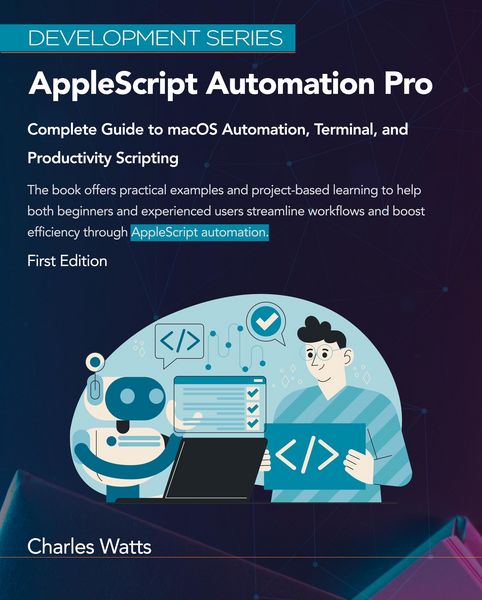
AppleScript Automation Pro: Complete Guide to macOS Automation, Terminal, and Productivity Scripting (Development Series)
-
- Einzelkauf Download ausgewählt
-
Sprache:Englisch
8,99 €
inkl. gesetzl. MwSt.Beschreibung
Produktdetails
Format
ePUB
Kopierschutz
Ja
Family Sharing
Ja
Text-to-Speech
Ja
Erscheinungsdatum
28.07.2025
Verlag
Charles WattsSeitenzahl
(Printausgabe)
Dateigröße
998 KB
Sprache
Englisch
EAN
9798231628254
Eliminate repetitive tasks, automate file management, control applications, and build custom productivity systems. From basics to advanced enterprise solutions. Key Features
- Master AppleScript from basics to advanced automation with hands-on projects and real-world examples
- Automate file management, email workflows, web scraping, and system tasks to save hours daily
- Integrate with Shell scripts, JavaScript for Automation (JXA), Automator, and third-party apps
- Build custom productivity systems with scheduling, notifications, and interactive interfaces
Book Description
Transform your Mac workflow with AppleScript automation. This comprehensive guide takes you from beginner to automation expert, teaching you to eliminate repetitive tasks and boost productivity through intelligent scripting.
Starting with AppleScript fundamentals, you'll learn the syntax and structure that makes macOS automation possible. Progress through practical applications including Finder operations, Safari web automation, Mail.app workflows, and sophisticated file organization systems.
Discover advanced techniques like error handling, data manipulation, API integration, and performance optimization. Real-world projects guide you through building smart backup systems, automated report generation, and custom notification frameworks.
The book covers modern automation approaches including Terminal integration, shell scripting, and combining AppleScript with Automator and Shortcuts. Learn to control third-party applications like Microsoft Excel, Adobe Creative Cloud, and cloud services including iCloud Drive, Google Drive, and Dropbox.
Enterprise chapters cover deployment strategies, security considerations, and scalable automation solutions. Advanced debugging, performance tuning, and troubleshooting ensure reliable production scripts.
What you will learn
- Write, debug, and optimize AppleScript using modern development practices
- Automate file management including organization, backups, and batch processing
- Control web browsers for data extraction, form filling, and scheduled downloads
- Create email automation for organizing messages and generating reports
- Build interactive applications with custom dialog boxes and user interfaces
- Integrate AppleScript with Terminal commands and shell scripts
- Schedule automated tasks using launchd and custom productivity systems
- Work with APIs and cloud platforms for data integration
- Secure automation scripts and handle sensitive data appropriately
Who this book is for
This book targets Mac users wanting to eliminate repetitive tasks through automation. Perfect for complete beginners and those with some scripting experience seeking immediate workflow improvements.
System administrators and IT professionals will find enterprise automation techniques for managing multiple Macs and deploying organizational scripts. Creative professionals, designers using Adobe applications, and business users managing complex workflows discover targeted automation solutions.
Developers familiar with other languages will appreciate AppleScript's unique application control approach, while power users find advanced macOS customization techniques.
No programming experience required, though basic macOS familiarity helps maximize the practical examples throughout.
Noch keine Bewertungen vorhanden
Verfassen Sie die erste Bewertung zu diesem Artikel
Helfen Sie anderen Kundinnen und Kunden durch Ihre Meinung.
Kurze Frage zu unserer Seite
Vielen Dank für Ihr Feedback
Wir nutzen Ihr Feedback, um unsere Produktseiten zu verbessern. Bitte haben Sie Verständnis, dass wir Ihnen keine Rückmeldung geben können. Falls Sie Kontakt mit uns aufnehmen möchten, können Sie sich aber gerne an unseren Kund*innenservice wenden.
zum Kundenservice