Beschreibung
Produktdetails
Einband
Gebundene Ausgabe
Erscheinungsdatum
07.02.2025
Verlag
Cadcamcae WorksSeitenzahl
910
Maße (L/B/H)
28,6/22,1/5,3 cm
Gewicht
2500 g
Auflage
5th Edition
Sprache
Englisch
ISBN
978-1-77459-161-1
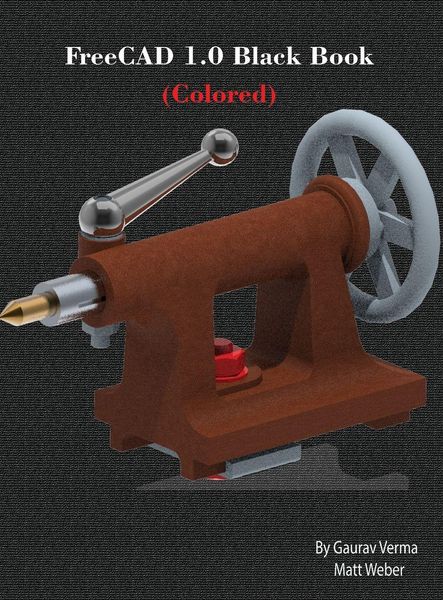
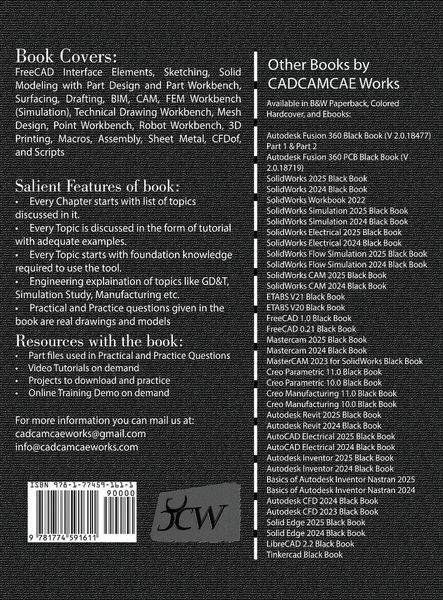
FreeCAD 1.0 Black Book is the ultimate guide for mastering FreeCAD 1.0, the powerful open-source CAD/CAM/CAE software. This book, authored by Gaurav Verma and Matt Weber, is tailored for beginners and professionals, offering step-by-step tutorials, real-world projects, and over 2100 illustrations to ensure a deep understanding of FreeCAD's capabilities. Covering essential and advanced FreeCAD features, this book starts with interface navigation, sketching, and solid modeling, progressing to CAM, FEM (Finite Element Analysis), Sheet Metal, Computational Fluid Dynamics (CFD), and Assembly Workbenches. Each chapter includes practical examples, making learning intuitive and effective. Key Highlights: ¿ Comprehensive FreeCAD 1.0 Guide - Learn everything from basic sketching to advanced simulation and assembly modeling. ¿ Real-World Projects - Industry-relevant examples to build practical expertise. ¿ Extensive Visual Support - Detailed illustrations to guide users through each operation. ¿ CAM & CNC Machining - Generate toolpaths and G-code for manufacturing. ¿ FEM & CFD Simulation - Analyze structures and fluid dynamics within FreeCAD. ¿ Sheet Metal & Tech Draw Workbenches - Essential tools for product design. Whether you're a student, engineer, designer, or hobbyist, the FreeCAD 1.0 Black Book is your go-to resource for parametric 3D modeling, design automation, and simulation.
Noch keine Bewertungen vorhanden
Verfassen Sie die erste Bewertung zu diesem Artikel
Helfen Sie anderen Kundinnen und Kunden durch Ihre Meinung.
Kurze Frage zu unserer Seite
Vielen Dank für Ihr Feedback
Wir nutzen Ihr Feedback, um unsere Produktseiten zu verbessern. Bitte haben Sie Verständnis, dass wir Ihnen keine Rückmeldung geben können. Falls Sie Kontakt mit uns aufnehmen möchten, können Sie sich aber gerne an unseren Kund*innenservice wenden.
zum Kundenservice