Gutscheinbedingungen

**Gültig nur für Bestellungen an die Wunsch-Poststation bis 10.06.2026 auf Spielzeug, Schreibwaren, Filme, Geschenke & Trends, Musik, tolino eReader & Zubehör, Hörbücher und Hörbuch-Downloads (außer Abo), nicht preisgebundene Bücher und Kalender online auf thalia.at und in der Thalia App. Einzelne Artikel können ausgeschlossen sein. Aufgrund der Buchpreisbindung sind deutschsprachige Bücher und eBooks ausgenommen. Zusätzlich ausgenommen sind preisgebundene Artikel, Abos & Flatrates, eBooks, Games, Geschenkkarten/-boxen, Shelfies, Software, Zeitschriften sowie einzelne Artikel von tonies®. Pro Einkauf einmal einlösbar. Kein Click & Collect möglich. Keine Barauszahlung. Nicht kombinierbar mit anderen Aktionen und Gutscheinen. Gutschein wird auf max. 500€ Bestellwert angerechnet. Nicht gültig für Versandkosten und Services.

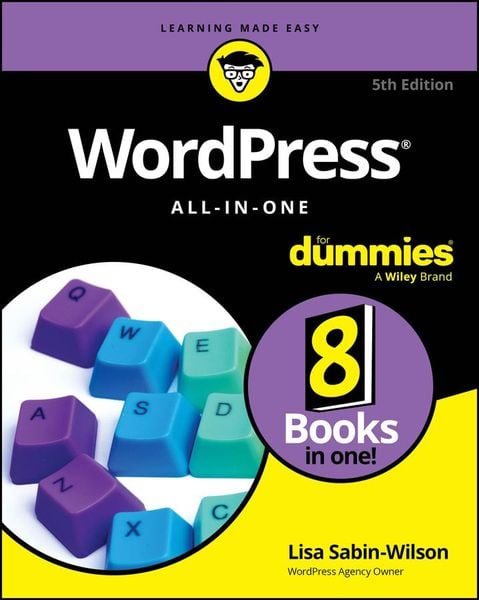
Produktbild: WordPress All-in-One For Dummies

WordPress All-in-One For Dummies

38,99 €

inkl. gesetzl. MwSt., Versandkostenfrei


Beschreibung

Produktdetails

Einband

Taschenbuch

Erscheinungsdatum

05.02.2024

Verlag

Wiley

Seitenzahl

608

Maße (L/B/H)

23,4/18,7/3,6 cm

Gewicht

1120 g

Auflage

5. Auflage

Sprache

Englisch

ISBN

978-1-394-22538-5

Beschreibung

Produktdetails

Einband

Taschenbuch

Erscheinungsdatum

05.02.2024

Verlag

Wiley

Seitenzahl

608

Maße (L/B/H)

23,4/18,7/3,6 cm

Gewicht

1120 g

Auflage

5. Auflage

Sprache

Englisch

ISBN

978-1-394-22538-5

Herstelleradresse

Libri GmbH
Europaallee 1
36244 Bad Hersfeld
DE

Email: gpsr@libri.de

Kundinnen und Kunden meinen

0 Bewertungen

Informationen zu Bewertungen

Zur Abgabe einer Bewertung ist eine Anmeldung im Konto notwendig. Die Authentizität der Bewertungen wird von uns nicht überprüft. Wir behalten uns vor, Bewertungstexte, die unseren Richtlinien widersprechen, entsprechend zu kürzen oder zu löschen.

Die Bewertungen sind nach Format, Anzahl Sterne und Datum sortiert.

Verfassen Sie die erste Bewertung zu diesem Artikel

Helfen Sie anderen Kund*innen durch Ihre Meinung

Kundinnen und Kunden meinen

0 Bewertungen filtern

Die Leseprobe wird geladen.
  • Produktbild: WordPress All-in-One For Dummies
  • Introduction 1

    Book 1: Understanding WordPress Basics 5

    Chapter 1: Exploring Basic WordPress Concepts 7

    Chapter 2: Exploring the World of Open-Source Software 19

    Chapter 3: Understanding Development and Release Cycles 29

    Chapter 4: Meeting the WordPress Community     37

    Chapter 5: Discovering Different Versions of WordPress 49

    Book 2: Setting Up the WordPress Software 61

    Chapter 1: Understanding the System Requirements 63

    Chapter 2: Using Secure File Transfer Protocol 73

    Chapter 3: Installing WordPress on Your Web Server 87

    Chapter 4: Configuring WordPress for Optimum Security 103

    Chapter 5: Updating WordPress 117

    Chapter 6: Backing Up, Packing Up, and Moving to a New Host 127

    Book 3: Exploring the WordPress Dashboard 145

    Chapter 1: Logging in and Taking a Look Around 147

    Chapter 2: Exploring Tools and Settings 161

    Chapter 3: Managing Users and Multiple Authors 193

    Chapter 4: Dealing with Comments and Spam 203

    Chapter 5: Creating Categories and Tags 213

    Book 4: Publishing Your Site with WordPress 223

    Chapter 1: Exploring the WordPress Block Editor 225

    Chapter 2: Writing Your First Post 253

    Chapter 3: Creating a Static Page 265

    Chapter 4: Managing Media 275

    Chapter 5: Embedding Video, Audio, and Other Media 293

    Book 5: Examining Social Media and SEO 325

    Chapter 1: Understanding Analytics 327

    Chapter 2: Monitoring Your Brand on the WordPress Dashboard 341

    Chapter 3: Maximizing Your Site with Search Engine Optimization 353

    Chapter 4: Exploring Popular SEO Plugins 371

    Book 6: Customizing the Look of Your Site 383

    Chapter 1: Finding and Installing WordPress Themes 385

    Chapter 2: Exploring the Site Editor and Block Themes 403

    Chapter 3: Using and Creating Block Patterns 425

    Book 7: Using and Developing Plugins 439

    Chapter 1: Introducing WordPress Plugins 441

    Chapter 2: Installing and Managing Plugins 459

    Chapter 3: Configuring and Using Plugins 475

    Book 8: Running Multiple Sites with WordPress 491

    Chapter 1: Using the Multisite Feature 493

    Chapter 2: Setting Up and Configuring Network Features 503

    Chapter 3: Becoming a Network Admin 511

    Chapter 4: Managing Users and Controlling Access 531

    Chapter 5: Using Network Plugins and Themes 541

    Chapter 6: Using Multiple Domains within Your Network 553

    Index 563