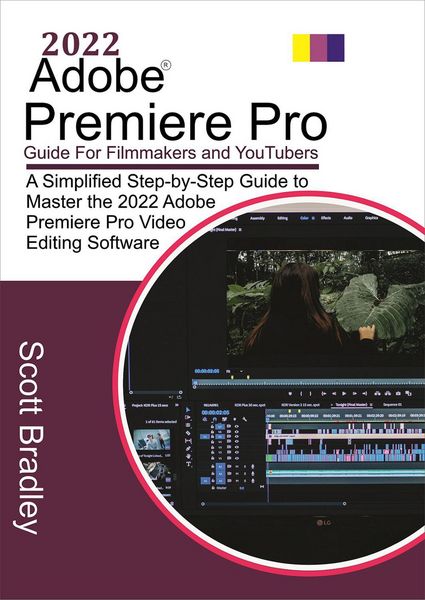
2022 Adobe® Premiere Pro Guide For Filmmakers and YouTubers
-
- Einzelkauf Download ausgewählt
-
Sprache:Englisch
5,99 €
inkl. gesetzl. MwSt.Beschreibung
Produktdetails
Format
ePUB
Kopierschutz
Ja
Family Sharing
Ja
Text-to-Speech
Ja
Erscheinungsdatum
26.06.2022
Verlag
Scott BradleySeitenzahl
(Printausgabe)
Dateigröße
2865 KB
Sprache
Englisch
EAN
9798201279707
This book is about Premiere Pro, a video editing program. Adobe Premiere Pro is a non-linear video editor. You may modify your movie in whatever sequence you like, and you can instantly reach the beginning, middle, and finish of it. In addition, it is non-destructive. This means you may confidently cut, remove, move, modify, and adjust your music and video without fear of destroying it.
The lessons in this book walk you through the fundamentals of working with Premiere Pro step by step. You will learn the fundamentals of taking a project from start to the end, including how to organize material, use audio, create transitions, create titles, and apply effects. You'll learn how to improve your projects by sweetening and mixing audio, compositing layered video, altering color, designing motion graphics, exporting files, and much more after you've mastered the fundamentals.
This book will show you how to use Adobe Premiere Pro to create, edit, and enhance films. Premiere Pro is the instrument for you, whether you're arranging hours of interviews, combining news clips quickly before a deadline, or crafting your magnum opus-and this book will teach you all you need to know.
You'll learn the steps of using Premiere Pro professionally and successfully. There are dozens of examples available that may be used with any movie you like. You'll be introduced to all of Premiere Pro's capabilities in practical applications, as well as best practices for efficient workflows, via step-by-step lectures.
A Snippet of the content of this book includes:
Adobe Pro Performance and system requirement
Exploring the Adobe Creative Cloud video workflow
Touring the Premiere Pro Interface
Hands-On editing your First Video
Setting up a Project in 2022 Adobe Premiere Pro
How to use Adobe Stock
Recording a Voice-Over in 2022 Adobe Premiere Pro
Organizing Media in 2022 Adobe Premiere Pro
Working with the Bins in 2022 Adobe Premiere Pro
Working with audio clips in the Source Monitor
Mastering the Essentials of Video Editing in 2022 Adobe Premiere Pro
Source and Program Monitor Controls in 2022 Adobe Premiere Pro
Using Essential Editing Commands in 2022 Adobe Premiere Pro
Performing an overwrite edit in 2022 Adobe Premiere Pro
Performing Storyboard - Style Editing in 2022 Adobe Premiere Pro
Working with Clips and Markers in 2022 Adobe Premiere Pro
Using the Program Monitor Control in 2022 Adobe Premiere Pro
Setting the Playback Resolution in 2022 Adobe Premiere Pro
Using Markers in 2022 Adobe Premiere Pro
Working with Gaps in the Sequence
Adding Transitions in 2022 Adobe Premiere Pro
Adding Audio Transitions Effects in 2022 Adobe Premiere Pro
Mastering Advanced Editing Techniques in 2022 Adobe Premiere Pro
Performing Regular Trimming in 2022 Adobe Premiere Pro
How to Put Clips in Motion in 2022 Adobe Premiere Pro
Adjusting the Motion Effects in 2022 Adobe Premiere Pro
Working with Keyframe Interpolation in 2022 Adobe Premiere Pro
Editing and Mixing Audio in 2022 Adobe Premiere Pro
Adding Visual Effects in 2022 Adobe Premiere Pro
Applying Color Correction and Grading in 2022 Adobe Premiere Pro
Exploring the Color Adjustment Effects in 2022 Adobe Premiere Pro
Exploring Compositing Techniques in 2022 Adobe Premiere Pro
Exporting Frames, Clips, and Sequences in 2022 Adobe Premiere Pro
Understanding the Full Media Export Options in 2022 Adobe Premiere Pro
And Lots More
Noch keine Bewertungen vorhanden
Verfassen Sie die erste Bewertung zu diesem Artikel
Helfen Sie anderen Kundinnen und Kunden durch Ihre Meinung.
Kurze Frage zu unserer Seite
Vielen Dank für Ihr Feedback
Wir nutzen Ihr Feedback, um unsere Produktseiten zu verbessern. Bitte haben Sie Verständnis, dass wir Ihnen keine Rückmeldung geben können. Falls Sie Kontakt mit uns aufnehmen möchten, können Sie sich aber gerne an unseren Kund*innenservice wenden.
zum Kundenservice