KI-Beratung Beta

Gutscheinbedingungen

**Gültig bis 30.11.2026 auf Spielzeug, Schreibwaren, Filme, Geschenke & Trends, Musik, tolino eReader & Zubehör, Hörbücher und Hörbuch-Downloads, nicht preisgebundene Bücher und Kalender online auf thalia.at und in der Thalia App. Einzelne Artikel können ausgeschlossen sein. Aufgrund der Buchpreisbindung sind deutschsprachige Bücher und eBooks ausgenommen. Zusätzlich ausgenommen sind Abos & Flatrates, Games, Geschenkkarten/-boxen, Shelfies, Software, Zeitschriften sowie einzelne Artikel von tonies®. Pro Einkauf einmal einlösbar. Nur gültig mit im Onlineshop hinterlegter Bonuscard. Click & Collect nur bei Onlinevorabzahlung möglich. Keine Barauszahlung. Nicht kombinierbar mit anderen Aktionen und Gutscheinen. Gutschein wird auf max. 500€ Bestellwert angerechnet. Nicht gültig für Versandkosten und Services.

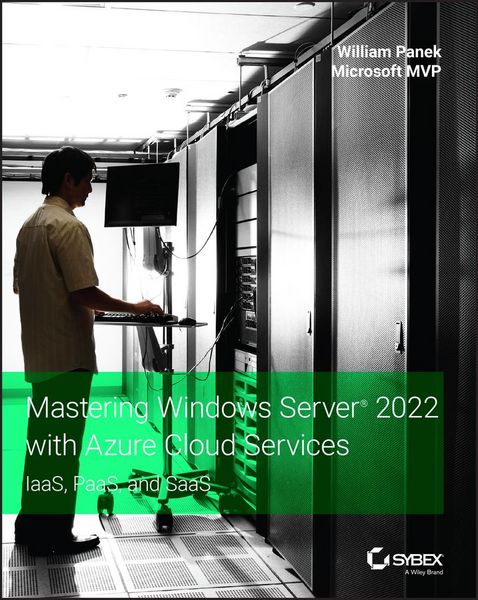
Produktbild: Mastering Windows Server 2022 with Azure Cloud Services

Mastering Windows Server 2022 with Azure Cloud Services Iaas, Paas, and Saas

56,99 €

inkl. gesetzl. MwSt., Versandkostenfrei


Beschreibung

Extend your on-premises Windows Server deployments to the cloud with Azure   In Mastering Windows Server 2022 with Azure Cloud Services: IaaS, PaaS, and SaaS, 5-time Microsoft MVP Winner William Panek delivers a comprehensive and practical blueprint for planning, implementing, and managing environments...

Beschreibung

Extend your on-premises Windows Server deployments to the cloud with Azure
 
In Mastering Windows Server 2022 with Azure Cloud Services: IaaS, PaaS, and SaaS, 5-time Microsoft MVP Winner William Panek delivers a comprehensive and practical blueprint for planning, implementing, and managing environments that include Azure IaaS-hosted Windows Server-based workloads.
 
You'll learn to use the expansive, hybrid capabilities of Azure, how to migrate virtual and physical server workloads to Azure IaaS, PaaS, and SaaS, and how to manage and secure Azure virtual machines running Windows Server 2022.
 
This book also offers:
* Foundational explanations of core Azure capabilities, including Infrastructure-as-a-Service (IaaS), Platform-as-a-Service (PaaS), and Software-as-a-Service (SaaS)
* Explorations of the tools you'll need to implement Azure solutions, including Windows Admin Center and PowerShell
* Examples of implementing identity in Hybrid scenarios, including Azure AD DS on Azure IaaS and managed AD DS
 
Perfect for IT professionals who manage on-premises Windows Server environments, seek to use Azure to manage server workloads, and want to secure virtual machines running on Windows Server 2022, Mastering Windows Server 2022 with Azure Cloud Services: IaaS, PaaS, and SaaS is also a must-read resource for anyone involved in administering or operating Microsoft Azure IaaS workloads.

Produktdetails

Einband

Taschenbuch

Erscheinungsdatum

01.11.2022

Verlag John Wiley & Sons
Seitenzahl

544

Produktdetails

Einband

Taschenbuch

Erscheinungsdatum

01.11.2022

Verlag John Wiley & Sons
Seitenzahl

544

Maße (L/B/H)

23,2/18,6/3,3 cm

Gewicht

994 g

Auflage

1. Auflage

Sprache

Englisch

ISBN

978-1-119-79892-7

Herstelleradresse

Libri GmbH
Europaallee 1
36244 Bad Hersfeld
DE

Email: gpsr@libri.de

Noch keine Bewertungen vorhanden

Verfassen Sie die erste Bewertung zu diesem Artikel

Helfen Sie anderen Kundinnen und Kunden durch Ihre Meinung.

Kundinnen und Kunden meinen

Bewertungen (0)

Die Leseprobe wird geladen.
  • Produktbild: Mastering Windows Server 2022 with Azure Cloud Services
  • Introduction xxi
     
    Chapter 1 Understanding Windows Server 2022 1
     
    Features and Advantages of Windows Server 2022 1
     
    Deciding Which Windows Server 2022 Version to Use 6
     
    Deciding on the Type of Installation 13
     
    Removed Features 17
     
    The Bottom Line 20
     
    Chapter 2 Understanding Virtualization 21
     
    Introduction to Virtualization 21
     
    Hyper-V Features 23
     
    Hyper-V Architecture 28
     
    Hyper-V Operating Systems 29
     
    Linux and FreeBSD Image Deployments 29
     
    Virtualization in Azure 30
     
    The Bottom Line 30
     
    Chapter 3 Installing and Configuring Hyper-V 31
     
    Hyper-V Installation and Configuration 31
     
    Hyper-V Requirements 31
     
    Install the Hyper-V Role 32
     
    Hyper-V in Server Manager 35
     
    Using Hyper-V Manager 35
     
    Configure Hyper-V Settings 36
     
    Manage Virtual Switches 38
     
    Managing Virtual Hard Disks 40
     
    Configuring Virtual Machines 45
     
    Creating and Managing Virtual Machines 45
     
    Linux and FreeBSD Image Deployments 56
     
    PowerShell Commands 59
     
    The Bottom Line 62
     
    Chapter 4 Installing Windows Server 2022 63
     
    Installing the Windows Server 2022 OS 63
     
    Installing with the Desktop Experience 63
     
    Installing Windows Server 2022 Server Core 68
     
    Activating and Servicing Windows 71
     
    Key Management Service 71
     
    Automatic Virtual Machine Activation 73
     
    Active Directory-Based Activation 74
     
    Servicing Windows Server 2022 74
     
    Configuring Windows Server Updates 75
     
    Windows Update 76
     
    Using Windows Server Update Services 80
     
    Understanding Features On Demand 93
     
    The Bottom Line 94
     
    Chapter 5 Understanding IP 97
     
    Understanding TCP/IP 97
     
    Details of the TCP/IP Model 97
     
    How TCP/IP Layers Communicate 98
     
    Understanding Port Numbers 98
     
    Understanding IP Addressing 100
     
    The Hierarchical IP Addressing Scheme 100
     
    Understanding Network Classes 101
     
    Subnetting a Network 104
     
    Implementing Subnetting 105
     
    An Easier Way to Apply Subnetting 110
     
    Applying Subnetting the Traditional Way 114
     
    Working with Classless Inter-Domain Routing 121
     
    Supernetting 124
     
    Understanding IPv6 124
     
    IPv6 History and Need 124
     
    New and Improved IPv6 Concepts 125
     
    IPv6 Addressing Concepts 127
     
    IPv6 Integration/Migration 132
     
    The Bottom Line 136
     
    Chapter 6 Implementing DNS 137
     
    Introducing DNS 137
     
    HOSTS File 138
     
    Understanding Servers, Clients, and Resolvers 142
     
    Understanding the DNS Process 142
     
    Introducing DNS Database Zones 147
     
    Understanding Primary Zones 148
     
    Understanding Secondary Zones 149
     
    Understanding Active Directory Integrated DNS 150
     
    Understanding Stub Zones 152
     
    GlobalName Zones 153
     
    Zone Transfers and Replication 153
     
    Advantages of DNS in Windows Server 2022 156
     
    Background Zone Loading 157
     
    Support for IPv6 Addresses 157
     
    Support for Read-Only Domain Controllers 157
     
    DNS Socket Pools 158
     
    DNS Cache Locking 158
     
    Response Rate Limiting 158
     
    Unknown Record Support 159
     
    IPv6 Root Hints 159
     
    DNS Security Extensions 159
     
    DNS Devolution 161
     
    Record Weighting 161
     
    Netmask Ordering 161
     
    DnsUpdateProxy Group 161
     
    DNS Policies 161
     
    Introducing DNS