KI-Beratung Beta

Gutscheinbedingungen

**Gültig bis 30.11.2026 auf Spielzeug, Schreibwaren, Filme, Geschenke & Trends, Musik, tolino eReader & Zubehör, Hörbücher und Hörbuch-Downloads, nicht preisgebundene Bücher und Kalender online auf thalia.at und in der Thalia App. Einzelne Artikel können ausgeschlossen sein. Aufgrund der Buchpreisbindung sind deutschsprachige Bücher und eBooks ausgenommen. Zusätzlich ausgenommen sind Abos & Flatrates, Games, Geschenkkarten/-boxen, Shelfies, Software, Zeitschriften sowie einzelne Artikel von tonies®. Pro Einkauf einmal einlösbar. Nur gültig mit im Onlineshop hinterlegter Bonuscard. Click & Collect nur bei Onlinevorabzahlung möglich. Keine Barauszahlung. Nicht kombinierbar mit anderen Aktionen und Gutscheinen. Gutschein wird auf max. 500€ Bestellwert angerechnet. Nicht gültig für Versandkosten und Services.

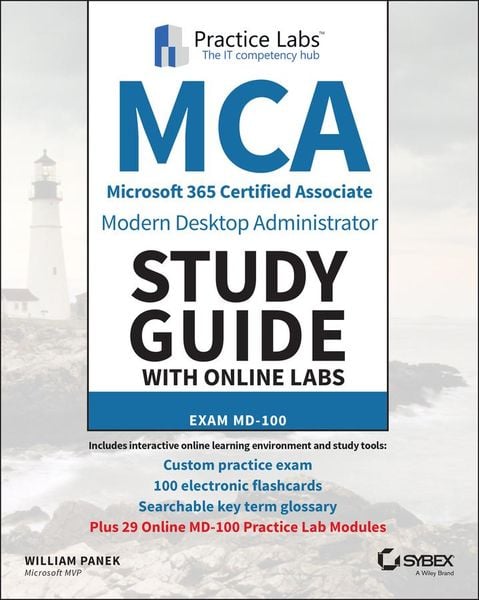
Produktbild: MCA Modern Desktop Administrator Study Guide with Online Labs

MCA Modern Desktop Administrator Study Guide with Online Labs Exam MD-100

134,99 €

inkl. gesetzl. MwSt., Versandkostenfrei


Beschreibung

Virtual, hands-on learning labs allow you to apply your technical skills using live hardware and software hosted in the cloud. So Sybex has bundled Microsoft 365 Certified Associate (MCA) Modern Desktop from Practice Labs, the IT Competency Hub, with our popular MCA Modern Desktop Administrator Study...

Beschreibung

Virtual, hands-on learning labs allow you to apply your technical skills using live hardware and software hosted in the cloud. So Sybex has bundled Microsoft 365 Certified Associate (MCA) Modern Desktop from Practice Labs, the IT Competency Hub, with our popular MCA Modern Desktop Administrator Study Guide: Exam MD-100. Working in these labs gives you the same experience you need to prepare for the Microsoft 365 Certified Associate (MCA) Modern Desktop MD-100 that you would face in a real-life setting. Used in addition to the book, the labs are a proven way to prepare for the certification and for work in the Windows IT professional field.
 
The new Microsoft 365 Certified Associate (MCA) Modern Desktop certification exam measures a candidate's ability to deploy Windows, manage devices and data, configure connectivity, and maintain Windows. MCA certification, sought by a growing number of employers, is an important part of any IT professional's resume.
 
The MCA Modern Desktop Administrator Study Guide: Exam MD-100 is a must-have book for anyone preparing for certification. This clear and accurate study guide covers 100% of exam objectives--providing hands-on exercises, challenging review questions, full explanations, and real-world examples to deploy, configure, secure, manage, and monitor devices and client applications in an enterprise environment. Access to Sybex's comprehensive online learning environment--comprising a self-assessment test, a bonus practice exam, flashcards, a searchable glossary, and chapter exercise videos--is included to fully prepare for exam day. This study guide:
* Covers all Exam: MD-100 objectives
* Prepares readers to implement, install, and configure Windows 10
* Reinforces comprehension and retention of central exam topics
* Helps readers learn new skills or upgrade existing skills to Microsoft's latest desktop client
 
Demand for competent IT professionals is already high and continues to grow at a rapid pace. The MCA Modern Desktop Administrator Study Guide: Exam MD-100 is a valuable resource for preparing for the new Exam MD-100 and MCA certification.
 
And with this edition you also get Practice Labs virtual labs that run from your browser. The registration code is included with the book and gives you 6 months unlimited access to Practice Labs Microsoft 365 Certified Associate (MCA) Modern Desktop Labs with 29 unique lab modules to practice your skills.

Produktdetails

Einband

Taschenbuch

Erscheinungsdatum

27.10.2020

Verlag John Wiley & Sons
Seitenzahl

480

Produktdetails

Einband

Taschenbuch

Erscheinungsdatum

27.10.2020

Verlag John Wiley & Sons
Seitenzahl

480

Maße (L/B/H)

18,5/23,4/2,5 cm

Gewicht

798 g

Auflage

1. Auflage

Sprache

Englisch

ISBN

978-1-119-78430-2

Herstelleradresse

Libri GmbH
Europaallee 1
36244 Bad Hersfeld
DE

Email: gpsr@libri.de

Noch keine Bewertungen vorhanden

Verfassen Sie die erste Bewertung zu diesem Artikel

Helfen Sie anderen Kundinnen und Kunden durch Ihre Meinung.

Kundinnen und Kunden meinen

Bewertungen (0)

  • Produktbild: MCA Modern Desktop Administrator Study Guide with Online Labs
  • Introduction xxi
     
    Assessment Test xxxi
     
    Part I Exam MD-100 1
     
    Chapter 1 Windows 10 Installation 3
     
    Understanding the Basics 4
     
    Windows 10 Features 8
     
    Windows 10 Architecture 10
     
    Preparing to Install Windows 10 11
     
    Windows 10 Home 11
     
    Windows 10 Pro 12
     
    Windows 10 Enterprise 13
     
    Windows 10 Enterprise E3 and E5 14
     
    Windows 10 Requirements 14
     
    New Install or Upgrade? 17
     
    Disk Partitioning 20
     
    Language and Locale 21
     
    Installing Windows 10 22
     
    Performing a Clean Install of Windows 10 22
     
    Performing an Upgrade to Windows 10 31
     
    Troubleshooting Installation Problems 36
     
    Supporting Multiple-Boot Options 38
     
    Using Windows Activation 39
     
    Understanding Automated Deployment Options 40
     
    An Overview of the Microsoft Deployment Toolkit 41
     
    An Overview of Unattended Installation 46
     
    An Overview of Windows Deployment Services 48
     
    An Overview of the System Preparation Tool and Disk Imaging 51
     
    Overview of the Windows Assessment and Deployment Kit 55
     
    Windows Configuration Designer 56
     
    Summary of Windows 10 Deployment Options 56
     
    Deploying Unattended Installations 57
     
    Using the System Preparation Tool to Prepare an Installation for Imaging 59
     
    Using Windows Configuration Designer to Create a Disk Image 61
     
    Using the Deployment Image Servicing and Management Tool 63
     
    Using Windows System Image Manager to Create Answer Files 65
     
    Windows Update 66
     
    The Update Process 66
     
    Using Windows Update 68
     
    Using Command-Line Options 69
     
    Installing Windows Store Updates 70
     
    Summary 71
     
    Exam Essentials 72
     
    Video Resources 73
     
    Review Questions 74
     
    Chapter 2 Configuring Users 77
     
    Understanding User Accounts 78
     
    Account Types 79
     
    Built-In Accounts 80
     
    Local and Domain User Accounts 81
     
    Working with User Accounts 82
     
    Using the Local Users and Groups Utility 82
     
    Using the User Accounts Option in Control Panel 84
     
    Creating New Users 85
     
    Disabling User Accounts 90
     
    Deleting User Accounts 91
     
    Renaming User Accounts 93
     
    Changing a User's Password 94
     
    Using Windows Hello, Pictures, and Biometrics 94
     
    Using Device Guard 95
     
    Understanding Credential Guard 98
     
    Configuring Device Health Attestation 99
     
    Managing User Properties 101
     
    Managing User Group Membership 101
     
    Setting Up User Profiles, Logon Scripts, and Home Folders 103
     
    Troubleshooting User Account Authentication 109
     
    Managing and Creating Groups 110
     
    Using Built-In Groups 111
     
    Creating Groups 115
     
    Managing Group Membership 116
     
    Deleting Groups 118
     
    Managing Security Using GPOs and LGPOs 118
     
    Understanding the GPO and LGPO Basics 118
     
    Using the Group Policy Result Tool 120
     
    Managing and Applying LGPOs 121
     
    Configuring Local Security Policies 123
     
    Using Account Policies 124
     
    Using Local Policies 130
     
    Configuring User Account Control 138
     
    Privilege Elevation 138
     
    Registry and File Virtualization 140
     
    Understanding Smart Cards 140
     
    Configuring Remote Management 143
     
    Remote Assistance 143
     
    Remote Desktop 148
     
    Enabling PowerShell Remoting 150
     
    Configuring a VPN Connection 151
     
    Transparent Caching 153