Gutscheinbedingungen

**Gültig nur für Bestellungen an die Wunsch-Poststation bis 10.06.2026 auf Spielzeug, Schreibwaren, Filme, Geschenke & Trends, Musik, tolino eReader & Zubehör, Hörbücher und Hörbuch-Downloads (außer Abo), nicht preisgebundene Bücher und Kalender online auf thalia.at und in der Thalia App. Einzelne Artikel können ausgeschlossen sein. Aufgrund der Buchpreisbindung sind deutschsprachige Bücher und eBooks ausgenommen. Zusätzlich ausgenommen sind preisgebundene Artikel, Abos & Flatrates, eBooks, Games, Geschenkkarten/-boxen, Shelfies, Software, Zeitschriften sowie einzelne Artikel von tonies®. Pro Einkauf einmal einlösbar. Kein Click & Collect möglich. Keine Barauszahlung. Nicht kombinierbar mit anderen Aktionen und Gutscheinen. Gutschein wird auf max. 500€ Bestellwert angerechnet. Nicht gültig für Versandkosten und Services.

  • Produktbild: Apple macOS and iOS System Administration
  • Produktbild: Apple macOS and iOS System Administration

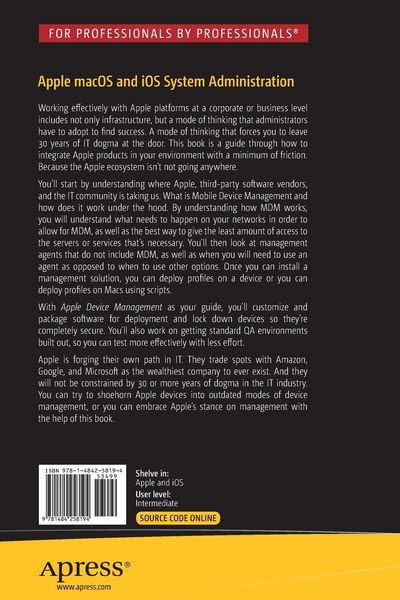
Apple macOS and iOS System Administration Integrating and Supporting iPhones, iPads, and MacBooks

59,99 €

inkl. gesetzl. MwSt., Versandkostenfrei


Beschreibung

Produktdetails

Einband

Taschenbuch

Erscheinungsdatum

02.05.2020

Verlag

Apress

Seitenzahl

573

Maße (L/B/H)

23,5/15,5/3,1 cm

Gewicht

891 g

Auflage

1st ed.

Sprache

Englisch

ISBN

978-1-4842-5819-4

Beschreibung

Produktdetails

Einband

Taschenbuch

Erscheinungsdatum

02.05.2020

Verlag

Apress

Seitenzahl

573

Maße (L/B/H)

23,5/15,5/3,1 cm

Gewicht

891 g

Auflage

1st ed.

Sprache

Englisch

ISBN

978-1-4842-5819-4

Herstelleradresse

Libri GmbH
Europaallee 1
36244 Bad Hersfeld
DE

Email: gpsr@libri.de

Kundinnen und Kunden meinen

0 Bewertungen

Informationen zu Bewertungen

Zur Abgabe einer Bewertung ist eine Anmeldung im Konto notwendig. Die Authentizität der Bewertungen wird von uns nicht überprüft. Wir behalten uns vor, Bewertungstexte, die unseren Richtlinien widersprechen, entsprechend zu kürzen oder zu löschen.

Die Bewertungen sind nach Format, Anzahl Sterne und Datum sortiert.

Verfassen Sie die erste Bewertung zu diesem Artikel

Helfen Sie anderen Kund*innen durch Ihre Meinung

Kundinnen und Kunden meinen

0 Bewertungen filtern

  • Produktbild: Apple macOS and iOS System Administration
  • Produktbild: Apple macOS and iOS System Administration
  • Chapter 1, Introduction to Apple platforms

    Chapter Goal: Provide readers with an overview of Apple platforms and the uniqueness of Macs vs PCs.

    ·      Introduction & Overview of this Book

    ·      History of Apple platforms

    ·      Introduction to macOS (10.15 Catalina)

    ·      Introduction to iOS, iPad OS, tvOS, and watchOS (13.1)

    ·      Apple Hardware & Software Integration


    Chapter 2, macOS Client Administration

    Chapter Goal: Provide readers with a basic understanding of the most common system utilities and tools built into macOS that all system administrators should be familiar with.

    ·      Apple Hardware Troubleshooting

    ·      Installing & Upgrading macOS

    ·      Disk Utility

    ·      Drive Partition & File Systems

    ·      Recovery Tools

    ·      System Preferences

    ·      Managing Local User Accounts

    ·      Parental Controls & ScreenTime

    ·      System Utilities for System Administration

    ·      Advanced Finder Techiques

    ·      Introduction to the Terminal


    Chapter 3, macOS Security

    Chapter Goal: Provide readers with an in-depth understanding regarding all of Apple’s hardware and operating system level security features.

    ·      File Permissions

    ·      GateKeeper

    ·      FileVault Encryption

    ·      T2 Chip & Activation Lock

    ·      Transparency, Concent, and Control (TCC)

    ·      Access Control

    ·      Privacy Preferences Policy Control (PPPC)


    Chapter 4, iOS Client Administration 

    Chapter Goal: Provide readers with a basic understanding of the most common settings, restrictions, and features for managing iOS devices.

    ·      iOS Hardware Troubleshooting

    ·      iOS Reset & Activation

    ·      iOS Backup & Restore

    ·      Managing Activation Lock

    ·      Configuring VPN

    ·      iOS Device Restrictions

    ·      Managing ScreenTime Features

    ·      Accessiblity & Guided Access Features


    Chapter 5, macOS Management using Apple Remote Desktop

    Chapter Goal:  Provide readers with the knowledge to needed to remotely manage a fleet of macOS devices using Apple’s Remote Desktop application.

    ·      Purchasing & Installing Apple Remote Desktop (ARD)

    ·      Configuring macOS Clients to use ARD

    ·      Adding Clients to the ARD Admin Console

    ·      Organizing and Interacting with macOS Clients via ARD

    ·      Installing Applications & Copying Files using ARD

    ·      IT Asset Managemement with ARD

    ·      Configuring a Remote Task Server for ARD


    Chapter 6, Managing iOS Devices using Apple Configurator

    Chapter Goal:  Provide readers with the knowledge needed to use a Mac running Apple Configurator to mass deploy iOS Devices with standard configurations.

    ·      Installing Apple Configurator (2)

    ·      Introduction to Apple Configurator

    ·      Enrolling Devices into Apple Configurator

    ·      Creating *.mobileconfig Profiles

    ·      Managing Devices Using Apple Configurator


    Chapter 7, Using macOS Server

    Chapter Goal:  Provide readers with an in-depth look at macOS server and explain why they may or may not need a macOS server, how to set one up, and what services to run.

    ·      Do you need a macOS Server?

    ·      Introduction to macOS Server

    ·      Installing macOS Server

    ·      Managing a macOS Server

    ·      Directory Services

    ·      Profile Manager

    ·      File & Print Sharing


    Chapter 8, Mobile Device Management

    Chapter Goal:  Introduce readers to the concept of MDM, provide an in-depth look at Apple’s Profile Manager, discuss other 3rd party MDM solutions, and why you may need/want an MDM for your organization.

    ·      Introduction to Mobile Device Management

    ·      Apple Device Enrollment Program

    ·      Introduction to Apple School Manager / Apple Business Manager

    ·      Volume Purchase Program

    ·      Configuring Profile Manager in macOS Server

    ·      Managing iOS Devices in Apple Profile Manager

    ·      Managing macOS Devices in Apple Profile Manager

    ·      Privacy Preferences Policy Control for macOS

    ·      Apple Profile Manager vs 3rd Party MDM Solutions


    Chapter 9, Apple and Microsoft Integration

    Chapter Goal:  Provide readers with the knowledge to integrate macOS and iOS clients into an enterprise Microsoft environment.

    ·      Introduction to macOS Management in an Enterprise environment

    ·      Microsoft Active Directory Integration

    ·      Local, Mobile, and Network Accounts

    ·      Windows File Sharing and macOS Clients

    ·      Sharing Windows Printers with macOS Clients

    ·      Microsoft Office 365 Integration 

    ·      Microsoft Exchange Integration


    Chapter 10, macOS Application Deployment

    Chapter Goal:  Provide users with strategies for installing and upgrading various kinds of applications from sources like Disk Images, PKG files, and the App Store on a mass scale.

    ·      Installing Applications from a Disk Image

    ·      Installing Applications from a Compressed File

    ·      Installing Applications using Package Files

    ·      Installing App Store Applications

    ·      Deploying Custom Application Preferences and End User Configurations


    Chapter 11, Mass macOS Application Deployment using Munki

    Chapter Goal:  Introduce the Munki open source product to Mac administrators and provide the knowledge needed to configure and automate macOS client management.

    ·      Introduction to Munki

    ·      Munki Components

    ·      Configuring the Apache Web Server for Munki

    ·      Configuring a Machine to Manage Munki Clients

    ·      Installing Munkitools on macOS Clients

    ·      Packaging Software for Munki Deployment

    ·      Building Manifests

    ·      Upgrading Software with Munki

    ·      Upgrading Configuration Profiles with Munki

    ·      Removing Software with Munki

    ·      Munki Receipts & Bill of Materials

    ·      Controlling How Often Munki Runs on a macOS Client


    Chapter 12, Scripted Out-of-Box Experience with macOS Clients

    Chapter Goal:  Tying together the concepts of Chapters 9 and 10 to create a customized, scripted out-of-box automation to get macOS clients configured for customer use with as few touches as possible.

    ·      Creating a Deployment Workflow using Munki

    ·      Creating a Deployment Workflow using Profile Manager


    Chapter 13, Mass Provisioning of iOS Devices

    Chapter Goal:  Tying together the concepts of MDM, VPP, and DEP to create a customized, over-the-air automation to deploy iOS devices configured for customer use with as few touches as possible. 

    ·      Creating a Provisioning Workflow with Profile Manager