KI-Beratung Beta

Gutscheinbedingungen

**Gültig bis 05.10.2026 ab einem Mindestbestellwert von 30€ auf Spielzeug, Schreibwaren, Filme, Geschenke & Trends, Musik, tolino eReader & Zubehör, Hörbücher und Hörbuch-Downloads, nicht preisgebundene Bücher und Kalender online auf thalia.at und in der Thalia App. Einzelne Artikel können ausgeschlossen sein. Aufgrund der Buchpreisbindung sind deutschsprachige Bücher und eBooks ausgenommen. Zusätzlich ausgenommen sind Abos & Flatrates, Games, Geschenkkarten/-boxen, Shelfies, Software, Zeitschriften sowie einzelne Artikel von tonies®. Pro Einkauf einmal einlösbar. Nur gültig mit im Onlineshop hinterlegter Bonuscard. Click & Collect nur bei Onlinevorabzahlung möglich. Keine Barauszahlung. Nicht kombinierbar mit anderen Aktionen und Gutscheinen. Gutschein wird auf max. 500€ Bestellwert angerechnet. Nicht gültig für Versandkosten und Services. Preisgebundene Artikel sind vom Mindestbestellwert ausgeschlossen.

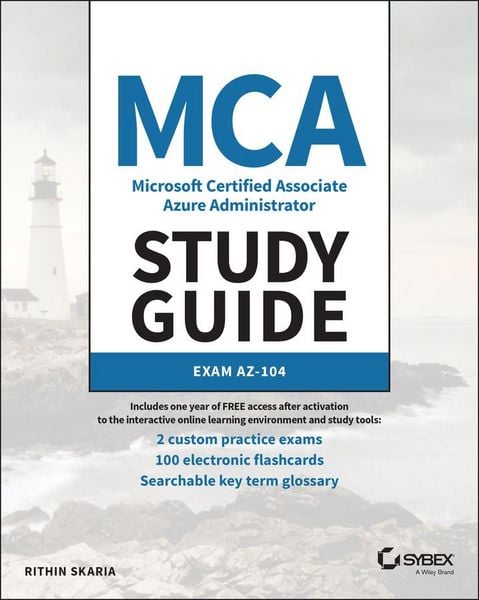
Produktbild: MCA Microsoft Certified Associate Azure Administrator Study Guide: Exam AZ-104

MCA Microsoft Certified Associate Azure Administrator Study Guide: Exam AZ-104 Exam AZ-104

Aus der Reihe Sybex Study Guide

57,99 €

inkl. gesetzl. MwSt., Versandkostenfrei


Beschreibung

Produktdetails

Einband

Taschenbuch

Erscheinungsdatum

10.05.2022

Verlag

John Wiley & Sons Inc

Seitenzahl

592

Maße (L/B/H)

23,3/19/3 cm

Gewicht

982 g

Auflage

1. Auflage

Sprache

Englisch

ISBN

978-1-119-70515-4

Beschreibung

Produktdetails

Einband

Taschenbuch

Erscheinungsdatum

10.05.2022

Verlag

John Wiley & Sons Inc

Seitenzahl

592

Maße (L/B/H)

23,3/19/3 cm

Gewicht

982 g

Auflage

1. Auflage

Sprache

Englisch

ISBN

978-1-119-70515-4

Herstelleradresse

Libri GmbH
Europaallee 1
36244 Bad Hersfeld
DE

Email: gpsr@libri.de

Noch keine Bewertungen vorhanden

Verfassen Sie die erste Bewertung zu diesem Artikel

Helfen Sie anderen Kundinnen und Kunden durch Ihre Meinung.

Kundinnen und Kunden meinen

Bewertungen (0)

Die Leseprobe wird geladen.
  • Produktbild: MCA Microsoft Certified Associate Azure Administrator Study Guide: Exam AZ-104
  • Introduction xxiii
     
    Assessment Test xxx
     
    Chapter 1 Identity: Azure Active Directory 1
     
    Chapter 2 Compliance and Cloud Governance 49
     
    Chapter 3 Virtual Networking 109
     
    Chapter 4 Intersite Connectivity 153
     
    Chapter 5 Network Traffic Management 203
     
    Chapter 6 Azure Storage 245
     
    Chapter 7 Azure Virtual Machines 307
     
    Chapter 8 Automation, Deployment, and Configuration of Resources 349
     
    Chapter 9 PaaS Compute Options 387
     
    Chapter 10 Data Protection 445
     
    Chapter 11 Monitoring Resources 475
     
    Appendix Answers to the Review Questions 515
     
    Chapter 1: Identity: Azure Active Directory 516
     
    Chapter 2: Compliance and Cloud Governance 517
     
    Chapter 3: Virtual Networking 519
     
    Chapter 4: Intersite Connectivity 520
     
    Chapter 5: Network Traffic Management 521
     
    Chapter 6: Azure Storage 522
     
    Chapter 7: Azure Virtual Machines 524
     
    Chapter 8: Automation, Deployment, and Configuration of Resources 526
     
    Chapter 9: PaaS Compute Options 528
     
    Chapter 10: Data Protection 529
     
    Chapter 11: Monitoring Resources 530
     
    Index 533
     
    Table of Exercises
     
    Exercise 1.1 Viewing Users in Your Directory 9
     
    Exercise 1.2 Creating Users in Azure AD 14
     
    Exercise 1.3 Modifying and Deleting Users 16
     
    Exercise 1.4 Performing Bulk Operations 20
     
    Exercise 1.5 Viewing Groups in Azure AD 27
     
    Exercise 1.6 Adding Security Groups to Azure AD 29
     
    Exercise 1.7 Adding Microsoft 365 Groups in Azure AD 32
     
    Exercise 2.1 Creating a Resource Group from the Azure Portal 61
     
    Exercise 2.2 Listing Resource Groups from the Azure Portal 63
     
    Exercise 2.3 Deleting Resource Groups from the Azure Portal 64
     
    Exercise 2.3 Implementing a Custom Policy . 73
     
    Exercise 2.4 Creating a Custom Role Using PowerShell 87
     
    Exercise 2.5 Assigning Roles from the Azure Portal 91
     
    Exercise 3.1 Creating Virtual Networks 114
     
    Exercise 3.2 Creating Virtual Networks Using Azure PowerShell 116
     
    Exercise 3.3 Creating Public IP Addresses 117
     
    Exercise 3.4 Creating a Route Table 121
     
    Exercise 3.5 Creating a Custom Route 122
     
    Exercise 3.6 Associating a Routing Table to a Subnet 124
     
    Exercise 3.7 Creating an Azure DNS Zone 130
     
    Exercise 3.8 Adding Records to an Azure DNS Zone 132
     
    Exercise 3.9 Creating a Private DNS Zone and Validating Resolution 134
     
    Exercise 3.10 Creating NSG and NSG Rules 139
     
    Exercise 4.1 Implementing Virtual Network Peering in the Azure Portal 159
     
    Exercise 4.2 Implementing the Virtual Network to Virtual Network VPN in the Azure Portal 173
     
    Exercise 4.3 Implementing a P2S VPN in the Azure Portal 183
     
    Exercise 5.1 Implementing Load Balancing in Azure 215
     
    Exercise 5.2 Implementing Azure Application Gateway 227
     
    Exercise 6.1 Uploading Blobs 262
     
    Exercise 6.2 Working with SAS Keys 273
     
    Exercise 6.3 Working with AzCopy 294
     
    Exercise 7.1 Creating a Windows Virtual Machine 316
     
    Exercise 7.2 Connecting to a Windows VM Using RDP 321
     
    Exercise 7.3 Connecting to a Linux VM Using a Password 325
     
    Exercise 7.4 Connecting to Linux VM Using SSH Keys 327
     
    Exercise 7.5 Connecting to Linux VM Using SSH Keys 329
     
    Exercise 8.1 Composing an ARM Template 362
     
    Exercise 9.1 Creating an App Service Plan 392
     
    Exercise 9.2 Creating an App Service Plan 397
     
    Exercise 9.3 Building and Running Containers in Azure 416
     
    Exercise 9.4 Running Applications