Gutscheinbedingungen

**Gültig bis 28.07.2026 auf Spielzeug, Schreibwaren, Filme, Geschenke & Trends, Musik, tolino eReader & Zubehör, Hörbücher und Hörbuch-Downloads (außer Abo), nicht preisgebundene Bücher und Kalender in der Thalia App. Einzelne Artikel können ausgeschlossen sein. Aufgrund der Buchpreisbindung sind deutschsprachige Bücher und eBooks ausgenommen. Zusätzlich ausgenommen sind preisgebundene Artikel, Abos & Flatrates, eBooks, Games, Geschenkkarten/-boxen, Shelfies, Software, Zeitschriften sowie einzelne Artikel von tonies®. Pro Einkauf einmal einlösbar. Click & Collect nur bei Onlinevorabzahlung möglich. Keine Barauszahlung. Nicht kombinierbar mit anderen Aktionen und Gutscheinen. Gutschein wird auf max. 500€ Bestellwert angerechnet. Nicht gültig für Versandkosten und Services.

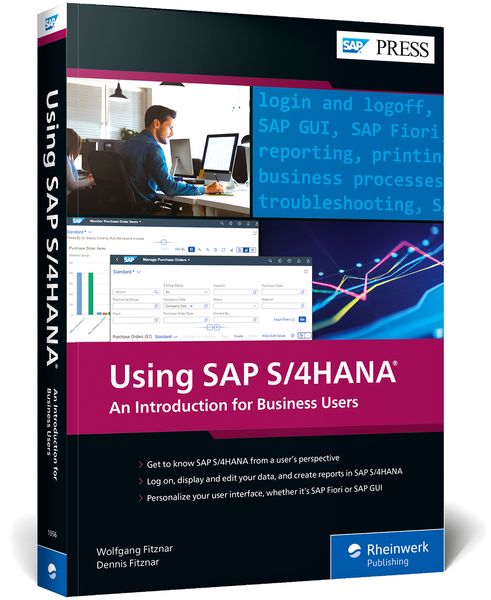
Produktbild: Using SAP S/4HANA

Using SAP S/4HANA An Introduction for Business Users

Aus der Reihe SAP Press Englisch

51,40 €

inkl. gesetzl. MwSt., Versandkostenfrei


Beschreibung

Produktdetails

Einband

Taschenbuch

Erscheinungsdatum

23.12.2021

Verlag

Rheinwerk Publishing

Seitenzahl

420

Maße (L/B/H)

25,2/17,3/2,7 cm

Gewicht

868 g

Farbe

Schwarz / Aubergine

Auflage

1

Sprache

Englisch

ISBN

978-1-4932-1956-8

Beschreibung

Produktdetails

Einband

Taschenbuch

Erscheinungsdatum

23.12.2021

Verlag

Rheinwerk Publishing

Seitenzahl

420

Maße (L/B/H)

25,2/17,3/2,7 cm

Gewicht

868 g

Farbe

Schwarz / Aubergine

Auflage

1

Sprache

Englisch

ISBN

978-1-4932-1956-8

Herstelleradresse

Rheinwerk Verlag GmbH
Rheinwerkallee 4
53227 Bonn
DE

Email: GPSR Kontakt

Noch keine Bewertungen vorhanden

Verfassen Sie die erste Bewertung zu diesem Artikel

Helfen Sie anderen Kundinnen und Kunden durch Ihre Meinung.

Kundinnen und Kunden meinen

Bewertungen (0)

  • Produktbild: Using SAP S/4HANA

  • ... Foreword ... 17


    ... Preface ... 19


    ... Target Groups ... 20


    ... Objectives and Parts of the Book ... 21


    ... How to Work with This Book ... 22


    ... Data for Training in the System ... 22


    ... Test Access for SAP Fiori ... 22


    ... Acknowledgments ... 23


    ... Introduction ... 25


    ... What Does SAP S/4HANA Have to Offer? ... 25


    ... SAP GUI and SAP Fiori User Interfaces ... 29


    ... Company Structure in the SAP System ... 32


    ... Master Data and Documents in the SAP System ... 35


    ... Summary ... 37


    ... Using SAP GUI ... 39


    1 ... First Steps with SAP GUI ... 41


    1.1 ... Log On and Off of SAP GUI ... 41


    1.2 ... Select Display Themes and Colors ... 50


    1.3 ... Explore the SAP GUI Screen Elements ... 53


    1.4 ... Display Transaction Codes ... 60


    1.5 ... Create a Favorites Menu ... 63


    1.6 ... Set User Data Appropriately ... 66


    1.7 ... Summary ... 68


    2 ... Displaying and Maintaining Data with SAP GUI Transactions ... 69


    2.1 ... Start a Transaction ... 69


    2.2 ... Navigate in a Transaction ... 73


    2.3 ... Record Data ... 78


    2.4 ... Use Value Help to Show Input Options ... 83


    2.5 ... Use Search Help to Find Documents and Master Data ... 86


    2.6 ... Use the Field Help ... 93


    2.7 ... Work with Multiple Windows ... 96


    2.8 ... Summary ... 99


    3 ... Reporting with SAP GUI ... 101


    3.1 ... Find and Call Reports ... 101


    3.2 ... Find the Right Data by Selection ... 105


    3.3 ... Working with Lists: Find and Filter Data ... 111


    3.4 ... Print Lists or Save as PDF Files ... 115


    3.5 ... Download Lists ... 116


    3.6 ... Summary ... 121


    4 ... Changing SAP GUI Reports ... 123


    4.1 ... Save Default Values in a Report Variant ... 123


    4.2 ... Call Up a Report Variant ... 127


    4.3 ... Maintain Report Variants ... 129


    4.4 ... Get Creative: Design the Layout ... 132


    4.5 ... Save a Layout ... 138


    4.6 ... Call a Layout ... 142


    4.7 ... Maintain Layouts ... 143


    4.8 ... Summary ... 149


    5 ... Personalizing and Optimizing SAP GUI ... 151


    5.1 ... Optimize the Favorites Menu ... 152


    5.2 ... Save Typing with Default Values (User Parameters) ... 157


    5.3 ... Personal Value Lists ... 163


    5.4 ... Summary ... 168


    ... Using SAP Fiori ... 169


    6 ... First Steps with SAP Fiori ... 171


    6.1 ... Log On and Off with SAP Fiori ... 171


    6.2 ... Customize the Appearance ... 175


    6.3 ... Your New Home: The SAP Fiori Launchpad ... 178


    6.4 ... Find and Run SAP Fiori Apps ... 184


    6.5 ... Add and Remove SAP Fiori Apps ... 188


    6.6 ... Summary ... 192


    7 ... Displaying and Maintaining Data with SAP Fiori Apps ... 193


    7.1 ... Legacy Apps and Real SAP Fiori Apps ... 193


    7.2 ... Launch and Navigate an SAP Fiori App Faster ... 197


    7.3 ... Navigate in a Transactional SAP Fiori App ... 199


    7.4 ... Make a Change ... 206


    7.5 ... Create Data ... 209


    7.6 ... Find Field Values with Value Help ... 210


    7.7 ... Find Master Data and Documents ... 213


    7.8 ... Enterprise Search for Global Search ... 217


    7.9 ... Help for Self-Help ... 221


    7.10 ... Work Optimally with the Browser ... 223


    7.11 ... Summary ... 225


    8 ... Reporting with SAP Fiori Apps ... 227


    8.1 ... Find and Launch SAP Fiori Apps with Tables ... 227


    8.2 ... Filter Tables in Header ... 230


    8.3 ... Print Tables or Save Them as PDF Files ... 236


    8.4 ... Download Tables ... 237


    8.5 ... Visualize Data with Analytical SAP Fiori Apps ... 239


    8.6 ... Summary ... 248


    9 ... Customizing SAP Fiori Reports ... 249


    9.1 ... Views for Filters ... 249


    9.2 ... Customize Tables in Transactional Apps ... 257


    9.3 ... Customize Tables in Analytical SAP Fiori Apps ... 266


    9.4 ... Create Your Own SAP Fiori Apps ... 270


    9.5 ... Summary ... 272


    10 ... Personalizing and Optimizing SAP Fiori ... 273


    10.1 ... Optimize the Homepage with Tile Groups ... 273


    10.2 ... Edit Tiles ... 279


    10.3 ... Set Default Values for Real SAP Fiori Apps ... 287


    10.4 ... Settings for Legacy Apps ... 289


    10.5 ... Summary ... 291


    ... Running Core Business Processes ... 293


    11 ... Materials Management: Coordinating Procurement ... 295


    11.1 ... Purchase-to-Pay Process ... 296


    11.2 ... Organizational Units for Procurement ... 297


    11.3 ... Presets and Training Data ... 298


    11.4 ... Supplier as a Business Partner ... 301


    11.5 ... Display Purchasing Data in the Material Master ... 308


    11.6 ... Display the Material Stock ... 315


    11.7 ... Create an Order ... 318


    11.8 ... Display the Order and Output It as a PDF ... 322


    11.9 ... Enter a Goods Receipt ... 324


    11.10 ... Enter a Supplier Invoice ... 328


    11.11 ... Display a Supplier Invoice ... 332


    11.12 ... Summary ... 335


    12 ... Sales and Distribution: From the Order to the Invoice ... 337


    12.1 ... The Order-to-Cash Process ... 337


    12.2 ... Organizational Units ... 339


    12.3 ... Preferences ... 340


    12.4 ... Customer as a Business Partner ... 343


    12.5 ... Display Sales Data in the Material Master ... 349


    12.6 ... Create a Sales Order ... 352


    12.7 ... Show Order List and Order Confirmation ... 355


    12.8 ... Create an Outbound Delivery ... 360


    12.9 ... Confirm Picking and Post Goods Issue ... 362


    12.10 ... Create the Outgoing Invoice ... 365


    12.11 ... Display the Invoice and Output It as a PDF ... 368


    12.12 ... Summary ... 371


    13 ... Financial Accounting: Posting and Evaluating Business Transactions ... 373


    13.1 ... Organizational Units ... 373


    13.2 ... Components of the Financial System ... 375


    13.3 ... Default Settings for Financial Accounting and Controlling ... 376


    13.4 ... General Ledger ... 378


    13.5 ... Business Partner in Finance ... 384


    13.6 ... Accounts Receivable ... 387


    13.7 ... Accounts Payable ... 401


    13.8 ... Summary ... 406


    ... The Authors ... 407


    ... Index ... 409