Gutscheinbedingungen

**Gültig bis 06.07.2026 auf fremdsprachige Bücher online auf thalia.at, in der Thalia App ab einem Mindestbestellwert von 30€ und in allen Thalia Buchhandlungen in Österreich. In den Buchhandlungen nur gültig auf lagernde Ware. Einzelne Artikel können ausgeschlossen sein. Ausgenommen sind preisgebundene Artikel & eBooks. Pro Einkauf einmal einlösbar. Nur gültig gegen Vorlage oder im Onlineshop hinterlegter Bonuscard. Infos zur Einlösung in der Buchhandlung sind auf der Bonuscard-Vorteilspreisseite zu finden. Click & Collect nur bei Onlinevorabzahlung möglich. Keine Einlösung bei Scan & Go-Bezahlung. Keine Barauszahlung. Nicht kombinierbar mit anderen Aktionen und Gutscheinen. Gutschein wird auf max. 500€ Bestellwert angerechnet. Nicht gültig für Versandkosten und Services.

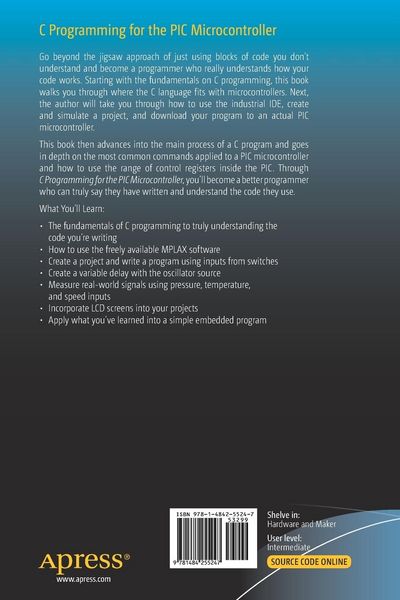
  • Produktbild: C Programming for the PIC Microcontroller
  • Produktbild: C Programming for the PIC Microcontroller
- 13%

C Programming for the PIC Microcontroller Demystify Coding with Embedded Programming

13% sparen

42,99 € UVP 49,49 €

inkl. gesetzl. MwSt., Versandkostenfrei


Beschreibung

Produktdetails

Einband

Taschenbuch

Erscheinungsdatum

10.12.2019

Verlag

Apress

Seitenzahl

271

Maße (L/B/H)

23,5/15,5/1,6 cm

Gewicht

447 g

Auflage

1st ed.

Sprache

Englisch

ISBN

978-1-4842-5524-7

Beschreibung

Produktdetails

Einband

Taschenbuch

Erscheinungsdatum

10.12.2019

Verlag

Apress

Seitenzahl

271

Maße (L/B/H)

23,5/15,5/1,6 cm

Gewicht

447 g

Auflage

1st ed.

Sprache

Englisch

ISBN

978-1-4842-5524-7

Herstelleradresse

Springer-Verlag GmbH
Tiergartenstr. 17
69121 Heidelberg
DE

Email: GPSR Kontakt

Noch keine Bewertungen vorhanden

Verfassen Sie die erste Bewertung zu diesem Artikel

Helfen Sie anderen Kundinnen und Kunden durch Ihre Meinung.

Kundinnen und Kunden meinen

Bewertungen (0)

  • Produktbild: C Programming for the PIC Microcontroller
  • Produktbild: C Programming for the PIC Microcontroller
  • Chapter 1: IntroductionThis chapter introduces the reader to the aims and objectives of the book. It then covers some of the fundamentals of what is a micro-processor based system and how a micro-controller is different. It then covers the historic development of the ‘C’ programming language for PIC controllers.

    Chapter 2: Our First ProgramThis chapter covers the following:
    • Process of creating a project in MPLABX and
    • Writing a simple ‘C’ program and adding comments to the instructions. 
    • It explain what the configuration words for the PIC are and how to set them. 
    • It explains what the PORTS are and how we use the TRIS registers to set the PORTS. It covers what are the main aspects of a ‘C’ program. 
    • It covers how to set the internal oscillator. 
    • Simulating a basic program within the IDE and simulating the program with a suitable ECAD software.
    After reading this chapter you should be able to create a project and write a program that uses inputs from switches and turns on outputs.

    Chapter 3: Updating the ProgramIn this chapter we will cover the “IF Then Else” instructions and saving the old program.

    Chapter 4: Creating a DelayIn this chapter we will one of the most fundamental aspects of any micro-processor based system. How to overcome the fact that micros go too fast. This chapter covers the following:
    • Controlling the Timer0
    • Creating and calling subroutines
    After reading this chapter you will be able to create a one second delay with any of the oscillator source and then create a variable delay. You will also learn how to create and use a subroutine

    Chapter 5: Applying What We’ve LearnedIn this chapter we are going to apply what we have learnt in a simple program. It is probably the most common program that all new embedded programmers start with. It will take you through a structured approach to design programs.After reading this chapter you will be able to program s simple model of a set of traffic lights.

    Chapter 6: Real World InputsIn this chapter we will look at using the PIC to measure real world signals such as signals from pressure, temperature and speed. It will cover the following:
    • Using the three registers that control the ADC. 
    • Receiving an analogue input and displaying it as a binary value.
    After reading this chapter you will be able to use analogue inputs.

    Chapter 7: How to Use The Liquid Crystal DisplayThis chapter you should be able to use the LCD it covers the following;:
    • How to set up the LCD
    • How to display text on the LCD
    • How to display numbers on the LCD
    • How to use arrays and pointers


    Chapter 8: Creating a Header FileThis chapter covers how to create a header file. It then uses a header file in a program to control the LCD in 8 bit mode.