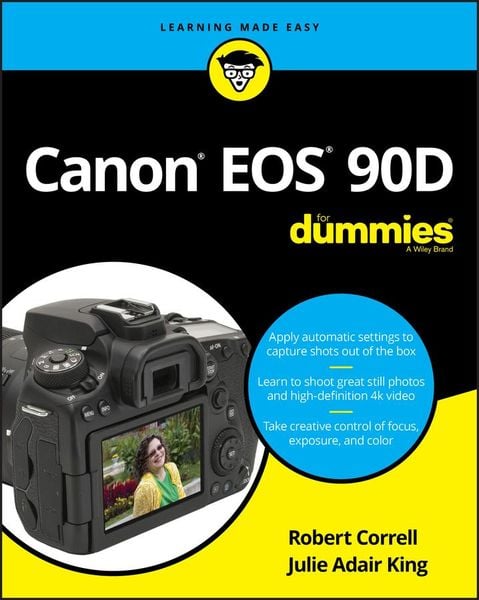
Produktbild: Canon EOS 90D For Dummies

Canon EOS 90D For Dummies

31,99 €

inkl. gesetzl. MwSt., Versandkostenfrei


Beschreibung

Produktdetails

Einband

Taschenbuch

Erscheinungsdatum

09.03.2020

Verlag

John Wiley & Sons

Seitenzahl

368

Maße (L/B/H)

23,3/18,9/2,2 cm

Gewicht

782 g

Auflage

1. Auflage

Sprache

Englisch

ISBN

978-1-119-67467-2

Beschreibung

Produktdetails

Einband

Taschenbuch

Erscheinungsdatum

09.03.2020

Verlag

John Wiley & Sons

Seitenzahl

368

Maße (L/B/H)

23,3/18,9/2,2 cm

Gewicht

782 g

Auflage

1. Auflage

Sprache

Englisch

ISBN

978-1-119-67467-2

Herstelleradresse

Libri GmbH
Europaallee 1
36244 Bad Hersfeld
DE

Email: gpsr@libri.de

Noch keine Bewertungen vorhanden

Verfassen Sie die erste Bewertung zu diesem Artikel

Helfen Sie anderen Kundinnen und Kunden durch Ihre Meinung.

Kundinnen und Kunden meinen

Bewertungen (0)

Die Leseprobe wird geladen.
  • Produktbild: Canon EOS 90D For Dummies
  • Introduction 1

    About This Book 1

    Foolish Assumptions 2

    Icons Used in This Book 2

    Beyond the Book 3

    Where to Go from Here 3

    Part 1: Fast Track to Super Snaps 5

    Chapter 1: Getting Up and Running 7

    Preparing the Camera for Initial Use 7

    Exploring External Camera Features 12

    Topside controls 12

    Back-of-the-body controls 15

    And the rest 18

    Ordering from Camera Menus 20

    Mastering menu basics 20

    Navigating Custom Functions 23

    Customizing the Touch Screen 24

    Viewing Shooting Settings 26

    Displaying the Quick Control screen 27

    Decoding viewfinder data 28

    Reading the LCD panel 30

    Switching to Live View Mode 30

    Customizing the Live View display 32

    Staying safe with Live View 34

    Using Quick Control Mode 35

    Familiarizing Yourself with the Lens 38

    Focusing 39

    Zooming 40

    Enabling Image Stabilization 40

    Removing a lens 41

    Decoding Canon lens terminology 42

    Working with Memory Cards 42

    Buying SD cards 42

    Formatting a card 43

    Removing a card 43

    Handling cards 43

    Locking cards 43

    Reviewing Basic Setup Options 44

    Setup Menu 1 44

    Setup Menu 2 46

    Setup Menu 3 47

    Setup Menu 4 48

    Setup Menu 5 49

    Chapter 2: Choosing Basic Picture Settings 51

    Choosing an Exposure Mode 52

    Basic Zone exposure

    modes 52

    Creative Zone modes (P, Tv, Av, M, B, C1, and C2) 53

    Changing the Drive Mode 54

    Understanding the Image Quality Setting 58

    Adjusting the Image Quality setting 58

    Considering resolution: L, M, S1, or S2? 60

    Understanding file type (JPEG or Raw) 65

    Setting the Photo Aspect Ratio 69

    Adding Flash 69

    Using flash in Basic Zone modes 73

    Using flash in P, Tv, Av, M, B, C1, and C2 modes 76

    Chapter 3: Taking Great Pictures, Automatically 87

    Using Scene Intelligent Auto Mode 88

    Viewfinder shooting 88

    Live View photography 92

    Shooting Without the Flash in Basic Modes 95

    Taking Advantage of Special Scenes 95

    Selecting a Specialty Scene 96

    Adjusting a few settings 102

    Gaining More Control with Creative Assist 104

    Part 2: Taking Creative Control 109

    Chapter 4: Taking Charge of Exposure 111

    Introducing the Exposure Trio: Aperture, Shutter Speed, and ISO 112

    Aperture affects depth of field 114

    Shutter speed affects motion blur 115

    ISO affects image noise 117

    Doing the exposure balancing act 119

    Stepping Up to Advance Exposure Modes (P, Tv, Av, M, B, C1, and C2) 120

    Monitoring Exposure Settings 122

    Choosing an Exposure Metering Mode 125

    Setting ISO, Aperture, and Shutter Speed 128

    Controlling ISO 128

    Adjusting aperture and shutter speed 131

    Sorting Through Your Camera's Exposure-Correction Tools 134

    Overriding autoexposure results with Exposure Compensation 134

    Improving high-contrast shots with Highlight Tone Priority 139

    Experimenting with Auto Lighting Optimizer 141

    Looking at a few other exposure solutions 145

    Locking Autoexposure Settings 149

    Bracketing Exposures Automatically 150

    Chapter 5: Controlling Focus and Depth of Field 157

    Setting the Lens to Automatic or Manual Focusing Mode 158

    Exploring Viewfinder Focusing Options 160

    Adjusting autofocus performance 161

    Considering a few other autofocus settings 170

    Focusing in Live View and Movie Modes 172

    AF Method: Setting the focusing area 172

    AF Operation: One-Shot or Servo? 175

    Manual focusing in Live View and Movie modes 177

    Manipulating Depth of Field 180

    Chapter 6: Mastering Color Controls 185

    Understanding White Balance 186

    Changing the White Balance setting 187

    Creating a custom White Balance setting 191

    Fine-tuning color with White Balance Shift 192

    Bracketing White Balance 195

    Taking a Quick Look at Picture Styles 199

    Changing the Color Space 203

    Chapter 7: Putting It All Together 205

    Recapping Basic Picture Settings 205

    Shooting Still Portraits 207

    Capturing Action 212

    Capturing Scenic Vistas 216

    Capturing Dynamic Close-Ups 220

    Chapter 8: Shooting and Viewing Movies 223

    Recording Movies Using Default Settings 224

    Choosing between NTSC and PAL 226

    Customizing Recording Settings 226

    Choosing a Movie Recording Size setting 227

    Setting audio options 230

    Reviewing Other Movie Options 233

    Autofocusing options 233

    Movie Digital IS 234

    Playing with exposure and color 236

    Checking out a few final features 237

    Playing Movies 240

    Part 3: After the Shot 243

    Chapter 9: Picture Playback 245

    Adjusting Automatic Image Review 246

    Viewing Pictures in Playback Mode 246

    Viewing thumbnails (Index mode) 248

    Jumping through images 250

    Rotating pictures 253

    Zooming in for a closer view 255

    Showing focus points during playback 257

    Viewing Picture Data 257

    Basic Information display mode 258

    Detailed Information display mode 260

    Understanding histograms 265

    Taking Advantage of Image Search 267

    Viewing Photos and Movies on a TV 270

    Chapter 10: Working with Picture and Movie Files 273

    Deleting Files 274

    Protecting Photos and Movies 277

    Rating Photos and Movies 280

    Cropping Photos 282

    Installing the Canon Software 286

    Sending Pictures to the Computer 287

    Downloading via Wi-Fi or USB 287

    Downloading from a card reader 291

    Using Creative Assist During Playback 293

    Working with Raw Images 293

    Processing Raw Images in the Camera 294

    Converting Raw Images in Digital Photo Professional 4 295

    Adding Cleaning Instructions to Images 298

    Preparing Pictures for Online Sharing 299

    Part 4: The Part of Tens 301

    Chapter 11: Ten More Customization Options 303

    Changing the Furniture Around 303

    Disabling the AF-Assist Beam 304

    Customizing Exposure Increments 305

    Creating a Custom Menu 305

    Adding Custom Folders 306

    Creating Your Own Exposure Modes 306

    Changing the Direction of the Dials 308

    Embedding Copyright Notices 308

    Controlling the Lens Focus Drive 310

    Even More Advanced Autofocusing Tweaks 311

    Chapter 12: Ten Features to Explore on a Rainy Day 313

    Shooting Time-Lapse Photos and Movies 314

    Experimenting with Focus Bracketing 316

    Enabling Mirror Lockup 318

    Investigating More Printing Options 319

    Adding Effects to Photos During Playback 319

    Adding Effects During Shooting 322

    Shooting in Multiple Exposure Mode 324

    Creating Video Snapshots 325

    Trimming Movies 326

    Presenting a Slide Show 327

    Appendix: Exploring Wireless Connections 329

    Index 339