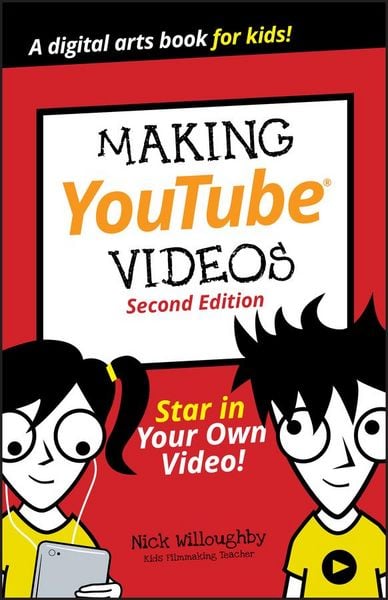
Produktbild: Making YouTube Videos
- 11%

Making YouTube Videos Star in Your Own Video!

Aus der Reihe Dummies Junior
11% sparen

9,99 € UVP 11,30 €

inkl. gesetzl. MwSt., zzgl. Versandkosten


  • Kostenlose Lieferung ab 30 € Einkaufswert
  • Versandkostenfrei für Bonuscard-Kund*innen

Beschreibung

Produktdetails

Einband

Taschenbuch

Erscheinungsdatum

11.10.2019

Verlag

John Wiley & Sons

Seitenzahl

192

Maße (L/B/H)

21,6/14,1/1,2 cm

Gewicht

283 g

Auflage

2. Auflage

Sprache

Englisch

ISBN

978-1-119-64150-6

Beschreibung

Produktdetails

Einband

Taschenbuch

Erscheinungsdatum

11.10.2019

Verlag

John Wiley & Sons

Seitenzahl

192

Maße (L/B/H)

21,6/14,1/1,2 cm

Gewicht

283 g

Auflage

2. Auflage

Sprache

Englisch

ISBN

978-1-119-64150-6

Herstelleradresse

Libri GmbH
Europaallee 1
36244 Bad Hersfeld
DE

Email: gpsr@libri.de

Noch keine Bewertungen vorhanden

Verfassen Sie die erste Bewertung zu diesem Artikel

Helfen Sie anderen Kundinnen und Kunden durch Ihre Meinung.

Kundinnen und Kunden meinen

Bewertungen (0)

Die Leseprobe wird geladen.
  • Produktbild: Making YouTube Videos
  • Introduction 1

    About YouTube 1

    About This Book 1

    About You 3

    About the Icons 3

    Project 1: Get Started 4

    Follow the Video-Making Process 5

    Development 5

    Preproduction 6

    Production 6

    Post-production 7

    Distribution 7

    Gather Your Tools 8

    Choose Your Camera 10

    Webcams 12

    Camera phones 13

    Camcorders 15

    Action cameras 17

    Aerial cameras 18

    DSLR and mirrorless video 18

    Digital cinema cameras 20

    Project 2: Shoot 22

    Choose a Style 23

    Think of an Idea 25

    Structure Your Video 26

    Script Your Video 28

    Write Dialogue 29

    Make a Shot List 30

    Choose a Shot Type 32

    Wide shot 33

    Mid shot 34

    Close-up 36

    Choose Movement or Fixed 38

    Record Sound 41

    Built-in microphone 43

    External microphone 44

    Use a Microphone for Dialogue 47

    Deal with wind 49

    Monitor sound 50

    Dubbing and foley 53

    Light Your Video 54

    Use natural light 54

    Use extra lights 56

    Direct Your Film 66

    Direct your actors 68

    Direct your crew 68

    Use Shooting Tips 69

    Check for continuity mistakes 69

    Always get one more take than you need 70

    Shoot out of order 70

    Check Your Shots 70

    Project 3: Edit 73

    Choose an Editing Tool 73

    Create a New Project in iMovie 76

    Import Your Footage in iMovie 77

    Record from Webcam in iMovie 80

    Add Footage to a Timeline in iMovie 81

    Add Transitions in iMovie 87

    Add Jump Cuts in iMovie 89

    Add Titles in iMovie 90

    Record a Voiceover in iMovie 93

    Import Your Footage into a New Filmora Project 96

    Record from a Webcam in Filmora 98

    Add Footage to a Timeline in Filmora 100

    Add Transitions in Filmora 105

    Add Jump Cuts in Filmora 107

    Add Titles in Filmora 109

    Record a Voiceover in Filmora 112

    Project 4: Creating a Gameplay Video 115

    Capturing Game Footage from a PS4 117

    Capturing Game Footage from an XBox One 120

    Capturing Game Footage from a PC or Macintosh 121

    Importing Gameplay into HitFilm Express 124

    Basic Editing in HitFilm Express 127

    More Basic Editing in HitFilm Express 132

    Adding a Voiceover to Your Gameplay Video 136

    Recording and Editing a Voiceover for Your Gameplay Video 138

    Adding a Voiceover to Your HitFilm Project 141

    Exporting your HitFilm Project for YouTube 142

    Project 5: Share 144

    Get a Google Account 144

    Upload a Video to YouTube 148

    Share Your Video to YouTube with iMovie 152

    Share Your Video to YouTube with Filmora 155

    Titles, Thumbnails, and Testing 159

    Titles 159

    Thumbnails 160

    Testing 162

    Your YouTube Studio 162

    The Dashboard 163

    Videos 164

    Analytics 165

    Comments 169

    How to Make Great Videos 171

    A is for Attract their attention 171

    B is for Be yourself 172

    C is for connection 173

    D is for direct them on what to do next 173

    Ways to Attract More Views! 174

    Glossary 177