Gutscheinbedingungen

**Gültig nur für Bestellungen an die Wunsch-Poststation bis 10.06.2026 auf Spielzeug, Schreibwaren, Filme, Geschenke & Trends, Musik, tolino eReader & Zubehör, Hörbücher und Hörbuch-Downloads (außer Abo), nicht preisgebundene Bücher und Kalender online auf thalia.at und in der Thalia App. Einzelne Artikel können ausgeschlossen sein. Aufgrund der Buchpreisbindung sind deutschsprachige Bücher und eBooks ausgenommen. Zusätzlich ausgenommen sind preisgebundene Artikel, Abos & Flatrates, eBooks, Games, Geschenkkarten/-boxen, Shelfies, Software, Zeitschriften sowie einzelne Artikel von tonies®. Pro Einkauf einmal einlösbar. Kein Click & Collect möglich. Keine Barauszahlung. Nicht kombinierbar mit anderen Aktionen und Gutscheinen. Gutschein wird auf max. 500€ Bestellwert angerechnet. Nicht gültig für Versandkosten und Services.

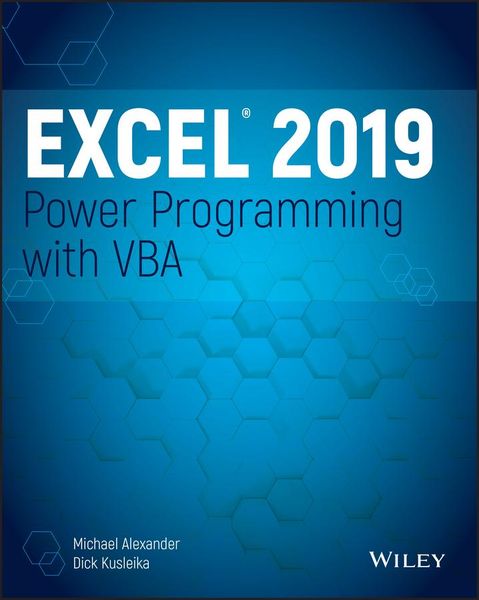
Produktbild: Excel 2019 Power Programming with VBA

Excel 2019 Power Programming with VBA

54,99 €

inkl. gesetzl. MwSt., Versandkostenfrei


Beschreibung

Produktdetails

Einband

Taschenbuch

Erscheinungsdatum

14.06.2019

Verlag

John Wiley & Sons Inc

Seitenzahl

784

Maße (L/B/H)

23,8/18,9/4,2 cm

Gewicht

1054 g

Auflage

1. Auflage

Sprache

Englisch

ISBN

978-1-119-51492-3

Beschreibung

Produktdetails

Einband

Taschenbuch

Erscheinungsdatum

14.06.2019

Verlag

John Wiley & Sons Inc

Seitenzahl

784

Maße (L/B/H)

23,8/18,9/4,2 cm

Gewicht

1054 g

Auflage

1. Auflage

Sprache

Englisch

ISBN

978-1-119-51492-3

Herstelleradresse

Libri GmbH
Europaallee 1
36244 Bad Hersfeld
DE

Email: gpsr@libri.de

Kundinnen und Kunden meinen

0 Bewertungen

Informationen zu Bewertungen

Zur Abgabe einer Bewertung ist eine Anmeldung im Konto notwendig. Die Authentizität der Bewertungen wird von uns nicht überprüft. Wir behalten uns vor, Bewertungstexte, die unseren Richtlinien widersprechen, entsprechend zu kürzen oder zu löschen.

Die Bewertungen sind nach Format, Anzahl Sterne und Datum sortiert.

Verfassen Sie die erste Bewertung zu diesem Artikel

Helfen Sie anderen Kund*innen durch Ihre Meinung

Kundinnen und Kunden meinen

0 Bewertungen filtern

Die Leseprobe wird geladen.
  • Produktbild: Excel 2019 Power Programming with VBA
  • Introduction xxxiii

    Part I: Introduction to Excel VBA 1

    Chapter 1: Essentials of Spreadsheet Application Development 3

    What Is a Spreadsheet Application? 3

    Steps for Application Development 4

    Determining User Needs 5

    Planning an Application That Meets User Needs 6

    Determining the Most Appropriate User Interface 7

    Concerning Yourself with the End User 12

    Other Development Issues 17

    Chapter 2: Introducing Visual Basic for Applications 19

    Getting a Head Start with the Macro Recorder 19

    Working with the Visual Basic Editor 32

    VBA Fundamentals 43

    Deep Dive: Working with Range Objects 48

    Essential Concepts to Remember 52

    Don't Panic-You Are Not Alone 54

    Chapter 3: VBA Programming Fundamentals 61

    VBA Language Elements: An Overview 61

    Comments 63

    Variables, Data Types, and Constants 65

    Assignment Statements 76

    Arrays 78

    Declaring Arrays 78

    Object Variables 80

    User-Defined Data Types 81

    Built-in Functions 82

    Manipulating Objects and Collections 85

    Controlling Code Execution 88

    Chapter 4: Working with VBA Sub Procedures 105

    About Procedures 105

    Executing Sub Procedures 108

    Passing Arguments to Procedures 119

    Error-Handling Techniques 123

    A Realistic Example That Uses Sub Procedures 127

    Utility Availability 140

    Evaluating the Project 141

    Chapter 5: Creating Function Procedures 143

    Sub Procedures vs. Function Procedures 143

    Why Create Custom Functions? 144

    An Introductory Function Example 144

    Function Procedures 148

    Function Arguments 153

    Function Examples 153

    Emulating Excel's SUM Function 167

    Extended Date Functions 170

    Debugging Functions 172

    Dealing with the Insert Function Dialog Box 173

    Using Add-Ins to Store Custom Functions 178

    Using the Windows API 178

    Chapter 6: Understanding Excel's Events 183

    What You Should Know About Events 183

    Getting Acquainted with Workbook-Level Events 189

    Examining Worksheet Events 197

    Monitoring with Application Events 206

    Chapter 7: VBA Programming Examples and Techniques 217

    Learning by Example 217

    Working with Ranges 218

    Working with Workbooks and Sheets 246

    VBA Techniques 251

    Some Useful Functions for Use in Your Code 258

    Some Useful Worksheet Functions 263

    Windows API Calls 278

    Part II: Advanced VBA Techniques 287

    Chapter 8: Working with Pivot Tables 289

    An Introductory Pivot Table Example 289

    Creating a More Complex Pivot Table 295

    Creating Multiple Pivot Tables 299

    Creating a Reverse Pivot Table 302

    Chapter 9: Working with Charts 305

    Getting the Inside Scoop on Charts 305

    Creating an Embedded Chart 308

    Creating a Chart on a Chart Sheet 309

    Modifying Charts 309

    Using VBA to Activate a Chart 310

    Moving a Chart 311

    Using VBA to Deactivate a Chart 312

    Determining Whether a Chart Is Activated 313

    Deleting from the ChartObjects or Charts Collection 313

    Looping Through All Charts 314

    Sizing and Aligning ChartObjects 317

    Creating Lots of Charts 318

    Exporting a Chart 321

    Changing the Data Used in a Chart 322

    Using VBA to Display Custom Data Labels on a Chart 328

    Displaying a Chart in a UserForm 331

    Understanding Chart Events 334

    Discovering VBA Charting Tricks 340

    Working with Sparkline Charts 347

    Chapter 10: Interacting with Other Applications 351

    Understanding Microsoft Office Automation 351

    Automating Access from Excel 354

    Automating Word from Excel 356

    Automating PowerPoint from Excel 360

    Automating Outlook from Excel 365

    Starting Other Applications from Excel 369

    Chapter 11: Working with External Data and Files 377

    Working with External Data Connections 377

    Power Query Basics 377

    Using ADO and VBA to Pull External Data 390

    Working with Text Files 397

    Text File Manipulation Examples 401

    Performing Common File Operations 405

    Zipping and Unzipping Files 413

    Part III: Working with UserForms 417

    Chapter 12: Leveraging Custom Dialog Boxes 419

    Alternatives to UserForms 419

    Using an Input Box 419

    Using the VBA MsgBox Function 426

    Using the Excel GetOpenFilename Method 431

    Using the Excel GetSaveAsFilename Method 434

    Prompting for a Folder 435

    Displaying Excel's Built-in Dialog Boxes 435

    Displaying a Data Form 438

    Chapter 13: Introducing UserForms 441

    How Excel Handles Custom Dialog Boxes 441

    Inserting a New UserForm 442

    Adding Controls to a UserForm 443

    Toolbox Controls 443

    Adjusting UserForm Controls 448

    Adjusting a Control's Properties 450

    Displaying a UserForm 456

    Closing a UserForm 458

    Creating a UserForm: An Example 460

    Referencing UserForm Controls 473

    Customizing the Toolbox 474

    Creating UserForm Templates 477

    A UserForm Checklist 478

    Chapter 14: Looking at UserForm Examples 479

    Creating a UserForm "Menu" 479

    Selecting Ranges from a UserForm 481

    Creating a Splash Screen 483

    Disabling a UserForm's Close Button 486

    Changing a UserForm's Size 487

    Zooming and Scrolling a Sheet from a UserForm 488

    Exploring ListBox Techniques 490

    Using the MultiPage Control in a UserForm 512

    Using an External Control 513

    Animating a Label 516

    Chapter 15: Implementing Advanced UserForm Techniques 519

    A Modeless Dialog Box 519

    Displaying a Progress Indicator 523

    Creating Wizards 534

    Emulating the MsgBox Function 541

    A UserForm with Movable Controls 545

    A UserForm with No Title Bar 546

    Simulating a Toolbar with a UserForm 548

    Emulating a Task Pane with a UserForm 550

    A Resizable UserForm 551

    Handling Multiple UserForm Controls with One Event Handler 556

    Selecting a Color in a UserForm 559

    Displaying a Chart in a UserForm 561

    Making a UserForm Semitransparent 562

    A Puzzle on a UserForm 563

    Video Poker on a UserForm 565

    Part IV: Developing Excel Applications 567

    Chapter 16: Creating and Using Add-Ins 569

    What Is an Add-In? 569

    Understanding Excel's Add-in Manager 572

    Creating an Add-In 574

    An Add-In Example 575

    Comparing XLAM and XLSM Files 581

    Manipulating Add-Ins with VBA 587

    Optimizing the Performance of Add-Ins 593

    Special Problems with Add-Ins 594

    Chapter 17: Working with the Ribbon 599

    Ribbon Basics 599

    Customizing the Ribbon 601

    Creating a Custom Ribbon 606

    Using VBA with the Ribbon 628

    Creating an Old-Style Toolbar 632

    Chapter 18: Working with Shortcut Menus 637

    CommandBar Overview 637

    Referring to Controls in a CommandBar 640

    Properties of CommandBar Controls 641

    Displaying All Shortcut Menu Items 642

    Using VBA to Customize Shortcut Menus 644

    Resetting a shortcut menu 646

    Shortcut Menus and Events 654

    Chapter 19: Providing Help for Your Applications 659

    Help for Your Excel Applications 659

    Help Systems That Use Excel Components 661

    Displaying Help in a Web Browser 670

    Using the HTML Help System 672

    Chapter 20: Leveraging Class Modules 679

    What Is a Class Module? 679

    Creating a NumLock Class 681

    Coding Properties, Methods, and Events 685

    Exposing a QueryTable Event 688

    Creating a Class to Hold Classes 692

    Chapter 21: Understanding Compatibility Issues 699

    What Is Compatibility? 699

    Types of Compatibility Problems 699

    Avoid Using New Features 701

    But Will It Work on a Mac? 703

    Dealing with 64-Bit Excel 704

    Creating an International Application 705

    Multilanguage Applications 707

    VBA Language Considerations 708

    Using Local Properties 708

    Identifying System Settings 709

    Date and Time Settings 711

    Part V: Appendix 713

    Appendix: VBA Statements and Functions Reference 715

    Index 725