Gutscheinbedingungen

**Gültig nur für Bestellungen an die Wunsch-Poststation bis 10.06.2026 auf Spielzeug, Schreibwaren, Filme, Geschenke & Trends, Musik, tolino eReader & Zubehör, Hörbücher und Hörbuch-Downloads (außer Abo), nicht preisgebundene Bücher und Kalender online auf thalia.at und in der Thalia App. Einzelne Artikel können ausgeschlossen sein. Aufgrund der Buchpreisbindung sind deutschsprachige Bücher und eBooks ausgenommen. Zusätzlich ausgenommen sind preisgebundene Artikel, Abos & Flatrates, eBooks, Games, Geschenkkarten/-boxen, Shelfies, Software, Zeitschriften sowie einzelne Artikel von tonies®. Pro Einkauf einmal einlösbar. Kein Click & Collect möglich. Keine Barauszahlung. Nicht kombinierbar mit anderen Aktionen und Gutscheinen. Gutschein wird auf max. 500€ Bestellwert angerechnet. Nicht gültig für Versandkosten und Services.

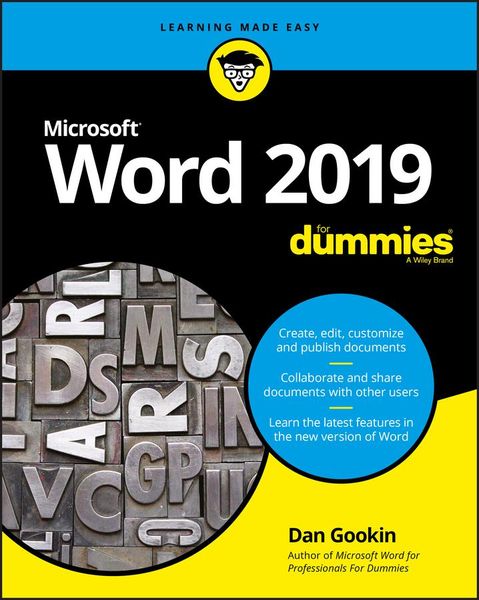
Produktbild: Word 2019 For Dummies

Word 2019 For Dummies

28,99 €

inkl. gesetzl. MwSt., zzgl. Versandkosten


  • Kostenlose Lieferung ab 30 € Einkaufswert
  • Versandkostenfrei für Bonuscard-Kund*innen

Beschreibung

Produktdetails

Einband

Taschenbuch

Erscheinungsdatum

12.03.2019

Verlag

John Wiley & Sons Inc

Seitenzahl

400

Maße (L/B/H)

23,6/18,4/2,5 cm

Gewicht

746 g

Auflage

1. Auflage

Sprache

Englisch

ISBN

978-1-119-51406-0

Beschreibung

Produktdetails

Einband

Taschenbuch

Erscheinungsdatum

12.03.2019

Verlag

John Wiley & Sons Inc

Seitenzahl

400

Maße (L/B/H)

23,6/18,4/2,5 cm

Gewicht

746 g

Auflage

1. Auflage

Sprache

Englisch

ISBN

978-1-119-51406-0

Herstelleradresse

Libri GmbH
Europaallee 1
36244 Bad Hersfeld
DE

Email: gpsr@libri.de

Kundinnen und Kunden meinen

0 Bewertungen

Informationen zu Bewertungen

Zur Abgabe einer Bewertung ist eine Anmeldung im Konto notwendig. Die Authentizität der Bewertungen wird von uns nicht überprüft. Wir behalten uns vor, Bewertungstexte, die unseren Richtlinien widersprechen, entsprechend zu kürzen oder zu löschen.

Die Bewertungen sind nach Format, Anzahl Sterne und Datum sortiert.

Verfassen Sie die erste Bewertung zu diesem Artikel

Helfen Sie anderen Kund*innen durch Ihre Meinung

Kundinnen und Kunden meinen

0 Bewertungen filtern

Die Leseprobe wird geladen.
  • Produktbild: Word 2019 For Dummies
  • Introduction 1

    About This Book 1

    How to Use This Book 2

    Foolish Assumptions 3

    What's Not Here 3

    Icons Used in This Book 4

    Where to Go from Here 4

    Part 1: Your Introduction to Word 5

    Chapter 1: Hello, Word! 7

    Start Your Word Day 7

    Behold the Word Program 9

    End Your Word Day 16

    Chapter 2: The Typing Chapter 21

    Input Devices Galore 21

    Keyboard Do's and Don'ts 24

    Stuff That Happens While You Type 26

    Part 2: Your Basic Word 31

    Chapter 3: To and Fro in a Document 33

    Document Scrolling 33

    Move the Insertion Pointer 36

    Return to the Previous Edit 38

    Go to Wherever with the Go To Command 39

    Chapter 4: Text Editing 41

    Remove Text You Don't Want 41

    Split and Join Paragraphs 45

    Soft and Hard Returns 46

    Undo Mistakes with Undo Haste 47

    Chapter 5: Search for This, Replace It with That 49

    Text Happily Found 49

    Replace Found Text 56

    Chapter 6: Blocks o' Text 59

    Meet Mr. Block 59

    Mark a Block of Text 61

    Manipulate a Block of Text 65

    Chapter 7: Spell It Write 71

    Check Your Spelling 71

    AutoCorrect in Action 74

    Grammar Be Good 77

    All-at-Once Document Proofing 78

    Document Proofing Settings 80

    Chapter 8: Documents New, Saved, and Opened 83

    Some Terms to Get Out of the Way 83

    Behold! A New Document 84

    Save Your Stuff! 85

    Open a Document 90

    Recover a Draft 94

    Chapter 9: Publish Your Document 95

    Your Document on Paper 95

    Electronically Publishing Your Document 104

    Part 3: Fun with Formatting 107

    Chapter 10: Character Formatting 109

    Text-Formatting Techniques 109

    Basic Text Formats 110

    Text Transcending Teensy to Titanic 114

    More Colorful Text 115

    Change Text Case 117

    Clear Character Formatting 118

    Behold the Font Dialog Box 118

    Chapter 11: Paragraph Formatting 121

    Paragraph-Formatting Rules and Regulations 121

    Justification and Alignment 124

    Make Room Before, After, or Inside Paragraphs 126

    Paragraph Indentation Madness 128

    Chapter 12: Tab Formatting 133

    Once Upon a Tab 133

    The Standard Left Tab Stop 138

    The Center Tab Stop 141

    The Right Tab Stop 142

    The Decimal Tab 145

    The Bar Tab 146

    Fearless Leader Tabs 147

    Tab Stop, Be Gone! 148

    Chapter 13: Page Formatting 149

    Describe That Page 149

    Page Numbering 155

    New Pages from Nowhere 158

    Page Background Froufrou 160

    Chapter 14: More Page Formatting 163

    Slice Your Document into Sections 163

    That First Page 167

    Headers and Footers 169

    Chapter 15: Style Formatting 177

    The Big Style Overview 177

    Make Your Own Styles 181

    Style Tips and Tricks 187

    Chapter 16: Template and Themes Formatting 191

    Instant Documents with Templates 191

    Templates of Your Own 195

    The Theme of Things 197

    Chapter 17: Random Drawer Formatting 201

    Weird and Fun Text Effects 201

    Steal This Format! 203

    Automatic Formatting 204

    Center a Page, Top to Bottom 208

    Part 4: Spruce Up a Dull Document 211

    Chapter 18: They're Called Borders 213

    The Basics of Borders 214

    The Borders and Shading Dialog Box 216

    Stick a thick line between paragraphs 220

    Chapter 19: Able Tables 221

    Put a Table in Your Document 221

    Text in Tables 227

    Table Modification 229

    Chapter 20: Columns of Text 233

    All about Columns 233

    Column Termination 237

    Chapter 21: Lots of Lists 241

    Lists with Bullets and Numbers 241

    Document Content Lists 245

    Footnotes and Endnotes 248

    Chapter 22: Here Come the Graphics 251

    Graphical Goobers in the Text 251

    Image Layout 256

    Image Editing 258

    Image Arrangement 261

    Chapter 23: Insert Tab Insanity 265

    Characters Foreign and Funky 265

    Spice Up a Document with a Text Box 268

    Fun with Fields 269

    The Date and Time 273

    Part 5: The Rest of Word 275

    Chapter 24: Multiple Documents, Windows, and File Formats 277

    Multiple Document Mania 277

    Many, Many Document Types 281

    Chapter 25: Word for Writers 285

    Organize Your Thoughts 285

    Large Documents 291

    Dan's Writing Tips 294

    Chapter 26: Let's Work This Out 297

    Comments on Your Text 297

    The Yellow Highlighter 301

    Look What They've Done to My Text, Ma 302

    Collaborate on the Internet 305

    Chapter 27: Mail Merge Mania 307

    About Mail Merge 307

    The Main Document 310

    The Recipient List 313

    Fold in the Fields 320

    Preview the Merged Documents 320

    Mail Merge, Ho! 321

    Chapter 28: Labels and Envelopes 325

    Labels Everywhere 325

    Instant Envelope 329

    Chapter 29: A More Custom Word 333

    A Better Status Bar 333

    The Quick Access Toolbar 335

    Customize the Ribbon 338

    Part 6: The Part of Tens 339

    Chapter 30: The Ten Commandments of Word 341

    Thou Shalt Remember to Save Thy Work 342

    Thou Shalt Not Use Spaces Unnecessarily 342

    Thou Shalt Not Abuse the Enter Key 342

    Thou Shalt Not Neglect Keyboard Shortcuts 342

    Thou Shalt Not Manually Number Thy Pages 343

    Thou Shalt Not Force a New Page 343

    Thou Shalt Not Forget Thy Undo Command 343

    Honor Thy Printer 344

    Thou Shalt Have Multiple Document Windows Before Thee 344

    Neglecteth Not Windows 344

    Chapter 31: Ten Cool Tricks 345

    Side-to-Side Page Movement 345

    Automatic Save with AutoRecover 346

    Accelerate the Ribbon 347

    Ancient Word Keyboard Shortcuts 348

    Build Your Own Fractions 348

    Electronic Bookmarks 349

    Lock Your Document 350

    The Drop Cap 350

    Map Your Document 351

    Sort Your Text 352

    Chapter 32: Ten Bizarre Things 355

    Equations 355

    Video in Your Document 356

    Hidden Text 356

    The Developer Tab 357

    Hyphenation 357

    Document Properties 358

    Document Version History 358

    Collect-and-Paste 358

    Click-and-Type 359

    Translations 359

    Chapter 33: Ten Automatic Features Worthy of Deactivation 361

    Bye-Bye, Start Screen 362

    Restore the Traditional Open and Save Dialog Boxes 362

    Turn Off the Mini Toolbar 363

    Select Text by Letter 363

    Disable Click-and-Type 364

    Paste Plain Text Only 364

    Disable AutoFormat Features (×4) 365

    Index 367