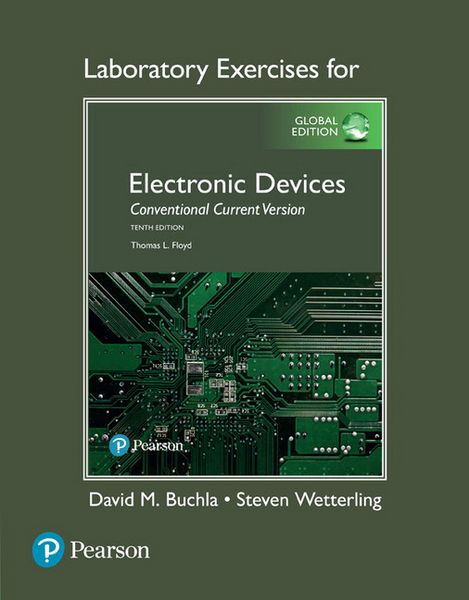
Lab manual for Electronic Devices, Global Edition
-
- Englisch ausgewählt
82,99 €
UVP
97,99 €
inkl. gesetzl. MwSt.,
Beschreibung
Produktdetails
Einband
Taschenbuch
Erscheinungsdatum
04.06.2024
Verlag
Pearson Education LimitedSeitenzahl
272
Maße (L/B/H)
27,6/21,6/1,5 cm
Gewicht
680 g
Auflage
10
Sprache
Englisch
ISBN
978-1-292-24934-6
This laboratory manual is carefully coordinated to the text Electronic Devices, Tenth edition, Global edition, by Thomas L. Floyd. The seventeen experiments correspond to the chapters in the text (except the first experiment references Chapters 1 and the first part of Chapter 2). All of the experiments are subdivided into two or three ?Parts.? With one exception (Experiment 12-B), the Parts for the all experiments are completely independent of each other. The instructor can assign any or all Parts of these experiments, and in any order. This format provides flexibility depending on the schedule, laboratory time available, and course objectives. In addition, experiments 12 through 16 provide two options for experiments. These five experiments are divided into two major sections identified as A or B. The A experiments continue with the format of previous experiments; they are constructed with discrete components on standard protoboards as used in most electronic teaching laboratories. The A experiments can be assigned in programs where traditional devices are emphasized. These experiments support the Programmable Analog Design feature in the textbook. The B experiments are also subdivided into independent Parts, but Experiment 12-B, Part 1, is a software tutorial and should be performed before any other B experiments. This is an
excellent way to introduce the ASP technology because no other hardware is required other
than a computer running the downloaded software. In addition to Experiment 12-B, the first 13 steps of Experiment 15-B, Part 2, are also tutorial in nature for the AnadigmFilter program. This is an amazing active filter design tool that is easy to learn and is included with the AnadigmDesigner2 (AD2) CAD software.
The PAM is controlled by the AD2 CAD software from the Anadigm company website. Except for Experiment 12-B, Part 1, it is assumed that the PAM is connected to the PC and AnadigmDesigner2 is running. Experiment 16-B, Part 3, also requires a spreadsheet program such as Microsoft® Excel®. The PAM is described in detail in the Quick Start Guide (Appendix B). Instructors may choose to mix A and B experiments with no loss in continuity, depending on course objectives and time. We recommend that Experiment 12-B,Part 1, be assigned if you want students to have an introduction to the ASP without requiring a hardware purchase.
A text feature is the Device Application (DA) at the end of most chapters. All of the DAs have a related laboratory exercise using a similar circuit that is sometimes simplified to make laboratory
time as efficient as possible. The same text icon identifies the related DA exercise in the lab manual.
One issue is the trend of industry to smaller surface-mount devices, which are very difficult to work with and are not practical for most lab work. For example, almost all varactors are supplied as surface mount devices now. In reviewing each experiment, we have found components that can illustrate the device function with a traditional one. The format for each experiment has not changed from the last edition and is as follows:
· Introduction: A brief discussion about the experiment and comments about each of the independent Parts that follow.
· Reading: Reading assignment in the Floyd text related to the experiment.
· Key Objectives: A statement specific to each Part of the experiment of what the student should be able to do.
· Components Needed: A list components and small items required for each Part but not including the equipment found at a typical lab station. Particular care has been exercised to select materials that are readily available and reusable, keeping
cost at a minimum.
· Parts: There are two or three independent parts to each experiment. Needed tables, graphs, and figures are positioned close to the first referenced location to avoid confusion. Step numbering starts fresh with each Part, but figures and tables are numbered sequentially for the entire experiment to avoid multiple figures with
the same number.
§ Conclusion: At the end of each Part, space is provided for a written conclusion.
§ Questions: Each Part includes several questions that require the student to draw upon the laboratory work and check his or her understanding of the concepts. Troubleshooting questions are frequently presented.
· Multisim Simulation: At the end of each A experiment (except #1), one or more circuits are simulated in a Multisim computer simulation. New Multisim troubleshooting problems have been added to this edition. Multisim troubleshooting files are identified with the suffix
f1, f2, etc., in the file name (standing for fault1, fault2, etc.). Other files, with nf as the suffix include demonstrations or practice using instruments such as the Bode Plotter and the Spectrum Analyzer. A special icon is shown with all figures that are related to the Multisim simulation. Microsoft PowerPoint® slides are available at no cost to instructors for all experiments. The slides reinforce the experiments with troubleshooting questions and a related problem and are available on the instructor's resource site.
Each laboratory station should contain a dual-variable regulated power supply, a function generator, a multimeter, and a dual-channel oscilloscope. A list of all required materials is given in Appendix A along with information on acquiring the PAM. As mentioned, components are also available as a kit from Electronix Express; the kit number is 32DBEDFL10.
Noch keine Bewertungen vorhanden
Verfassen Sie die erste Bewertung zu diesem Artikel
Helfen Sie anderen Kundinnen und Kunden durch Ihre Meinung.
Kurze Frage zu unserer Seite
Vielen Dank für Ihr Feedback
Wir nutzen Ihr Feedback, um unsere Produktseiten zu verbessern. Bitte haben Sie Verständnis, dass wir Ihnen keine Rückmeldung geben können. Falls Sie Kontakt mit uns aufnehmen möchten, können Sie sich aber gerne an unseren Kund*innenservice wenden.
zum Kundenservice