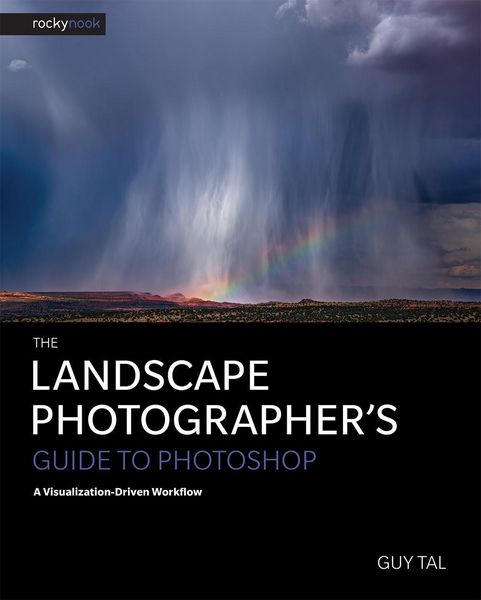
The Landscape Photographer's Guide to Photoshop A Visualization-Driven Workflow
-
- Einzelkauf Download ausgewählt
-
Sprache:Englisch
45,80 €
inkl. gesetzl. MwSt.Beschreibung
Produktdetails
Format
ePUB
Kopierschutz
Ja
Family Sharing
Nein
Text-to-Speech
Ja
Erscheinungsdatum
18.09.2017
Verlag
Rocky NookSeitenzahl
328 (Printausgabe)
Dateigröße
46933 KB
Sprache
Englisch
EAN
9781681982205
"You are not offering testimony to the existence of something, you are bringing something into existence-something that did not exist before, and that would not exist if it were not for you." - Guy Tal
The first step to creating an expressive photograph happens before you even click the shutter: it is the act of visualizing an image in your mind's eye. Once composed and captured, the data recorded by the camera is then transformed in processing to match the visualized image.
To become a better expressive photographer means, among other things, to become a better visualizer. This requires more than just technical skill, but also an understanding of what art is, what it means to be an artist, and how to translate your thoughts, feelings, and experiences into visual creations.
In The Landscape Photographer's Guide to Photoshop: A Visualization-Driven Workflow, Guy Tal provides a broad theoretical foundation for digital landscape photography as an expressive visual art, and for understanding how art and technology come together to serve your creative purpose. He then offers a roadmap for a visualization-driven approach to processing images in Photoshop.
Topics include:
- An overview of the history of art and of photography as art
- A deeper understanding of creativity and visualization, and of the technical underpinnings of digital imaging
- Techniques to effectively apply visualization in creating and processing your images
- How to perform "gap analysis" to identify the gaps between the image at any point in time and the desired outcome
- How to convert your RAW files using Adobe Camera Raw prior to editing in Photoshop
- How best to employ many of Photoshop's tools and features
- How to leverage Layers and Masks to accomplish your visualized results
- How to control and adjust contrast, color, and tone
- Image blending techniques to extend dynamic range and for focus stacking
- Processing strategies for black-and-white conversions, including toning your images
- Printing and other output techniques including sizing, sharpening, noise reduction, and color management
Bringing all of these techniques together, Guy presents a detailed case study, beginning with his initial visualization for the final image and working through his processing steps from RAW conversion to the final print.
Kundinnen und Kunden meinen
Verfassen Sie die erste Bewertung zu diesem Artikel
Helfen Sie anderen Kund*innen durch Ihre Meinung
Kurze Frage zu unserer Seite
Vielen Dank für Ihr Feedback
Wir nutzen Ihr Feedback, um unsere Produktseiten zu verbessern. Bitte haben Sie Verständnis, dass wir Ihnen keine Rückmeldung geben können. Falls Sie Kontakt mit uns aufnehmen möchten, können Sie sich aber gerne an unseren Kund*innenservice wenden.
zum Kundenservice