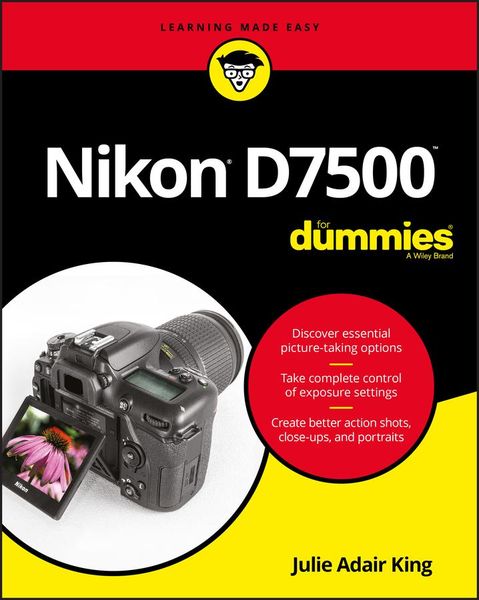
Produktbild: Nikon D7500 For Dummies

Nikon D7500 For Dummies

36,99 €

inkl. gesetzl. MwSt., Versandkostenfrei


Beschreibung

Produktdetails

Einband

Taschenbuch

Erscheinungsdatum

12.12.2017

Verlag

Wiley

Seitenzahl

352

Maße (L/B/H)

23,1/18,7/2 cm

Gewicht

692 g

Sprache

Englisch

ISBN

978-1-119-44832-7

Beschreibung

Produktdetails

Einband

Taschenbuch

Erscheinungsdatum

12.12.2017

Verlag

Wiley

Seitenzahl

352

Maße (L/B/H)

23,1/18,7/2 cm

Gewicht

692 g

Sprache

Englisch

ISBN

978-1-119-44832-7

Herstelleradresse

Libri GmbH
Europaallee 1
36244 Bad Hersfeld
DE

Email: GPSR Kontakt

Noch keine Bewertungen vorhanden

Verfassen Sie die erste Bewertung zu diesem Artikel

Helfen Sie anderen Kundinnen und Kunden durch Ihre Meinung.

Kundinnen und Kunden meinen

Bewertungen (0)

Die Leseprobe wird geladen.
  • Produktbild: Nikon D7500 For Dummies
  • Introduction 1

    Part 1: Fast Track to Super Snaps 5

    Chapter 1: First Steps, First Shots 7

    Preparing the Camera for Use 7

    Checking Out External Controls 11

    Using the Touchscreen 19

    Navigating Menus 21

    Checking Out the Displays 24

    Control panel (top LCD display) 24

    Information display 25

    Viewfinder display 26

    Live View display 28

    Saving Time with the i-Button Menu 30

    Familiarizing Yourself with the Lens 31

    Working with Memory Cards 34

    Taking a Few Final Setup Steps 35

    Restoring Default Settings 38

    Shooting Pictures in Auto Mode 39

    Chapter 2: Reviewing Five Essential Picture-Taking Options 45

    Choosing an Exposure Mode 46

    Fully automatic exposure modes 46

    Semi-automatic modes (P, S, and A) 49

    Manual exposure mode (M) 50

    U1 and U2 50

    Setting the Release Mode 50

    Single Frame and Quiet Shutter modes 51

    Continuous (burst mode) shooting 52

    Self-timer shooting 54

    Mirror lockup (MUP) 55

    Off-the-dial shutter release features 56

    Selecting Image Size and Image Quality 63

    Considering Image Size (resolution) 63

    Understanding Image Quality options (JPEG or Raw/NEF) 67

    Adjusting the Image Size and Image Quality settings 73

    Setting the Image Area 75

    Chapter 3: Adding Flash 77

    Turning the Built-in Flash On and Off 77

    Comparing Built-in and External Flashes 78

    Understanding Flash Modes 82

    Adjusting Flash Strength 89

    Applying Flash Compensation 89

    Switching to manual flash-power control 92

    Enabling High-Speed Flash (Auto FP) 93

    Using Flash Value Lock (FV Lock) 94

    Exploring Additional Flash Options 96

    Part 2: Taking Creative Control 99

    Chapter 4: Taking Charge of Exposure 101

    Meeting the Exposure Trio: Aperture, Shutter Speed, and ISO 102

    Aperture affects depth of field 104

    Shutter speed affects motion blur 105

    ISO affects image noise 106

    Doing the exposure balancing act 108

    Stepping Up to Advanced Exposure Modes (P, S, A, and M) 109

    Reading the Meter 112

    Choosing an Exposure Metering Mode 116

    Setting Aperture, Shutter Speed, and ISO 120

    Adjusting aperture and shutter speed 120

    Controlling ISO 123

    Solving Exposure Problems 128

    Applying Exposure Compensation 129

    Expanding tonal range 132

    Eliminating vignetting 139

    Using autoexposure lock 141

    Taking Advantage of Automatic Bracketing 142

    Chapter 5: Controlling Focus and Depth of Field 147

    Setting the Basic Focusing Method 147

    Exploring Standard Focusing Options 149

    Setting the Focus mode 149

    Choosing an AF-area mode: One focus point or many? 151

    Autofocusing for still subjects: AF-S + Single Point 156

    Focusing on moving subjects: AF-C + Dynamic Area 157

    Focusing manually 161

    Mastering Live View Focusing 163

    Controlling autofocus behavior 163

    Manual focusing in Live View mode 168

    Zooming in to check focus 169

    Manipulating Depth of Field 169

    Chapter 6: Mastering Color Controls 173

    Understanding White Balance 173

    Changing the White Balance setting 175

    Fine-tuning white balance 180

    Creating Custom White Balance Presets 183

    Setting white balance with direct measurement 183

    Matching white balance to an existing photo 185

    Selecting the preset you want to use 187

    Editing presets 187

    Bracketing White Balance 189

    Taking a Quick Look at Picture Controls 193

    Chapter 7: Putting It All Together 197

    Recapping Basic Picture Settings 198

    Shooting Still Portraits 199

    Capturing Action 204

    Capturing Scenic Vistas 206

    Capturing Dynamic Close-Ups 209

    Chapter 8: Shooting, Viewing, and Trimming Movies 211

    Understanding a Few Recording Basics 212

    Shooting a Movie Using Default Settings 213

    Choosing a Video Format: MOV or MP4 217

    Setting Frame Size, Rate, and Quality 218

    Picking the right frame size and rate (fps) 219

    Understanding the Movie Quality setting 223

    Controlling Audio 223

    Controlling Movie Exposure 228

    Exploring Other Recording Options 232

    Screening Your Movies 234

    Trimming Movies 237

    Saving a Movie Frame As a Still Image 238

    Part 3: After the Shot 239

    Chapter 9: Playback Mode: Viewing Your Photos 241

    Picture Playback 101 242

    Choosing Which Images to View 243

    Adjusting Playback Timing 244

    Disabling Automatic Picture Rotation 245

    Shifting to Thumbnail Display 246

    Displaying Photos in Calendar View 248

    Magnifying Photos During Playback 249

    Viewing Picture Data 251

    Enabling additional display modes 252

    File Information mode 253

    Highlights display mode 256

    RGB Histogram mode 257

    Shooting Data display mode 260

    Overview mode 261

    Chapter 10: Working with Picture and Movie Files 263

    Rating Photos and Movies 264

    Protecting Photos 266

    Hiding Photos During Playback 267

    Deleting Files 270

    Deleting files one at a time 270

    Deleting all files 271

    Deleting a batch of selected files 271

    Taking a Look a Nikon's Photo Software 274

    Downloading Pictures to Your Computer 276

    Processing Raw (NEF) Files 280

    Processing Raw images in the camera 281

    Processing Raw files in Capture NX-D 283

    Preparing Pictures for Online Sharing 285

    Prepping photos using ViewNX-i 286

    Resizing pictures in the camera 287

    Part 4: The Part of Tens 289

    Chapter 11: Ten More Ways to Customize Your Camera 291

    Chapter 12: Ten Features to Explore on a Rainy Day 307

    Appendix: Intro to Nikon Snapbridge 325

    Index 335