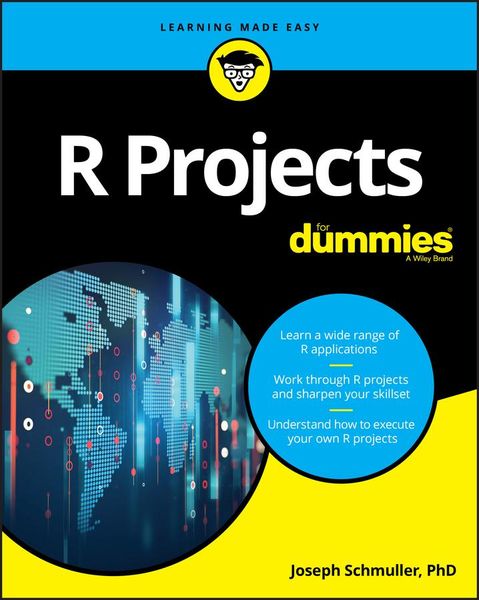
Produktbild: R Projects for Dummies

R Projects for Dummies

26,99 €

inkl. gesetzl. MwSt., zzgl. Versandkosten


  • Kostenlose Lieferung ab 30 € Einkaufswert
  • Versandkostenfrei für Bonuscard-Kund*innen

Beschreibung

Produktdetails

Einband

Taschenbuch

Erscheinungsdatum

13.02.2018

Verlag

John Wiley & Sons Inc

Seitenzahl

368

Maße (L/B/H)

23,3/18,7/2,2 cm

Gewicht

487 g

Auflage

1. Auflage

Sprache

Englisch

ISBN

978-1-119-44618-7

Beschreibung

Produktdetails

Einband

Taschenbuch

Erscheinungsdatum

13.02.2018

Verlag

John Wiley & Sons Inc

Seitenzahl

368

Maße (L/B/H)

23,3/18,7/2,2 cm

Gewicht

487 g

Auflage

1. Auflage

Sprache

Englisch

ISBN

978-1-119-44618-7

Herstelleradresse

Libri GmbH
Europaallee 1
36244 Bad Hersfeld
DE

Email: gpsr@libri.de

Kundinnen und Kunden meinen

0 Bewertungen

Informationen zu Bewertungen

Zur Abgabe einer Bewertung ist eine Anmeldung im Konto notwendig. Die Authentizität der Bewertungen wird von uns nicht überprüft. Wir behalten uns vor, Bewertungstexte, die unseren Richtlinien widersprechen, entsprechend zu kürzen oder zu löschen.

Die Bewertungen sind nach Format, Anzahl Sterne und Datum sortiert.

Verfassen Sie die erste Bewertung zu diesem Artikel

Helfen Sie anderen Kund*innen durch Ihre Meinung

Kundinnen und Kunden meinen

0 Bewertungen filtern

Die Leseprobe wird geladen.
  • Produktbild: R Projects for Dummies
  • Introduction 1

    About This Book 2

    Part 1: The Tools of the Trade 2

    Part 2: Interacting with a User 2

    Part 3: Machine Learning 2

    Part 4: Large(ish) Data Sets 2

    Part 5: Maps and Images 2

    Part 6: The Part of Tens 3

    What You Can Safely Skip 3

    Foolish Assumptions 3

    Icons Used in This Book 3

    Beyond the Book 4

    Where to Go from Here 4

    Part 1: the Tools of the Trade 5

    Chapter 1: R: What It Does and How It Does It 7

    Getting R 7

    Getting RStudio 8

    A Session with R 11

    The working directory 11

    Getting started 12

    R Functions 15

    User-Defined Functions 16

    Comments 18

    R Structures 18

    Vectors 18

    Numerical vectors 19

    Matrices 21

    Lists 24

    Data frames 25

    Of for Loops and if Statements 28

    Chapter 2: Working with Packages 31

    Installing Packages 31

    Examining Data 33

    Heads and tails 33

    Missing data 33

    Subsets 34

    R Formulas 35

    More Packages 36

    Exploring the tidyverse 37

    Chapter 3: Getting Graphic 43

    Touching Base 43

    Histograms 44

    Density plots 45

    Bar plots 47

    Grouping the bars 49

    Quick Suggested Project 51

    Pie graphs 53

    Scatterplots 53

    Scatterplot matrix 55

    Box plots 56

    Graduating to ggplot2 57

    How it works 58

    Histograms 59

    Bar plots 61

    Grouped bar plots 62

    Grouping yet again 64

    Scatterplots 67

    The plot thickens 68

    Scatterplot matrix 72

    Box plots 73

    Part 2: Interacting with a User 77

    Chapter 4: Working with a Browser 79

    Getting Your Shine On 79

    Creating Your First shiny Project 80

    The user interface 83

    The server 84

    Final steps 85

    Getting reactive 86

    Working with ggplot 89

    Changing the server 90

    A few more changes 92

    Getting reactive with ggplot 94

    Another shiny Project 96

    The base R version 97

    The ggplot version 104

    Suggested Project 106

    Chapter 5: Dashboards - How Dashing! 107

    The shinydashboard Package 107

    Exploring Dashboard Layouts 108

    Getting started with the user interface 109

    Building the user interface: Boxes, boxes, boxes 110

    Lining up in columns 117

    A nice trick: Keeping tabs 121

    Suggested project: Add statistics 125

    Suggested project: Place valueBoxes in tabPanels 126

    Working with the Sidebar 126

    The user interface 128

    The server 131

    Suggested project: Relocate the slider 133

    Interacting with Graphics 135

    Clicks, double-clicks, and brushes - oh, my! 135

    Why bother with all this? 138

    Suggested project: Experiment with airquality 141

    Part 3: Machine Learning 143

    Chapter 6: Tools and Data for Machine Learning Projects 145

    The UCI (University of California-Irvine) ML Repository 146

    Downloading a UCI dataset 146

    Cleaning up the data 148

    Exploring the data 150

    Exploring relationships in the data 152

    Introducing the Rattle package 157

    Using Rattle with iris 159

    Getting and (further) exploring the data 159

    Finding clusters in the data 162

    Chapter 7: Decisions, Decisions, Decisions 167

    Decision Tree Components 167

    Roots and leaves 168

    Tree construction 168

    Decision Trees in R 169

    Growing the tree in R 169

    Drawing the tree in R 171

    Decision Trees in Rattle 173

    Creating the tree 174

    Drawing the tree 175

    Evaluating the tree 176

    Project: A More Complex Decision Tree 177

    The data: Car evaluation 177

    Data exploration 179

    Building and drawing the tree 180

    Evaluating the tree 181

    Quick suggested project: Understanding the complexity parameter 181

    Suggested Project: Titanic 182

    Chapter 8: Into the Forest, Randomly 185

    Growing a Random Forest 185

    Random Forests in R 187

    Building the forest 187

    Evaluating the forest 189

    A closer look 190

    Plotting error 191

    Plotting importance 193

    Project: Identifying Glass 194

    The data 194

    Getting the data into Rattle 195

    Exploring the data 196

    Growing the random forest 198

    Visualizing the results 198

    Suggested Project: Identifying Mushrooms 200

    Chapter 9: Support Your Local Vector 201

    Some Data to Work With 201

    Using a subset 202

    Defining a boundary 202

    Understanding support vectors 203

    Separability: It's Usually Nonlinear 205

    Support Vector Machines in R 207

    Working with e1071 207

    Working with kernlab 212

    Project: House Parties 214

    Reading in the data 216

    Exploring the data 217

    Creating the SVM 218

    Evaluating the SVM 220

    Suggested Project: Titanic Again 220

    Chapter 10: K-Means Clustering 221

    How It Works 221

    K-Means Clustering in R 223

    Setting up and analyzing the data 223

    Understanding the output 224

    Visualizing the clusters 225

    Finding the optimum number of clusters 226

    Quick suggested project: Adding the sepals 229

    Project: Glass Clusters 231

    The data 231

    Starting Rattle and exploring the data 232

    Preparing to cluster 233

    Doing the clustering 234

    Going beyond Rattle 234

    Suggested Project: A Few Quick Ones 235

    Visualizing data points and clusters 235

    The optimum number of clusters 236

    Adding variables 236

    Chapter 11: Neural Networks 237

    Networks in the Nervous System 237

    Artificial Neural Networks 238

    Overview 238

    Input layer and hidden layer 239

    Output layer 240

    How it all works 240

    Neural Networks in R 241

    Building a neural network for the iris data frame 241

    Plotting the network 243

    Evaluating the network 244

    Quick suggested project: Those sepals 245

    Project: Banknotes 245

    The data 245

    Taking a quick look ahead 246

    Setting up Rattle 247

    Evaluating the network 249

    Going beyond Rattle: Visualizing the network 249

    Suggested Projects: Rattling Around 251

    Part 4: Large(ish) Data Sets 253

    Chapter 12: Exploring Marketing 255

    Project: Analyzing Retail Data 255

    The data 256

    RFM in R 257

    Enter Machine Learning 265

    K-means clustering 265

    Working with Rattle 267

    Digging into the clusters 268

    The clusters and the classes 270

    Quick suggested project 271

    Suggested Project: Another Data Set 272

    Chapter 13: From the City That Never Sleeps 275

    Examining the Data Set 275

    Warming Up 276

    Glimpsing and viewing 276

    Piping, filtering, and grouping 277

    Visualizing 279

    Joining 280

    Quick Suggested Project: Airline names 283

    Project: Departure Delays 283

    Adding a variable: weekday 283

    Quick Suggested Project: Analyze weekday differences 284

    Delay, weekday, and airport 285

    Delay and flight duration 287

    Suggested Project: Delay and Weather 289

    Part 5: Maps and Images 291

    Chapter 14: All Over the Map 293

    Project: The Airports of Wisconsin 293

    Dispensing with the preliminaries 293

    Getting the state geographic data 294

    Getting the airport geographic data 295

    Plotting the airports on the state map 298

    Quick Suggested Project: Another source of airport geographic info 299

    Suggested Project 1: Map Your State 299

    Suggested Project 2: Map the Country 299

    Plotting the state capitals 301

    Plotting the airports 302

    Chapter 15: Fun with Pictures 305

    Polishing a Picture: It's magick! 305

    Reading the image 306

    Rotating, flipping, and flopping 307

    Annotating 308

    Combining transformations 309

    Quick suggested project: Three F's 309

    Combining images 310

    Animating 311

    Making your own morphs 312

    Project: Two Legends in Search of a Legend 313

    Getting Stan and Ollie 313

    Combining the boys with the background 314

    Explaining image_apply() 314

    Getting back to the animation 316

    Suggested Project: Combine an Animation with a Plot 316

    Part 6: the Part of Tens 319

    Chapter 16: More Than Ten Packages for Your R Projects 321

    Machine Learning 321

    Databases 322

    Maps 322

    Image Processing 324

    Text Analysis 324

    Chapter 17: More than Ten Useful Resources 327

    Interacting with Users 327

    Machine Learning 328

    Databases 328

    Maps and Images 329

    Index 331