KI-Beratung Beta

Gutscheinbedingungen

**Gültig bis 30.11.2026 auf Spielzeug, Schreibwaren, Filme, Geschenke & Trends, Musik, tolino eReader & Zubehör, Hörbücher und Hörbuch-Downloads, nicht preisgebundene Bücher und Kalender online auf thalia.at und in der Thalia App. Einzelne Artikel können ausgeschlossen sein. Aufgrund der Buchpreisbindung sind deutschsprachige Bücher und eBooks ausgenommen. Zusätzlich ausgenommen sind Abos & Flatrates, Games, Geschenkkarten/-boxen, Shelfies, Software, Zeitschriften sowie einzelne Artikel von tonies®. Pro Einkauf einmal einlösbar. Nur gültig mit im Onlineshop hinterlegter Bonuscard. Click & Collect nur bei Onlinevorabzahlung möglich. Keine Barauszahlung. Nicht kombinierbar mit anderen Aktionen und Gutscheinen. Gutschein wird auf max. 500€ Bestellwert angerechnet. Nicht gültig für Versandkosten und Services.

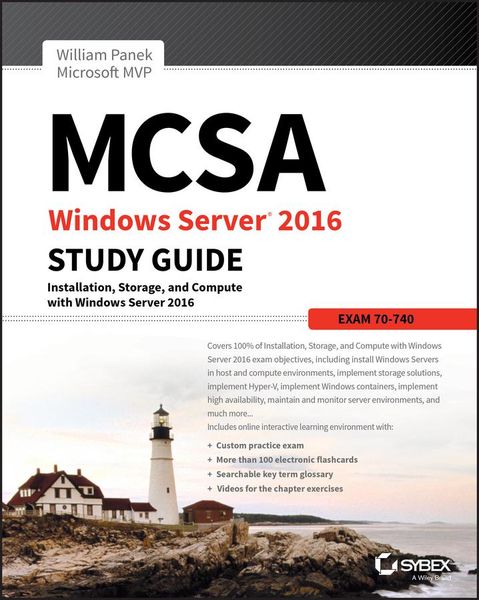
Produktbild: MCSA Windows Server 2016 Study Guide: Exam 70-740

MCSA Windows Server 2016 Study Guide: Exam 70-740

37,99 €

inkl. gesetzl. MwSt., Versandkostenfrei


Beschreibung

The bestselling MCSA 70-470 study guide, updated for the latest exam   MCSA Windows Server 2016 Study Guide is your ultimate resource for Exam 70-740. Covering 100% of all exam objectives, this study guide goes far beyond concept review with real-world scenarios containing expert insights, chapter review...

Beschreibung

The bestselling MCSA 70-470 study guide, updated for the latest exam
 
MCSA Windows Server 2016 Study Guide is your ultimate resource for Exam 70-740. Covering 100% of all exam objectives, this study guide goes far beyond concept review with real-world scenarios containing expert insights, chapter review questions, hands-on practice exercises while the Sybex interactive learning environment provides additional last minute review through practice exams, electronic flashcards, and searchable glossary. This new edition has been fully updated to align with the Windows Server 2016 exam, featuring authoritative coverage of installation, configuration, server roles, Hyper-V, core network services, Active Directory, Group Policy, security, remote access, disaster recovery, and more.
 
The vast majority of servers around the world use Windows Server, and the 2016 release includes a host of new features and updates. This study guide has been updated to prepare you for these changes so you can be confident on exam day and beyond.
* Study 100% of Exam 70-740 objectives
* Gain hands-on practice performing critical tasks
* Link concept to practice through real-world scenarios
* Access to the Sybex interactive learning environment
 
Whether you want to sit for the exam, or simply improve your job performance, this Sybex study guide will give you the expert insight to learn the key concepts and latest updates to Windows Server 2016.

Produktdetails

Einband

Taschenbuch

Erscheinungsdatum

06.06.2017

Verlag John Wiley & Sons Inc
Seitenzahl

432

Produktdetails

Einband

Taschenbuch

Erscheinungsdatum

06.06.2017

Verlag John Wiley & Sons Inc
Seitenzahl

432

Maße (L/B/H)

23,3/18,7/2,2 cm

Gewicht

722 g

Auflage

2. Auflage

Sprache

Englisch

ISBN

978-1-119-35934-0

Herstelleradresse

Libri GmbH
Europaallee 1
36244 Bad Hersfeld
DE

Email: gpsr@libri.de

Noch keine Bewertungen vorhanden

Verfassen Sie die erste Bewertung zu diesem Artikel

Helfen Sie anderen Kundinnen und Kunden durch Ihre Meinung.

Kundinnen und Kunden meinen

Bewertungen (0)

Die Leseprobe wird geladen.
  • Produktbild: MCSA Windows Server 2016 Study Guide: Exam 70-740
  • Introduction xxi
     
    Assessment Test xxxii
     
    Chapter 1 Installing Windows Server 2016 1
     
    Features and Advantages of Windows Server 2016 2
     
    Planning the Windows Server 2016 Installation 6
     
    Server Roles in Windows Server 2016 6
     
    Migrating Roles and Features to Windows Server 2016 10
     
    Deciding Which Windows Server 2016 Versions to Use 11
     
    Deciding on the Type of Installation 13
     
    NIC Teaming 16
     
    Installing Windows Server 2016 17
     
    Activating and Servicing Windows 31
     
    Key Management Service 32
     
    Automatic Virtual Machine Activation 33
     
    Active Directory-Based Activation 34
     
    Servicing Windows Server 2016 34
     
    Using Windows Deployment Services 35
     
    Preparing the WDS Server 36
     
    WDS Server Requirements 36
     
    Network Services 37
     
    Installing the WDS Server Components 37
     
    Preparing the WDS Client 39
     
    Understanding Features On Demand 39
     
    Summary 41
     
    Video Resources 41
     
    Exam Essentials 41
     
    Review Questions 42
     
    Chapter 2 Installing in the Enterprise 45
     
    Understanding Automated Deployment Options 46
     
    An Overview of the Microsoft Deployment
     
    Toolkit 2013 Update 2 47
     
    An Overview of Unattended Installation 55
     
    An Overview of the System Preparation Tool and Disk Imaging 57
     
    Overview of the Windows Assessment and Deployment Kit 61
     
    Windows Imaging and Configuration Designer 62
     
    Summary of Windows Server 2016 Deployment Options 62
     
    Deploying Unattended Installations 64
     
    Using the System Preparation Tool to Prepare an Installation for Imaging 65
     
    Using Windows Imaging and Configuration Designer (Windows ICD) to Create a Disk Image 67
     
    Installing from a Disk Image 69
     
    Using the Deployment Image Servicing and Management Tool 70
     
    Using Windows System Image Manager to Create Answer Files 73
     
    Microsoft Assessment and Planning (MAP) Toolkit 75
     
    Understanding Hyper-V 77
     
    What Is Virtualization? 78
     
    Linux and FreeBSD Image Deployments 78
     
    Summary 79
     
    Video Resources 80
     
    Exam Essentials 80
     
    Review Questions 81
     
    Chapter 3 Configuring Storage and Replication 85
     
    Understanding File Systems 86
     
    Resilient File System (ReFS) 87
     
    NTFS 88
     
    Storage in Windows Server 2016 91
     
    Initializing Disks 91
     
    Configuring Basic and Dynamic Disks 92
     
    Managing Volumes 94
     
    Storage Spaces in Windows Server 2016 95
     
    Redundant Array of Independent Disks 96
     
    Mount Points 99
     
    Microsoft MPIO 100
     
    Configuring iSCSI Target 102
     
    Internet Storage Name Service 103
     
    Implement Thin Provisioning and Trim 105
     
    Fibre Channel 106
     
    Network Attached Storage 106
     
    Virtual Disk Service 106
     
    Understanding Data Center Bridging 108
     
    Configuring Permissions 109
     
    Understanding SMB 109
     
    Understanding NTFS 110
     
    Understanding Shared Permissions 112
     
    How NTFS Security and Shared Permissions Work Together 114
     
    Understanding NFS Shares 116
     
    Configuring Disk Quotas 118
     
    Windows PowerShell 120
     
    Using Server Manager 125
     
    Booting from a VHD 126
     
    Understanding Data Deduplication 127
     
    Backup and Restoring Deduplicated Volumes 128
     
    Installing and Enabling Data Deduplication 129
     
    Monitoring Data Deduplicated 132
     
    Summary 132
     
    Video Resources 13