Gutscheinbedingungen

**Gültig bis 28.07.2026 auf Spielzeug, Schreibwaren, Filme, Geschenke & Trends, Musik, tolino eReader & Zubehör, Hörbücher und Hörbuch-Downloads (außer Abo), nicht preisgebundene Bücher und Kalender in der Thalia App. Einzelne Artikel können ausgeschlossen sein. Aufgrund der Buchpreisbindung sind deutschsprachige Bücher und eBooks ausgenommen. Zusätzlich ausgenommen sind preisgebundene Artikel, Abos & Flatrates, eBooks, Games, Geschenkkarten/-boxen, Shelfies, Software, Zeitschriften sowie einzelne Artikel von tonies®. Pro Einkauf einmal einlösbar. Click & Collect nur bei Onlinevorabzahlung möglich. Keine Barauszahlung. Nicht kombinierbar mit anderen Aktionen und Gutscheinen. Gutschein wird auf max. 500€ Bestellwert angerechnet. Nicht gültig für Versandkosten und Services.

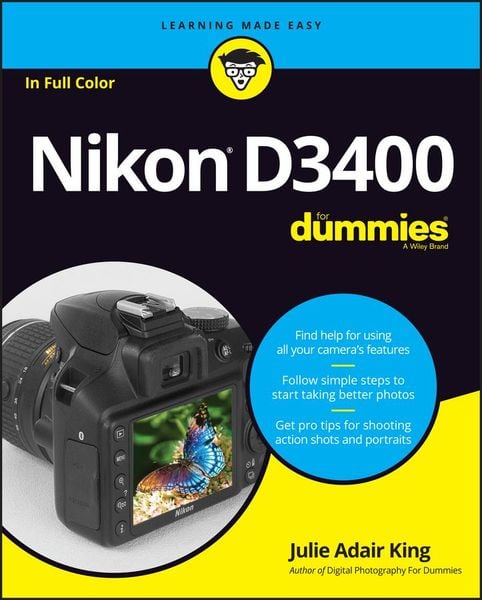
Produktbild: Nikon D3400 for Dummies

Nikon D3400 for Dummies

Aus der Reihe For Dummies (Lifestyle)

29,99 €

inkl. gesetzl. MwSt., zzgl. Versandkosten


  • Kostenlose Lieferung ab 30 € Einkaufswert
  • Versandkostenfrei für Bonuscard-Kund*innen

Beschreibung

Produktdetails

Einband

Taschenbuch

Erscheinungsdatum

27.12.2016

Verlag

Wiley

Seitenzahl

352

Maße (L/B/H)

23,1/18,7/2 cm

Gewicht

682 g

Sprache

Englisch

ISBN

978-1-119-33624-2

Beschreibung

Produktdetails

Einband

Taschenbuch

Erscheinungsdatum

27.12.2016

Verlag

Wiley

Seitenzahl

352

Maße (L/B/H)

23,1/18,7/2 cm

Gewicht

682 g

Sprache

Englisch

ISBN

978-1-119-33624-2

Herstelleradresse

Libri GmbH
Europaallee 1
36244 Bad Hersfeld
DE

Email: gpsr@libri.de

Noch keine Bewertungen vorhanden

Verfassen Sie die erste Bewertung zu diesem Artikel

Helfen Sie anderen Kundinnen und Kunden durch Ihre Meinung.

Kundinnen und Kunden meinen

Bewertungen (0)

Die Leseprobe wird geladen.
  • Produktbild: Nikon D3400 for Dummies
  • Introduction 1

    About This Book 1

    How This Book Is Organized 2

    Icons and Other Stuff to Note 3

    Where to Go from Here 4

    Part 1: Fast Track to Super Snaps 5

    Chapter 1: Getting Up and Running 7

    Preparing the Camera for Initial Use 7

    Exploring Basic Camera Features 11

    Checking out external controls 11

    Ordering from camera menus 19

    Switching to Live View mode 23

    Viewing critical picture settings 25

    Adjusting settings via the control strip 28

    Displaying Help Screens 29

    Familiarizing Yourself with the Lens 30

    Working with Memory Cards 35

    Taking a Few Final Setup Steps 37

    Restoring Default Settings 40

    Chapter 2: Reviewing Five Essential Picture-Taking Options 43

    Choosing an Exposure Mode 44

    Fully automatic exposure modes 44

    Semiautomatic modes (P, S, and A) 45

    Manual exposure mode (M) 46

    Specialty modes (Effects and Guide modes) 46

    Setting the Release Mode 47

    Single Frame and Quiet Shutter Release modes 48

    Continuous (burst mode) shooting 49

    Self-timer shooting 50

    Wireless remote control modes 51

    Checking Image Size and Image Quality 52

    Considering the Image Size setting (resolution) 52

    Understanding Image Quality options (JPEG or Raw) 56

    Setting Image Size and Image Quality 60

    Adding Flash 62

    Enabling and disabling flash 63

    Choosing a Flash mode 64

    Adjusting the flash output (P, S, A, and M modes only) 70

    Chapter 3: Taking Great Pictures, Automatically 75

    Shooting in Auto and Auto Flash Off Modes 75

    Viewfinder photography in Auto and Auto Flash Off modes 76

    Live View photography in Auto and Auto Flash off modes 79

    Taking Advantage of Scene Modes 82

    Portrait mode 83

    Landscape mode 84

    Child mode 84

    Sports mode 85

    Close Up mode 87

    Night Portrait mode 88

    Part 2: Beyond the Basics 89

    Chapter 4: Taking Charge of Exposure 91

    Introducing the Exposure Trio: Aperture, Shutter Speed, and ISO 92

    Aperture affects depth of field 94

    Shutter speed affects motion blur 96

    ISO affects image noise 96

    Doing the exposure balancing act 99

    Stepping Up to Advanced Exposure Modes (P, S, A, and M) 100

    Checking the Exposure Meter 102

    Choosing an Exposure Metering Mode 105

    Setting Aperture, Shutter Speed, and ISO 108

    Adjusting aperture and shutter speed 108

    Controlling ISO 111

    Solving Exposure Problems 115

    Applying Exposure Compensation 115

    Expanding tonal range with Active D-Lighting 119

    Eliminating vignetting 122

    Using autoexposure lock 124

    Chapter 5: Controlling Focus and Depth of Field 125

    Choosing Automatic or Manual Focusing 126

    Exploring Standard Focusing Options (Viewfinder Photography) 127

    Mastering the autofocusing system 128

    Focusing manually 137

    Focusing During Live View and Movie Shooting 140

    Understanding Live View autofocusing 141

    Manual focusing during Live View and movie shooting 149

    Manipulating Depth of Field 149

    Chapter 6: Mastering Color Controls 153

    Understanding White Balance 153

    Changing the White Balance setting 155

    Fine-tuning White Balance settings 158

    Creating white balance presets 159

    Choosing a Color Space 163

    Taking a Quick Look at Picture Controls 164

    Chapter 7: Putting It All Together 171

    Recapping Basic Picture Settings 171

    Shooting Still Portraits 172

    Capturing Action 178

    Capturing Scenic Vistas 181

    Capturing Dynamic Close-Ups 184

    Chapter 8: Shooting, Viewing, and Trimming Movies 187

    Shooting Movies Using Default Settings 188

    Adjusting Video Settings 193

    Controlling Audio 197

    Choosing the Microphone setting (volume control) 197

    Reducing wind noise 200

    Exploring Other Recording Options 201

    Manipulating Movie Exposure 203

    Screening Your Movies 205

    Trimming Movies 207

    Saving a Movie Frame as a Still Image 210

    Part 3: After the Shot 211

    Chapter 9: Playback Mode: Viewing Your Photos 213

    Picture Playback 101 214

    Choosing Which Images to View 215

    Adjusting Playback Timing 216

    Enabling Automatic Picture Rotation 217

    Shifting from Single-Image to Thumbnails Display 219

    Displaying Photos in Calendar View 220

    Magnifying Photos During Playback 221

    Viewing Picture Data 223

    File Information mode 224

    Highlights ("blinkies") display mode 227

    RGB Histogram mode 228

    Shooting Data mode 231

    Overview mode 232

    Creating a Digital Slide Show 234

    Viewing Your Photos on a Television 236

    Chapter 10: Working with Picture and Movie Files 239

    Rating Photos and Movies 240

    Deleting Files 242

    Deleting files one at a time 242

    Deleting all files 243

    Deleting a batch of selected files 243

    Protecting Photos and Movies 246

    Taking a Look at Nikon's Photo Software 247

    Downloading Pictures to the Computer 250

    Connecting via USB 251

    Starting the file-transfer process 252

    Downloading using Nikon Transfer 2 253

    Processing Raw (NEF) Files 257

    Processing Raw images in the camera 258

    Processing Raw files in Capture NX-D 261

    Preparing Pictures for Online Sharing 264

    Prepping online photos using ViewNX-i 265

    Resizing pictures from the Retouch menu 265

    Part 4: The Part of Tens 269

    Chapter 11: Ten Fun (And Practical) Ways to Manipulate Your Photos 271

    Applying the Retouch Menu Filters 272

    Removing Red-Eye 275

    Straightening Tilting Horizon Lines 275

    Removing (Or Creating) Lens Distortion 277

    Correcting Perspective 278

    Adjusting Exposure and Color 279

    Cropping Your Photo 282

    Applying Effects to Existing Photos 284

    Shooting in Effects Mode 288

    Combining Two Photos with Image Overlay 293

    Chapter 12: Ten Special-Purpose Features to Explore on a Rainy Day 295

    Adding Hidden Image Comments 295

    Adding a Copyright Notice 297

    Creating Custom Image Folders 298

    Turning Off the AF-Assist Illuminator 300

    Adjusting Automatic Shutdown Timing 300

    Changing the Look of the Information Display 301

    Keeping the Information Display Hidden 303

    Changing the Function Button's Function 303

    Customizing the AE-L/AF-L Button 304

    Using the Shutter Button to Lock Exposure and Focus (or Not) 305

    Appendix: Intro to Nikon Snapbridge 307

    What Can I Do with SnapBridge? 308

    Getting Familiar with the SnapBridge App 309

    Understanding SnapBridge-Related Camera Options 312

    Glossary of Digital Photography Terms 315

    Index 323