KI-Beratung Beta

Gutscheinbedingungen

**Gültig bis 30.11.2026 auf Spielzeug, Schreibwaren, Filme, Geschenke & Trends, Musik, tolino eReader & Zubehör, Hörbücher und Hörbuch-Downloads, nicht preisgebundene Bücher und Kalender online auf thalia.at und in der Thalia App. Einzelne Artikel können ausgeschlossen sein. Aufgrund der Buchpreisbindung sind deutschsprachige Bücher und eBooks ausgenommen. Zusätzlich ausgenommen sind Abos & Flatrates, Games, Geschenkkarten/-boxen, Shelfies, Software, Zeitschriften sowie einzelne Artikel von tonies®. Pro Einkauf einmal einlösbar. Nur gültig mit im Onlineshop hinterlegter Bonuscard. Click & Collect nur bei Onlinevorabzahlung möglich. Keine Barauszahlung. Nicht kombinierbar mit anderen Aktionen und Gutscheinen. Gutschein wird auf max. 500€ Bestellwert angerechnet. Nicht gültig für Versandkosten und Services.

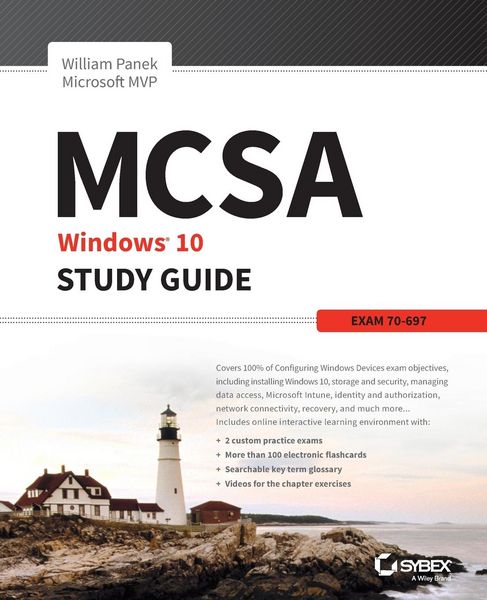
Produktbild: McSa Microsoft Windows 10 Study Guide
- 12%

McSa Microsoft Windows 10 Study Guide Exam 70-697

12% sparen

55,99 € UVP 63,70 €

inkl. gesetzl. MwSt., Versandkostenfrei


Beschreibung

The book's back cover, Introduction, and last page in the book provided the wrong URL. We apologize for any confusion and inconvenience this may have caused you. Master 100 percent of Microsoft Windows 10 exam with real-world hands-on practice MCSA: Microsoft Windows 10 Complete Study Guide is your ultimate...

Beschreibung

The book's back cover, Introduction, and last page in the book provided the wrong URL. We apologize for any confusion and inconvenience this may have caused you.
Master 100 percent of Microsoft Windows 10 exam with real-world hands-on practice
MCSA: Microsoft Windows 10 Complete Study Guide is your ultimate preparation resource for the new Windows 10 certification. Fully updated to align with the latest version of the exam, this new edition digs deeper into the intricacies of the Windows OS and provides the most up-to-date information on new Windows 10 technologies. With complete coverage of all exam topics, this invaluable guide walks you through device planning, deployment, and management; network and storage configuration; access, data, app, and recovery management, and much more to help you master the exam material. You also get access to the Sybex interactive online learning environment, featuring electronic flashcards, a searchable glossary, an assessment test, and bonus practice exams designed to give you a preview of exam day.
MCSA: Microsoft Windows 10 is the Microsoft Certified Solutions Associate certification for Windows 10, testing your abilities in a broad variety of associate-level tasks. This book rounds them up into a comprehensive knowledge base to help you clarify, memorize, and deepen your understanding so you can approach exam day with confidence.
* Master 100 percent of exam 70-697, Configuring Windows Devices, objectives
* Get more hands-on practice in real-world scenarios
* Test your knowledge with challenging review questions
* Access digital study aids and practice tests for comprehensive prep
Windows is the world's leading operating system, with an estimated 90 percent share of the desktop OS market. There are currently over 110 million Windows 10 users, and that number is expected to rise--putting Windows 10 Specialists in high demand in the job market. If you're ready to fill the growing need for trained Windows 10 associates, Microsoft Configuring Windows Devices Study Guide Exam 70-697 has you covered for complete and detailed exam preparation.

Produktdetails

Einband

Taschenbuch

Erscheinungsdatum

20.06.2016

Verlag John Wiley & Sons Inc
Seitenzahl

576

Produktdetails

Einband

Taschenbuch

Erscheinungsdatum

20.06.2016

Verlag John Wiley & Sons Inc
Seitenzahl

576

Maße (L/B/H)

23,5/19,1/3,1 cm

Gewicht

1064 g

Auflage

1. Auflage

Sprache

Englisch

ISBN

978-1-119-25230-6

Herstelleradresse

Libri GmbH
Europaallee 1
36244 Bad Hersfeld
DE

Email: gpsr@libri.de

Noch keine Bewertungen vorhanden

Verfassen Sie die erste Bewertung zu diesem Artikel

Helfen Sie anderen Kundinnen und Kunden durch Ihre Meinung.

Kundinnen und Kunden meinen

Bewertungen (0)

Die Leseprobe wird geladen.
  • Produktbild: McSa Microsoft Windows 10 Study Guide
  • Introduction xxv
     
    Assessment Test xxxvii
     
    Chapter 1 Installing Windows 10 1
     
    Introducing Windows 10 2
     
    Windows 10 Features 6
     
    Windows Feature Deprecation 8
     
    Windows 10 Architecture 8
     
    Preparing to Install Windows 10 9
     
    Windows 10 Home 10
     
    Windows 10 Professional 10
     
    Windows 10 Enterprise 11
     
    New Install or Upgrade? 15
     
    Disk Partitioning 19
     
    Language and Locale 20
     
    Installing Windows 10 20
     
    Performing a Clean Install of Windows 10 20
     
    Performing an Upgrade to Windows 10 28
     
    Troubleshooting Installation Problems 33
     
    Migrating Files and Settings 34
     
    Supporting Multiple-Boot Options 38
     
    Using Windows Activation 40
     
    Using Windows Update 40
     
    Using Command-Line Options 42
     
    Installing Windows Service Packs 43
     
    Summary 43
     
    Video Resources 44
     
    Exam Essentials 44
     
    Review Questions 45
     
    Chapter 2 Automated Windows 10 Deployments 49
     
    Understanding Automated Deployment Options 50
     
    An Overview of the Microsoft Deployment Toolkit 2013 51
     
    An Overview of Unattended Installation 57
     
    An Overview of Windows Deployment Services 59
     
    An Overview of the System Preparation Tool and Disk Imaging 61
     
    Overview of the Windows Assessment and Deployment Kit 65
     
    Windows Imaging and Configuration Designer 66
     
    Summary of Windows 10 Deployment Options 67
     
    Deploying Unattended Installations 68
     
    Using the System Preparation Tool to Prepare an Installation for Imaging 69
     
    Using Windows Imaging and Configuration Designer (Windows ICD) to Create a Disk Image 71
     
    Installing from a Disk Image 73
     
    Using the Deployment Image Servicing and Management Tool 74
     
    Using Windows System Image Manager to Create Answer Files 75
     
    Understanding Hyper-V 76
     
    What Is Virtualization? 77
     
    Installing the Hyper-V Role 78
     
    Configuring Virtual Machines 84
     
    Summary 89
     
    Video Resources 90
     
    Exam Essentials 90
     
    Review Questions 91
     
    Chapter 3 Configuring Storage and Security 95
     
    Understanding File Systems 96
     
    File System Selection 97
     
    File System Conversion 99
     
    Configuring NTFS 100
     
    Configuring Disk Storage 103
     
    Basic Storage 103
     
    Dynamic Storage 104
     
    GUID Partition Table 106
     
    Cloud-Based Storage 107
     
    Using the Disk Management Utility 111
     
    Using the Microsoft Management Console 112
     
    Understanding the Disk Management Utility 116
     
    Managing Storage 131
     
    Managing Dynamic Storage 131
     
    Troubleshooting Disk Management 133
     
    Understanding Disk Management Status Codes 134
     
    Troubleshooting Disks That Fail to Initialize 135
     
    Managing Data Compression 135
     
    Using the Compact Command-Line Utility 137
     
    Using Compressed (Zipped) Folders 138
     
    Understanding Distributed File System 138
     
    Advantages of DFS 138
     
    Types of DFS 139
     
    Managing Data Encryption with EFS 139
     
    Encrypting and Decrypting Folders and Files 140
     
    Managing EFS File Sharing 141
     
    Recovering Encrypted Files 142
     
    Understanding RAID 145
     
    RAID Levels 145
     
    Storage Spaces 146
     
    Using Disk-Maintenance Tools 148
     
    Using the Disk Optimization Utility 149
     
    Using the Disk Cleanup Utility 150
     
    Using the Check Disk Utility 151
     
    Summary 152
     
    Vi