Gutscheinbedingungen

**Gültig am 28.06.2026 auf Spielzeug, Schreibwaren, Filme, Geschenke & Trends, Musik, tolino eReader & Zubehör, Hörbücher und Hörbuch-Downloads (außer Abo), nicht preisgebundene Bücher und Kalender online auf thalia.at und in der Thalia App. Einzelne Artikel können ausgeschlossen sein. Aufgrund der Buchpreisbindung sind deutschsprachige Bücher und eBooks ausgenommen. Zusätzlich ausgenommen sind preisgebundene Artikel, Abos & Flatrates, eBooks, Games, Geschenkkarten/-boxen, Shelfies, Software, Zeitschriften sowie einzelne Artikel von tonies®. Pro Einkauf einmal einlösbar. Click & Collect nur bei Onlinevorabzahlung möglich. Keine Barauszahlung. Nicht kombinierbar mit anderen Aktionen und Gutscheinen. Gutschein wird auf max. 500€ Bestellwert angerechnet. Nicht gültig für Versandkosten und Services.

  • Produktbild: Windows Software Compatibility and Hardware Troubleshooting
  • Produktbild: Windows Software Compatibility and Hardware Troubleshooting
- 12%

Windows Software Compatibility and Hardware Troubleshooting

12% sparen

26,99 € UVP 30,79 €

inkl. gesetzl. MwSt., zzgl. Versandkosten


  • Kostenlose Lieferung ab 30 € Einkaufswert
  • Versandkostenfrei für Bonuscard-Kund*innen

Beschreibung

Produktdetails

Einband

Taschenbuch

Erscheinungsdatum

23.08.2015

Abbildungen

XIX, 71 illus., schwarz-weiss Illustrationen

Verlag

Apress

Seitenzahl

107

Maße (L/B/H)

23,5/15,5/0,8 cm

Gewicht

207 g

Auflage

1st edition

Sprache

Englisch

ISBN

978-1-4842-1062-8

Beschreibung

Produktdetails

Einband

Taschenbuch

Erscheinungsdatum

23.08.2015

Abbildungen

XIX, 71 illus., schwarz-weiss Illustrationen

Verlag

Apress

Seitenzahl

107

Maße (L/B/H)

23,5/15,5/0,8 cm

Gewicht

207 g

Auflage

1st edition

Sprache

Englisch

ISBN

978-1-4842-1062-8

Herstelleradresse

Springer-Verlag GmbH
Tiergartenstr. 17
69121 Heidelberg
DE

Email: ProductSafety@springernature.com

Kundinnen und Kunden meinen

0 Bewertungen

Informationen zu Bewertungen

Zur Abgabe einer Bewertung ist eine Anmeldung im Konto notwendig. Die Authentizität der Bewertungen wird von uns nicht überprüft. Wir behalten uns vor, Bewertungstexte, die unseren Richtlinien widersprechen, entsprechend zu kürzen oder zu löschen.

Die Bewertungen sind nach Format, Anzahl Sterne und Datum sortiert.

Verfassen Sie die erste Bewertung zu diesem Artikel

Helfen Sie anderen Kund*innen durch Ihre Meinung

Kundinnen und Kunden meinen

0 Bewertungen filtern

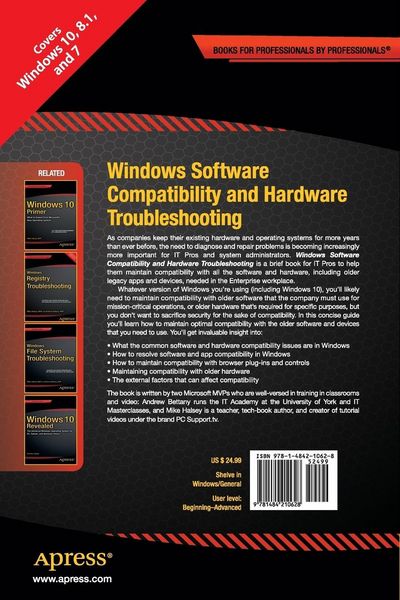
  • Produktbild: Windows Software Compatibility and Hardware Troubleshooting
  • Produktbild: Windows Software Compatibility and Hardware Troubleshooting
  • Chapter 1: All About Compatibility

    Chapter Goal: What is it that causes compatibility problems for software and hardware, and what effect does a "Certified for Windows" logo actually have. This chapter will introduce compatibility for the reader.

    1. What Causes compatibility problems

    2. Internal and external factors for compatibility

    3. Certified for Windows… what does the logo mean?

    Chapter 2: Common Software Compatibility Issues

    Chapter Goal: What are the problems associated with software compatibility in Microsoft Windows?

    1. Legacy Software and Windows

    2. The Blue Screen of Death

    3. User Account Control and security permissions

    4. Internet Explorer and browser plug-ins

    Chapter 3: Common Hardware Compatibility Issues

    Chapter Goal: What causes hardware incompatibilities, and how is older hardware supported by modern PCs and Microsoft Windows?

    1. Plug and Play

    2. x86 vs x64 architecture

    3. Locating quality device drivers

    4. Compatible and third-party drivers

    5. Driver signing in Windows

    6. Maintaining legacy hardware

    1. Third-party hardware support for legacy hardware

    7. Managing printers

    8. Video and graphics cards

    Chapter 4: Resolving Software Compatibility Issues

    Chapter Goal: Learn how to use Windows in-built and external tools to maintain software compatibility on your PCs.

    1. The Software compatibility troubleshooter

    2. Micro

    soft application compatibility toolkit

    1. Compatibility Administrator and Shims

    3. Th

    e Windows compatible hardware and software website

    4. The Standard User Analyser (SUA)

    5. Resolving browser plug-in compatibility issues

    6. Resolving Internet and Intranet site compatibility issues

    Chapter 5: Resolving Hardware Compatibility Issues

    Chapter Goal: Learn how to diagnose and repair problems with legacy and other hardware in Microsoft Windows.

    1. Drivers, drivers, drivers!

    2. The Windows Device Manager

    1. Driver status indicators

    2. Managing drivers

    1. Updating drivers

    2. Rolling back drivers

    3. Driver maintenance

    1. Understanding Device Manager views

    2. Manually configuring device drivers

    4. Advanced Boot Options: Safe Mode and Safe Boot Mode

    5. Cables and physical hardware faults

    Chapter 6: External Factors That Affect Hardware

    Chapter Goal: What are the external and environmental factors which can affect the proper operation of hardware on your PC? In this chapter you’ll learn how to identify and mitigate them.

    1. Safely Working with physical hardware

    2. Interference

    3. The Human factor

    4. Additional environmental factors