Gutscheinbedingungen

**Gültig nur für Bestellungen an die Wunsch-Poststation bis 10.06.2026 auf Spielzeug, Schreibwaren, Filme, Geschenke & Trends, Musik, tolino eReader & Zubehör, Hörbücher und Hörbuch-Downloads (außer Abo), nicht preisgebundene Bücher und Kalender online auf thalia.at und in der Thalia App. Einzelne Artikel können ausgeschlossen sein. Aufgrund der Buchpreisbindung sind deutschsprachige Bücher und eBooks ausgenommen. Zusätzlich ausgenommen sind preisgebundene Artikel, Abos & Flatrates, eBooks, Games, Geschenkkarten/-boxen, Shelfies, Software, Zeitschriften sowie einzelne Artikel von tonies®. Pro Einkauf einmal einlösbar. Kein Click & Collect möglich. Keine Barauszahlung. Nicht kombinierbar mit anderen Aktionen und Gutscheinen. Gutschein wird auf max. 500€ Bestellwert angerechnet. Nicht gültig für Versandkosten und Services.

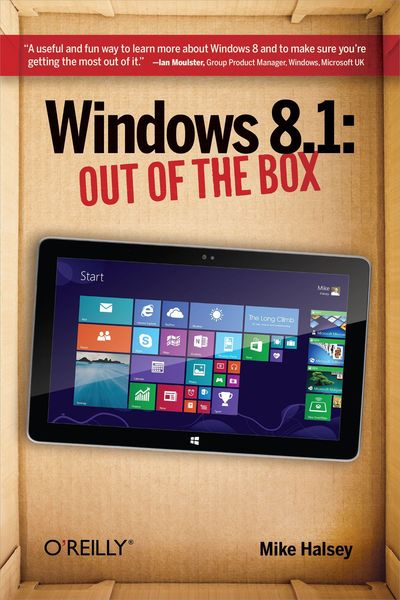
Produktbild: Windows 8.1: Out of the Box

Windows 8.1: Out of the Box

12,99 €

inkl. gesetzl. MwSt., zzgl. Versandkosten


  • Kostenlose Lieferung ab 30 € Einkaufswert
  • Versandkostenfrei für Bonuscard-Kund*innen

Beschreibung

Produktdetails

Einband

Taschenbuch

Erscheinungsdatum

26.11.2013

Verlag

O'Reilly Media

Seitenzahl

174

Maße (L/B/H)

22,8/14,9/1,5 cm

Gewicht

248 g

Auflage

2nd edition

Sprache

Englisch

ISBN

978-1-4919-4610-7

Beschreibung

Produktdetails

Einband

Taschenbuch

Erscheinungsdatum

26.11.2013

Verlag

O'Reilly Media

Seitenzahl

174

Maße (L/B/H)

22,8/14,9/1,5 cm

Gewicht

248 g

Auflage

2nd edition

Sprache

Englisch

ISBN

978-1-4919-4610-7

Herstelleradresse

Libri GmbH
Europaallee 1
36244 Bad Hersfeld
DE

Email: gpsr@libri.de

Kundinnen und Kunden meinen

0 Bewertungen

Informationen zu Bewertungen

Zur Abgabe einer Bewertung ist eine Anmeldung im Konto notwendig. Die Authentizität der Bewertungen wird von uns nicht überprüft. Wir behalten uns vor, Bewertungstexte, die unseren Richtlinien widersprechen, entsprechend zu kürzen oder zu löschen.

Die Bewertungen sind nach Format, Anzahl Sterne und Datum sortiert.

Verfassen Sie die erste Bewertung zu diesem Artikel

Helfen Sie anderen Kund*innen durch Ihre Meinung

Kundinnen und Kunden meinen

0 Bewertungen filtern

Die Leseprobe wird geladen.
  • Produktbild: Windows 8.1: Out of the Box
  • Preface;
    Audience;
    Assumptions This Book Makes;
    Contents of This Book;
    Conventions Used in This Book;
    Safari® Books Online;
    How to Contact Us;
    How to Contact the Author;
    Acknowledgments;
    Dedication;
    Chapter 1: Using Windows 8.1;
    1.1 Top Tips from This Chapter;
    1.2 The Start Screen Versus the Desktop: What You Need to Know;
    1.3 Starting Windows 8.1;
    1.4 Finding Your Way Around the Start Screen;
    1.5 Using the Charms;
    1.6 Using the App Bar;
    1.7 Finding All the Apps in Windows 8.1;
    1.8 Switching Between Running Apps in Windows 8.1;
    1.9 Logging Out Of and Locking Windows 8.1;
    1.10 Using Touch Gestures in Windows 8.1;
    1.11 Using Windows 8.1 with a Keyboard and Mouse;
    1.12 Using the On-Screen Keyboard;
    1.13 Shutting Down and Restarting Windows 8.1;
    1.14 Summary;
    Chapter 2: Using Email and the Internet;
    2.1 Top Tips from This Chapter;
    2.2 Getting Online with Windows 8.1;
    2.3 Getting Quick Access to Your Email;
    2.4 Using the Internet Explorer 11 App;
    2.5 Using Outlook on the Desktop in Windows RT;
    2.6 Summary;
    Chapter 3: Sharing Your Files, Photos, Music, and Video;
    3.1 Top Tips from This Chapter;
    3.2 The Windows 8.1 Sharing Tool;
    3.3 Sharing with Other People in Your Home;
    3.4 Connecting Windows 8.1 and Your Xbox;
    3.5 Connecting to Other Devices in Your Home;
    3.6 Summary;
    Chapter 4: Downloading and Using Apps and Programs;
    4.1 Top Tips from This Chapter;
    4.2 Using the Windows Store;
    4.3 Organizing App Icons on the Start Screen;
    4.4 Viewing All Your Installed Apps and Programs;
    4.5 Switching Between Running Apps and Programs;
    4.6 Viewing Apps Side by Side;
    4.7 Viewing Two Desktop Windows Side by Side;
    4.8 Uninstalling Apps and Programs in Windows 8.1;
    4.9 Summary;
    Chapter 5: Watching and Listening to Your Videos and Music;
    5.1 Top Tips from This Chapter;
    5.2 Watching Your Videos in Windows 8.1;
    5.3 Playing Your Music in Windows 8.1;
    5.4 Using Windows Media Player;
    5.5 Summary;
    Chapter 6: Importing, Viewing, and Editing Your Photographs and Videos;
    6.1 Top Tips from This Chapter;
    6.2 Importing Photos and Video from Your Digital Camera;
    6.3 Advanced Photo and Video Import Using Windows Photo Gallery;
    6.4 Viewing Your Photos in Windows 8.1;
    6.5 Editing Your Photos in Windows Photo Gallery;
    6.6 Using Your Lock Screen as a Digital Photo Frame;
    6.7 Summary;
    Chapter 7: Personalizing your Windows 8.1 Experience;
    7.1 Top Tips from this Chapter;
    7.2 Personalizing the Start screen;
    7.3 Personalizing the Desktop;
    7.4 Making Things on Your Screen Larger or Smaller;
    7.5 Making Windows 8.1 Easier to Use;
    7.6 Personalizing the Lock Screen;
    7.7 Start Your PC Direct to the Desktop;
    7.8 Summary;
    Chapter 8: Connecting To and Using Extra Hardware with Your Computer;
    8.1 Top Tips from This Chapter;
    8.2 Attaching and Using a Printer;
    8.3 Setting the Default Printer;
    8.4 Printing in Windows 8.1;
    8.5 Connecting to Network Storage and Devices;
    8.6 Using a Second Screen with Your Computer;
    8.7 Summary;
    Chapter 9: Using Windows 8.1 for Work;
    9.1 Top Tips from This Chapter;
    9.2 Using Microsoft Office in Windows 8.1;
    9.3 Using the Desktop in Windows 8.1;
    9.4 Maximizing Battery Life on Your Laptop or Tablet;
    9.5 Summary;
    Chapter 10: Using Older Software and Programs;
    10.1 Top Tips from This Chapter;
    10.2 Windows Tablets and Desktop Programs;
    10.3 Installing Desktop Programs in Windows 8.1;
    10.4 Running Programs on the Windows Desktop;
    10.5 Uninstalling Desktop Programs in Windows 8.1;
    10.6 Summary;
    Chapter 11: Keeping You and Your Family Safe;
    11.1 Top Tips from This Chapter;
    11.2 Setting Up Additional Users on Your Computer;
    11.3 Viruses, Malware, and Phishing Explained;
    11.4 Using Windows Defender to Keep Your Computer Safe;
    11.5 Browsing Safely with Internet Explorer 11;
    11.6 Setting Up and Using Family Safety;
    11.7 Summary;
    Chapter 12: Keeping Your Computer Running Smoothly;
    12.1 Top Tips from This Chapter;
    12.2 How to Keep Your Files Backed Up;
    12.3 Refreshing Windows 8.1;
    12.4 Creating a Recovery Drive;
    12.5 Refreshing Windows 8.1 from a Recovery Drive;
    12.6 Using System Restore to Rescue Windows;
    12.7 Maintaining Windows 8.1;
    12.8 Summary;
    Chapter 13: More Top Tips for Using Windows 8;
    13.1 Use a Picture Password;
    13.2 Use a Secure Password;
    13.3 Use Libraries in Windows 8.1;
    13.4 Reinstall all Your Apps in One Go;
    13.5 Get Extra Information from the Start Screen;
    13.6 Bookmark Web Pages and App Information to Read Later;
    13.7 Make Sure You Keep Regular Backups;
    13.8 Start Your PC Directly to the Desktop;
    13.9 Create a Custom Refresh Image;
    13.10 Using the Calendar and Clocks on the Desktop Taskbar;
    13.11 Choosing the Programs that Open Files;
    13.12 Managing Your Default Sound Devices;
    13.13 Turn It Off and On Again;
    13.14 Summary;
    Colophon;