KI-Beratung Beta

Gutscheinbedingungen

**Gültig bis 18.11.2026 auf englischsprachige Klassiker (klassiker-32728) online auf thalia.at und in der Thalia App. Einzelne Artikel können ausgeschlossen sein. Ausgenommen sind preisgebundene Artikel & eBooks. Pro Einkauf einmal einlösbar. Click & Collect nur bei Onlinevorabzahlung möglich. Keine Barauszahlung. Nicht kombinierbar mit anderen Aktionen und Gutscheinen. Gutschein wird auf max. 500€ Bestellwert angerechnet. Nicht gültig für Geschenkkarten, Versandkosten und Services.

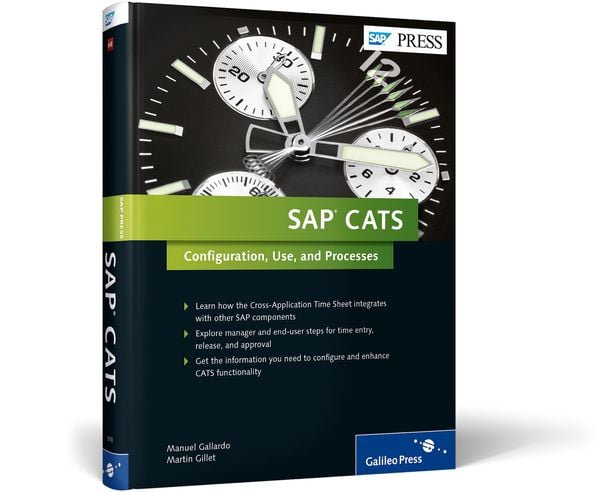
Produktbild: SAP CATS

SAP CATS Configuration, Use, and Processes

Aus der Reihe SAP Press Englisch

82,20 €

inkl. gesetzl. MwSt., Versandkostenfrei


Beschreibung

Whether you’re looking to get data set up in your CATS system, better manage employees’ activities, or add enhanced functionality, this is the book you need. Explore the different core functions of CATS, such as approval and transfer processes. Then find what you need to make SAP CATS specific to different...

Beschreibung

Whether you’re looking to get data set up in your CATS system, better manage employees’ activities, or add enhanced functionality, this is the book you need. Explore the different core functions of CATS, such as approval and transfer processes. Then find what you need to make SAP CATS specific to different business requirements and scenarios, such as integration with other SAP components.Highlights:Master dataTime entryApproval and rejectionWorkflowIntegration with SAP componentsReportingHR-enabled CATSUser exits and BAdIsEmployee and Manager Self-ServicesSAP FioriEnhancement packsABAP development

Produktdetails

Einband

Gebundene Ausgabe

Erscheinungsdatum

28.10.2014

Abbildungen

w. numerous figs.

Verlag Rheinwerk Publishing

Produktdetails

Einband

Gebundene Ausgabe

Erscheinungsdatum

28.10.2014

Abbildungen

w. numerous figs.

Verlag Rheinwerk Publishing
Seitenzahl

464

Maße (L/B/H)

23,6/17,9/3,5 cm

Gewicht

1007 g

Auflage

1

Sprache

Englisch

ISBN

978-1-59229-978-2

Herstelleradresse

Rheinwerk Verlag GmbH
Rheinwerkallee 4
53227 Bonn
DE

Email: service@rheinwerk-verlag.de

Noch keine Bewertungen vorhanden

Verfassen Sie die erste Bewertung zu diesem Artikel

Helfen Sie anderen Kundinnen und Kunden durch Ihre Meinung.

Kundinnen und Kunden meinen

Bewertungen (0)

  • Produktbild: SAP CATS


  • Acknowledgments … 17


    1. Introduction … 21


    1.1 What This Book Discusses … 21


    1.2 Introduction to the Cross-Application Time Sheet … 22


    1.3 Brief Technical Overview … 26


    1.4 Integration Overview … 27


    1.5 System Enhancements … 29


    1.6 Summary … 30


    PART I CATS Functional Processes


    2. Master Data Foundations for CATS Processes … 33


    2.1 Master Data for Human Resources … 34


    2.2 Master Data for Finance and Controlling … 53


    2.3 Master Data for Plant Maintenance and for Customer Service … 71


    2.4 Master Data for Materials Management (External Services) … 80


    2.5 Master Data for SAP Project System … 90


    2.5.4 CATS and Project System Transfer … 97


    2.6 Summary … 98


    3. Time Entry … 99


    3.1 Individual Time Registration through the On Premise (Backend) System ... 100


    3.2 Mass Time Registration through the On Premise (Backend) System ... 106


    3.3 Individual Time Registration through the Portal (Frontend) … 109


    3.4 Mobile Time Registration … 111


    3.5 Summary … 117


    4. Time Entry Release Process … 119


    4.1 Activating the Release Process … 119


    4.2 On Premise (Backend) Release Process … 121


    4.3 Web Interface Release Process … 123


    4.4 Summary … 127


    5. Approval Process … 129


    5.1 Approval from the On Premise Side (Backend System) … 129


    5.2 Approval from the Online Side (Frontend System) … 135


    5.3 Summary … 146


    6. Transferring Time Entries … 147


    6.1 Configuration … 147


    6.2 Standalone Transfer into Individual SAP Components … 150


    6.3 Mass Transfer Program … 157


    6.4 Scheduling a Batch … 159


    6.5 Reorganizing Interface Tables … 160


    6.6 Reporting … 162


    6.7 Summary … 166


    7. Enabling Workflow … 167


    7.1 Introduction to Standard Workflow … 168


    7.2 Basic Configuration … 169


    7.3 Configuring a Standard Workflow in an SAP ERP HCM Process ... 172


    7.4 Notifications … 180


    7.5 Configuring a Substitution Rule … 182


    7.6 Troubleshooting … 185


    7.7 Summary … 189


    8. Authorizations … 191


    8.1 Authorization Groups … 192


    8.2 Restricting Access to a Determined Data Entry Profile and/or for Personnel ... 194


    8.3 Authorization for Reporting in CATS … 196


    8.4 System Authorizations for Working with CATS Regular Version ... 196


    8.5 Summary … 197


    9. Reporting … 199


    9.1 Frontend Reporting … 199


    9.2 Backend Reporting … 204


    9.3 General Reporting … 208


    9.4 Reorganizing the Time Sheet … 211


    9.5 User-Linking to Employees … 212


    9.6 Reporting in Common SAP Components … 215


    9.7 Auditing the Process and the Master Data … 216


    9.8 Summary … 231


    PART II CATS Configuration


    10. Configuring the Cross-Application Time Sheet … 235


    10.1 Customizing the CATS Data Entry Profiles … 237


    10.2 Customizing the CATS Fields … 254


    10.3 Customizing CATS for Web-Enabling … 257


    10.4 Additional CATS Customizing … 263


    10.5 Recording Working Time through SAP Fiori … 269


    10.6 Summary … 284


    11. Additional Functionality for SAP ERP HCM Users … 285


    11.1 SAP ERP HCM Integration Configuration Steps … 286


    11.2 HR-Enabled CATS Technical Requirements … 293


    11.3 Troubleshooting … 296


    11.4 Summary … 296


    12 CATS Approval Configuration … 297


    12.1 Customizing the Approval Determination Logic … 298


    12.2 Customizing the Approval User Interfaces … 306


    12.3 Summary … 311


    13 CATS Performance and Support Tools … 313


    13.1 CATS Performance … 313


    13.2 Support Tools … 321


    13.3 Summary … 325


    14 Actual Labor Costing … 327


    14.1 Options for Calculating Labor Costs … 327


    14.2 Implementing Your Labor Rate Calculation … 330


    14.3 Select the Right Costing Variant … 347


    14.4 Summary … 348


    PART III CATS Enhancements


    15 Deploying User Exits and BAdIs to Enhance CATS … 353


    15.1 Enhancements for the Time Entry Process … 354


    15.2 CATS Enhancements for Concurrent Employment … 373


    15.3 Enhancements for CATS for Service Providers … 375


    15.4 Enhancements for CATS Regular WDA … 378


    15.5 Approvals, Workflow, and Reporting Enhancements … 386


    15.6 Summary … 394


    16 Importing and Extracting CATS Data … 395


    16.1 Introduction to BAPIs … 396


    16.2 Analysis of the Time Sheet Manager Business Object … 398


    16.3 Techniques for Building a Time Interface … 404


    16.4 Tools for Extracting CATS Data … 411


    16.5 Summary … 413


    17 Enhancing the CATS Web Dynpro ABAP Applications … 415


    17.1 Floor Plan Manager … 416


    17.2 Customizing the User Interface … 417


    17.3 Application Configuration … 418


    17.4 Component Configuration … 424


    17.5 Enhancement Implementations … 426


    17.6 Summary … 430


    Appendices … 431


    A. Further Resources … 433


    A.1 Useful Reference Material … 433


    A.2 Commonly Used Transactions … 434


    A.3 SAP Reference Documentation on SAP Fiori … 436


    A.4 Further Enhancements via Enabling Enhancement Packages … 438


    B. Frequently Asked Questions … 443


    C. The Authors … 449


    Index … 451