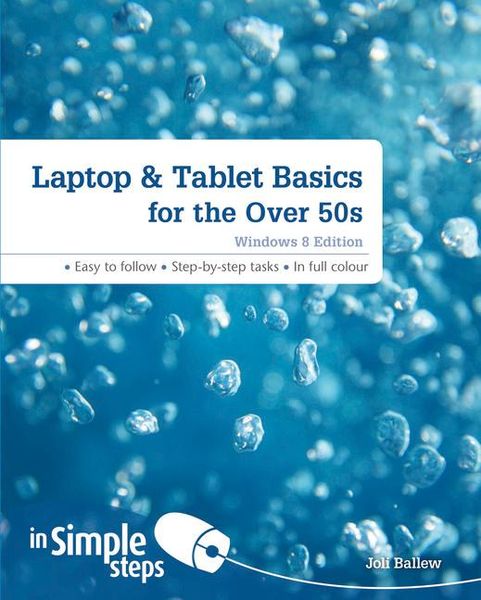
Produktbild: Laptop & Tablet Basics for the Over 50s: Windows 8 Edition

Laptop & Tablet Basics for the Over 50s: Windows 8 Edition

17,99 €

inkl. gesetzl. MwSt., zzgl. Versandkosten


  • Kostenlose Lieferung ab 30 € Einkaufswert
  • Versandkostenfrei für Bonuscard-Kund*innen

Beschreibung

Produktdetails

Einband

Taschenbuch

Erscheinungsdatum

24.10.2013

Verlag

Pearson Academic

Seitenzahl

272

Maße (L/B/H)

18,4/23,4/1,2 cm

Gewicht

554 g

Auflage

1. Auflage

Sprache

Englisch

ISBN

978-1-292-00263-7

Beschreibung

Produktdetails

Einband

Taschenbuch

Erscheinungsdatum

24.10.2013

Verlag

Pearson Academic

Seitenzahl

272

Maße (L/B/H)

18,4/23,4/1,2 cm

Gewicht

554 g

Auflage

1. Auflage

Sprache

Englisch

ISBN

978-1-292-00263-7

Herstelleradresse

Libri GmbH
Europaallee 1
36244 Bad Hersfeld
DE

Email: gpsr@libri.de

Noch keine Bewertungen vorhanden

Verfassen Sie die erste Bewertung zu diesem Artikel

Helfen Sie anderen Kundinnen und Kunden durch Ihre Meinung.

Kundinnen und Kunden meinen

Bewertungen (0)

  • Produktbild: Laptop & Tablet Basics for the Over 50s: Windows 8 Edition
  • Top Ten Tips


    Chapter 1 Getting Started

    Know what kind of device you own

    Explore the battery

    Plug in the power cable  

    Recognize USB ports  

    Locate the Ethernet port

    Connect headphones  

    Locate additional ports   

    Start Windows 8

    Follow the setup instructions   

    Explore the Start screen

    Use the touch pad

    Access the desktop

    Change the screen resolution

    Use the Windows key


    Chapter 2 Explore Windows 8’s Unique Features

    Use a Microsoft Account

    Understand the new jargon

    Log In to Windows 8

    Access the default charms

    Explore the default charms

    Use the Weather app

    Explore an app’s toolbar

    Use the Travel app

    Explore an app’s default charms

    Search for a location with Maps

    Get the latest sports news and follow a team

    View your personal calendar

    Move among open apps


    Chapter 3 Personalize the Start Screen

    Move tiles on the Start screen

    Add a tile to the Start screen

    Remove a tile from the Start screen

    Turn live tiles on or off

    Make app tiles larger or smaller

    Change the Start screen background

    Name a group of apps

    Create a PIN for faster access to the Start screen


    Chapter 4 Use the Internet Explorer Start Screen App

    Know what you get from the IE Start screen app

    Explore the Internet Explorer App

    Visit a Website

    Manage Tabs with the Hidden Toolbar

    Pin a Website to the Start Screen

    Explore Settings


    Chapter 5 Get your Email with the Mail app

    Access e-mail

    Set up a third party e-mail account

    Read e-mail

    Compose and send a new email

    Add formatting to an email

    Respond toan email

    Print an email

    Attach something to an e-mail

    View an attachment in an e-mail

    View junk e-mail

    Delete e-mail in a folder


    Chapter 6 Explore the Social Networking Apps

    Get to know the Messaging app

    Add social accounts to the Messaging app

    Send an instant text message

    Set up the People app

    View and edit contacts

    Connect with a contact

    Update your Status on Facebook

    View Others’ social networking updates

    Get Skype

    Initiate a Skype video chat


    Chapter 7 Explore Media Apps

    Explore the Music App

    Play a Song

    Explore the Photos app

    View a Photo

    Import Pictures from a Digital Camera

    Play a Slideshow of photos

    Play a Video


    Chapter 8 Access and Use Available Online Stores

    Explore the Store

    Get a Free App

    Get App Updates

    Explore the Xbox Music Store

    Explore the Xbox Video Store

    Search across Stores

    Remove or Uninstall Unwanted Apps


    Chapter 9 Learn Desktop Basics

    Explore the Desktop

    Choose which desktop icons appear

    Make desktop icons easier to see

    Learn desktop techniques

    Explore the taskbar

    Add an item to the taskbar

    Make the taskbar easier to see

    Understand libraries in File Explorer

    Create a shortcut for a folder

    Open, close, resize the File Explorer window

    Change the view in a window

    Snap a window to the side of the desktop

    Create a folder or subfolder

    Move a folder or file

    Search for a file or other item

    Back up a folder to an external drive


    Chapter 8 Use the Internet Explorer Desktop App

    Explore the Internet Explorer Desktop app

    Use tabs

    Mark a favourite

    Set a home page

    Zoom in or out

    Print a web page

    Clear History

    Stay Safe on the Internet

    Configure the IE Desktop App as the default