KI-Beratung Beta

Gutscheinbedingungen

**Gültig am 25.11.2026 auf fremdsprachige Bücher online auf thalia.at und in der Thalia App. Einzelne Artikel können ausgeschlossen sein. Ausgenommen sind preisgebundene Artikel & eBooks. Pro Einkauf einmal einlösbar. Click & Collect nur bei Onlinevorabzahlung möglich. Keine Barauszahlung. Nicht kombinierbar mit anderen Aktionen und Gutscheinen. Gutschein wird auf max. 500€ Bestellwert angerechnet. Nicht gültig für Geschenkkarten, Versandkosten und Services.

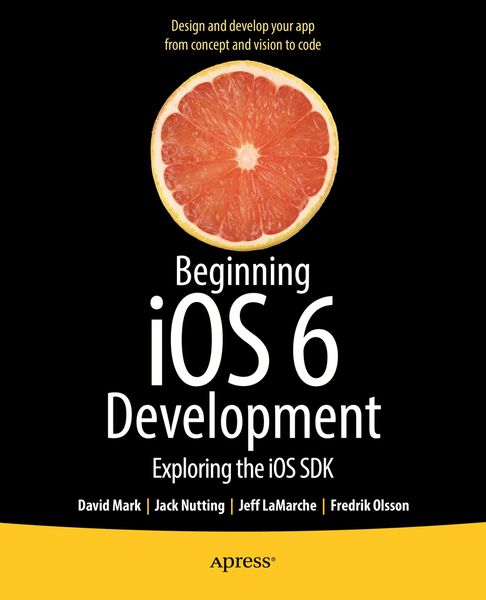
  • Produktbild: Beginning iOS 6 Development
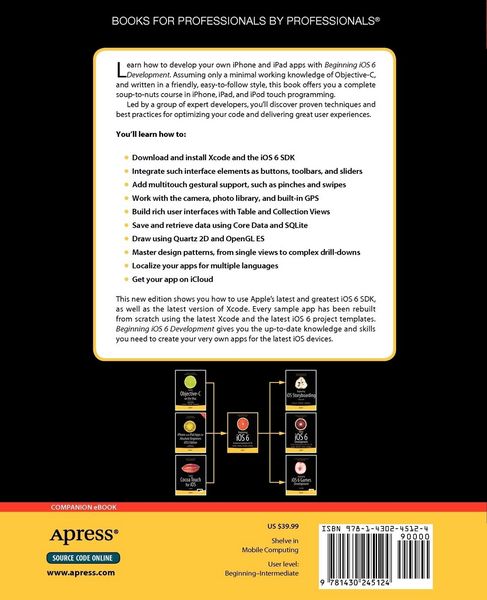
  • Produktbild: Beginning iOS 6 Development

Beginning iOS 6 Development Exploring the iOS SDK

54,99 €

inkl. gesetzl. MwSt., Versandkostenfrei


Beschreibung

The team that brought you the bestselling Beginning iPhone Development is back again for Beginning iOS 6 Development, bringing this definitive guide up-to-date with Apple's latest and greatest iOS 6 SDK, as well as with the latest version of Xcode.  There's coverage of brand new technologies, with chapters...

Beschreibung

The team that brought you the bestselling Beginning iPhone Development is back again for Beginning iOS 6 Development, bringing this definitive guide up-to-date with Apple's latest and greatest iOS 6 SDK, as well as with the latest version of Xcode. 
There's coverage of brand new technologies, with chapters on storyboards and iCloud, for example, as well as significant updates to existing chapters to bring them in line with all the changes that came with the iOS 6 SDK. You'll have everything you need to create your very own apps for the latest iOS devices, including the iPhone 4S, iPad 2, and the latest iPod touch. Every single sample app in the book has been rebuilt from scratch using latest Xcode and the latest 64-bit iOS 6-specific project templates and designed to take advantage of the latest Xcode features.
Assuming only a minimal working knowledge of Objective-C, and written in a friendly, easy-to-follow style, Beginning iOS 6 Development offers a complete soup-to-nuts course in iPhone, iPad, and iPod touch programming. The book starts with the basics, walking through the process of downloading and installing Xcode and the iOS 6 SDK, and then guides you though the creation of your first simple application.
From there, you’ll learn how to integrate all the interface elements Apple touch users have come to know and love, such as buttons, switches, pickers, toolbars, and sliders. You’ll master a variety of design patterns, from the simplest single view to complex hierarchical drill-downs. The confusing art of table building will be demystified, and you’ll learn how to save your data using the iPhone file system. You’ll also learn how to save and retrieve your data using a variety of persistence techniques, including Core Data and SQLite. And there’s much more! You’ll learn to draw using Quartz 2D and OpenGL ES, add multitouch gestural support (pinches and swipes) to yourapplications, and work with the camera, photo library, accelerometer, and built-in GPS. You’ll discover the fine points of application preferences and learn how to localize your apps for multiple languages.
The iOS 6 update to the bestselling and most recommended book for Cocoa touch developers
Packed full of tricks, techniques, and enthusiasm for the new SDK from a developer perspective
Written in an accessible, easy-to-follow style

Produktdetails

Einband

Taschenbuch

Erscheinungsdatum

11.01.2013

Abbildungen

XXIII, 764 p.

Verlag Apress

Produktdetails

Einband

Taschenbuch

Erscheinungsdatum

11.01.2013

Abbildungen

XXIII, 764 p.

Verlag Apress
Seitenzahl

764

Maße (L/B/H)

24,1/18,9/5 cm

Gewicht

1287 g

Auflage

1st ed.

Sprache

Englisch

ISBN

978-1-4302-4512-4

Herstelleradresse

Libri GmbH
Europaallee 1
36244 Bad Hersfeld
DE

Email: gpsr@libri.de

Noch keine Bewertungen vorhanden

Verfassen Sie die erste Bewertung zu diesem Artikel

Helfen Sie anderen Kundinnen und Kunden durch Ihre Meinung.

Kundinnen und Kunden meinen

Bewertungen (0)

  • Produktbild: Beginning iOS 6 Development
  • Produktbild: Beginning iOS 6 Development
  • 1. Welcome to the Jungle

    2. Appeasing the Tiki Gods

    3. Handling Basic Interaction

    4. More User Interface Fun

    5. Autorotation and Autosizing

    6. Multiview Applications

    7. Tab Bars and Pickers

    8. Introduction to Table Views

    9. Navigation Controllers and Table Views

    10. Storyboards

    11. iPad Considerations

    12. Application Settings and User Defaults

    13. Basic Data Persistence

    14. Get Your App in the iCloud

    15. Grand Central Dispatch, Background Processing, and You

    16. Drawing with Quartz and OpenGL

    17. Taps, Touches, and Gestures

    18. Where Am I? Finding Your Way with Core Location

    19. Whee! Gyro and Accelerometer!

    20. iPhone Camera and Photo Library

    21. Collection Views

    22. Application Localization

    23. Appendix:  Where to Next?