KI-Beratung Beta

Gutscheinbedingungen

**Gültig bis 05.10.2026 ab einem Mindestbestellwert von 30€ auf Spielzeug, Schreibwaren, Filme, Geschenke & Trends, Musik, tolino eReader & Zubehör, Hörbücher und Hörbuch-Downloads, nicht preisgebundene Bücher und Kalender online auf thalia.at und in der Thalia App. Einzelne Artikel können ausgeschlossen sein. Aufgrund der Buchpreisbindung sind deutschsprachige Bücher und eBooks ausgenommen. Zusätzlich ausgenommen sind Abos & Flatrates, Games, Geschenkkarten/-boxen, Shelfies, Software, Zeitschriften sowie einzelne Artikel von tonies®. Pro Einkauf einmal einlösbar. Nur gültig mit im Onlineshop hinterlegter Bonuscard. Click & Collect nur bei Onlinevorabzahlung möglich. Keine Barauszahlung. Nicht kombinierbar mit anderen Aktionen und Gutscheinen. Gutschein wird auf max. 500€ Bestellwert angerechnet. Nicht gültig für Versandkosten und Services. Preisgebundene Artikel sind vom Mindestbestellwert ausgeschlossen.

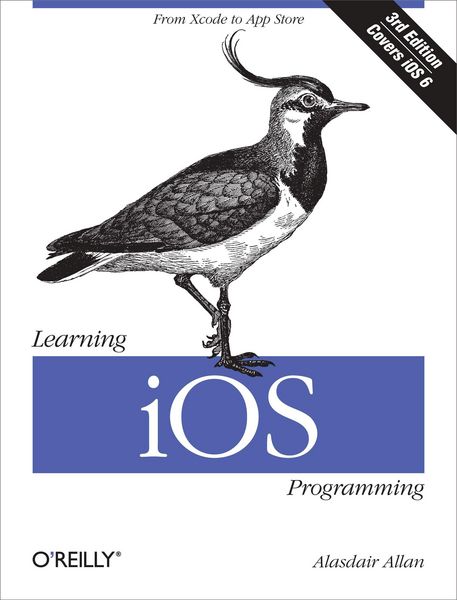
Produktbild: Learning iOS Programming

Learning iOS Programming

33,99 €

inkl. gesetzl. MwSt., Versandkostenfrei


Beschreibung

Produktdetails

Einband

Taschenbuch

Erscheinungsdatum

23.04.2013

Verlag

O'Reilly Media

Seitenzahl

450

Maße (L/B/H)

23,3/17,7/2,7 cm

Gewicht

728 g

Auflage

3rd edition

Sprache

Englisch

ISBN

978-1-4493-5934-8

Beschreibung

Produktdetails

Einband

Taschenbuch

Erscheinungsdatum

23.04.2013

Verlag

O'Reilly Media

Seitenzahl

450

Maße (L/B/H)

23,3/17,7/2,7 cm

Gewicht

728 g

Auflage

3rd edition

Sprache

Englisch

ISBN

978-1-4493-5934-8

Herstelleradresse

Libri GmbH
Europaallee 1
36244 Bad Hersfeld
DE

Email: gpsr@libri.de

Noch keine Bewertungen vorhanden

Verfassen Sie die erste Bewertung zu diesem Artikel

Helfen Sie anderen Kundinnen und Kunden durch Ihre Meinung.

Kundinnen und Kunden meinen

Bewertungen (0)

Die Leseprobe wird geladen.
  • Produktbild: Learning iOS Programming
  • Preface; Third Edition; Notes from the Second Edition; Who Should Read This Book?; What Should You Already Know?; What Will You Learn?; What's in This Book?; Conventions Used in This Book; Using Code Examples; How to Contact Us; Safari® Books Online; Acknowledgments; Chapter 1: Why Go Native?; 1.1 The Pros and Cons; 1.2 The Release Cycle; 1.3 Build It and They Will Come; Chapter 2: Becoming a Developer; 2.1 Registering as an iOS Developer; 2.2 Enrolling in the iOS Developer Program; 2.3 The Mac Developer Program; 2.4 Installing the iOS SDK; 2.5 Preparing Your iOS Device; Chapter 3: Your First iOS App; 3.1 Objective-C Basics; 3.2 Creating a Project; Chapter 4: Coding in Objective-C; 4.1 Declaring and Defining Classes; 4.2 Memory Management; 4.3 Fundamental iOS Design Patterns; 4.4 Conclusion; Chapter 5: Table View-Based Applications; 5.1 Creating the Project; 5.2 Creating a Table View; 5.3 Populating the Table View; 5.4 Building a Model; 5.5 Connecting the Controller to the Model; 5.6 Adding Navigation Controls to the Application; 5.7 Adding a City View; 5.8 Edit Mode; Chapter 6: Other View Controllers; 6.1 Utility Applications; 6.2 Tab Bar Applications; 6.3 Combining View Controllers; 6.4 Modal View Controllers; 6.5 The Image Picker View Controller; 6.6 Master-Detail Applications; 6.7 Popover Controllers; Chapter 7: Connecting to the Network; 7.1 Detecting Network Status; 7.2 Embedding a Web Browser in Your App; 7.3 Sending Email; 7.4 Getting Data from the Internet; Chapter 8: Handling Data; 8.1 Data Entry; 8.2 Parsing XML; 8.3 Parsing JSON; 8.4 Regular Expressions; 8.5 Storing Data; Chapter 9: Using Sensors; 9.1 Hardware Support; 9.2 Setting Required Hardware Capabilities; 9.3 Differences Between iPhone and iPad; 9.4 Using the Camera; 9.5 The Core Motion Framework; 9.6 Accessing the Proximity Sensor; 9.7 Using Vibration; Chapter 10: Geolocation and Mapping; 10.1 The Core Location Framework; 10.2 Location-Dependent Weather; 10.3 User Location and MapKit; 10.4 Annotating Maps; Chapter 11: Introduction to iCloud; 11.1 How Can I Use iCloud?; 11.2 Using Key-Value Storage; 11.3 Wrapping Up; Chapter 12: Integrating Your Application; 12.1 Application Preferences; 12.2 The Accounts Framework; 12.3 The Social Framework; 12.4 Custom URL Schemes; 12.5 Media Playback; 12.6 Using the Address Book; 12.7 Sending Text Messages; Chapter 13: Distributing Your Application; 13.1 Adding Missing Features; 13.2 Building and Signing; 13.3 Submitting to the App Store; 13.4 Reasons for Rejection; Chapter 14: Going Further; 14.1 Cocoa and Objective-C; 14.2 Web Applications; 14.3 Core Data; 14.4 In-App Purchase; 14.5 Core Animation; 14.6 Game Kit; 14.7 Writing Games; 14.8 Look and Feel; 14.9 Hardware Accessories; Index; Colophon;