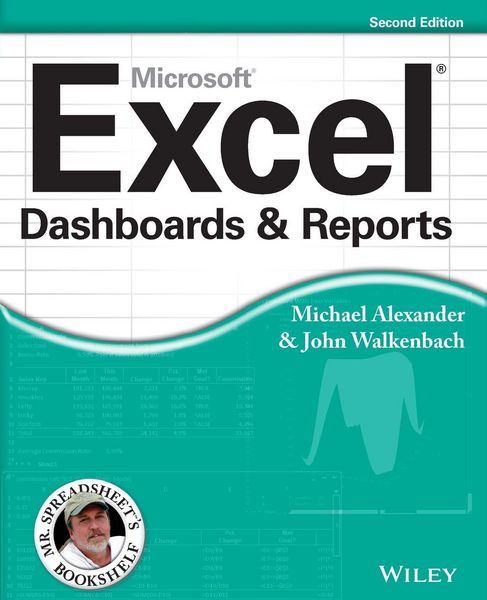
Excel Dashboards and Reports 2nd edition
Aus der Reihe
Mr. Spreadsheet's Bookshelf
-
- Taschenbuch ausgewählt
- eBook
-
Sprache:Englisch
-
Verlag:John Wiley & Sons Inc
- Wiley 33,99 €
- John Wiley & Sons Inc 38,99 € ausgewählt
38,99 €
inkl. gesetzl. MwSt.,
Beschreibung
Produktdetails
Einband
Taschenbuch
Erscheinungsdatum
10.05.2013
Verlag
John Wiley & Sons IncSeitenzahl
432
Maße (L/B/H)
23,3/18,7/2,5 cm
Gewicht
645 g
Auflage
2nd edition
Sprache
Englisch
ISBN
978-1-118-49042-6
Learn to use Excel dashboards and reports to better conceptualize data
Updated for all the latest features and capabilities of Excel 2013, this go-to resource provides you with in-depth coverage of the individual functions and tools that can be used to create compelling Excel reports. Veteran author Michael Alexander walks you through the most effective ways to present and report data. Featuring a comprehensive review of a wide array of technical and analytical concepts, this essential guide helps you go from reporting data with simple tables full of dull numbers to presenting key information through the use of high-impact, meaningful reports and dashboards that will wow management both visually and substantively.
* Details how to analyze large amounts of data and report the results in a way that is both visually attractive and effective
* Describes how to use different perspectives to achieve better visibility into data, as well as how to slice data into various views on the fly
* Shows how to automate redundant reporting and analysis processes
* Walks you through creating impressive dashboards, eye-catching visualizations, and real-world What-If analyses
Excel Dashboards and Reports, Second Edition is part technical manual, part analytical guidebook, and exactly what you need to become your organization's dashboard dynamo!
Updated for all the latest features and capabilities of Excel 2013, this go-to resource provides you with in-depth coverage of the individual functions and tools that can be used to create compelling Excel reports. Veteran author Michael Alexander walks you through the most effective ways to present and report data. Featuring a comprehensive review of a wide array of technical and analytical concepts, this essential guide helps you go from reporting data with simple tables full of dull numbers to presenting key information through the use of high-impact, meaningful reports and dashboards that will wow management both visually and substantively.
* Details how to analyze large amounts of data and report the results in a way that is both visually attractive and effective
* Describes how to use different perspectives to achieve better visibility into data, as well as how to slice data into various views on the fly
* Shows how to automate redundant reporting and analysis processes
* Walks you through creating impressive dashboards, eye-catching visualizations, and real-world What-If analyses
Excel Dashboards and Reports, Second Edition is part technical manual, part analytical guidebook, and exactly what you need to become your organization's dashboard dynamo!
Kundinnen und Kunden meinen
Verfassen Sie die erste Bewertung zu diesem Artikel
Helfen Sie anderen Kund*innen durch Ihre Meinung
Kurze Frage zu unserer Seite
Vielen Dank für Ihr Feedback
Wir nutzen Ihr Feedback, um unsere Produktseiten zu verbessern. Bitte haben Sie Verständnis, dass wir Ihnen keine Rückmeldung geben können. Falls Sie Kontakt mit uns aufnehmen möchten, können Sie sich aber gerne an unseren Kund*innenservice wenden.
zum Kundenservice