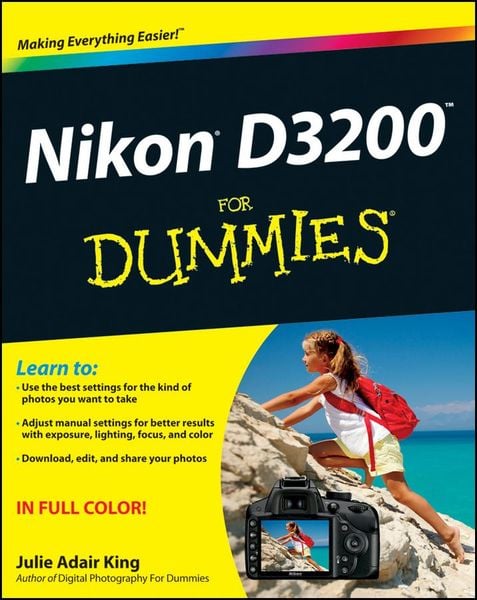
Produktbild: Nikon D3200 For Dummies

Nikon D3200 For Dummies

33,99 €

inkl. gesetzl. MwSt., Versandkostenfrei


Beschreibung

Produktdetails

Einband

Taschenbuch

Erscheinungsdatum

10.08.2012

Verlag

John Wiley & Sons

Seitenzahl

400

Maße (L/B/H)

23,3/18,7/2,5 cm

Gewicht

922 g

Auflage

1. Auflage

Sprache

Englisch

ISBN

978-1-118-44683-6

Beschreibung

Produktdetails

Einband

Taschenbuch

Erscheinungsdatum

10.08.2012

Verlag

John Wiley & Sons

Seitenzahl

400

Maße (L/B/H)

23,3/18,7/2,5 cm

Gewicht

922 g

Auflage

1. Auflage

Sprache

Englisch

ISBN

978-1-118-44683-6

Herstelleradresse

Libri GmbH
Europaallee 1
36244 Bad Hersfeld
DE

Email: GPSR Kontakt

Noch keine Bewertungen vorhanden

Verfassen Sie die erste Bewertung zu diesem Artikel

Helfen Sie anderen Kundinnen und Kunden durch Ihre Meinung.

Kundinnen und Kunden meinen

Bewertungen (0)

Die Leseprobe wird geladen.
  • Produktbild: Nikon D3200 For Dummies
  • Introduction 1

    A Quick Look at What's Ahead 1

    Part I: Fast Track to Super Snaps 1

    Part II: Working with Picture Files 2

    Part III: Taking Creative Control 2

    Part IV: The Part of Tens 2

    Icons and Other Stuff to Note 2

    eCheat Sheet 3

    Practice, Be Patient, and Have Fun! 4

    Part I: Fast Track to Super Snaps 5

    Chapter 1: Getting the Lay of the Land 7

    Getting Comfortable with Your Lens 8

    Attaching a lens 8

    Removing a lens 10

    Setting the focus mode (auto or manual) 10

    Zooming in and out 12

    Using a VR (Vibration Reduction) lens 12

    Adjusting the Viewfinder Focus 13

    Working with Memory Cards 15

    Exploring External Camera Controls 18

    Topside controls 18

    Back-of-the-body controls 20

    Front-left buttons 23

    Front-right features 24

    Hidden connections 24

    Ordering from Camera Menus 25

    Using the guided menus 26

    Ordering off the main menus 31

    Monitoring Shooting Settings 33

    Changing Settings Using the Information Display 35

    Displaying Help Screens 36

    Customizing Your Camera: Setup Menu Options 37

    Restoring Default Settings 44

    Chapter 2: Choosing Basic Picture Settings 47

    Choosing an Exposure Mode 48

    Choosing the Release Mode 50

    Single Frame and Quiet Shutter Release modes 52

    Continuous (burst mode) shooting 52

    Self-timer shooting 54

    Wireless remote-control modes 55

    Adding Flash 56

    Enabling flash 57

    Setting the Flash mode 58

    Choosing the Right Quality Settings 61

    Diagnosing quality problems 62

    Considering image size: How many pixels are enough? 63

    Understanding Image Quality options (JPEG or Raw) 67

    My take: Choose JPEG Fine or Raw (NEF) 72

    Setting Image Size and Quality 73

    Chapter 3: Taking Great Pictures, Automatically 77

    Setting Up for Automatic Success 78

    As Easy As It Gets: Auto and Auto Flash Off 82

    Taking Advantage of Scene Modes 86

    Getting More Creative with Guide Mode 90

    Chapter 4: Exploring Live View Photography and Movie Making 97

    Using Your Monitor as a Viewfinder 98

    Live View safety tips 99

    Customizing the Live View display 103

    Focusing in Live View Mode 105

    Choosing the right focusing pairs 110

    Autofocusing in Live View and Movie mode 111

    Manual focusing for Live View and movie photography 113

    Shooting Still Pictures in Live View Mode 114

    Shooting Digital Movies 116

    Choosing the video mode (NTSC or PAL) 116

    Setting video quality (frame size, frame rate, and bit rate) 117

    Controlling audio 120

    Manipulating movie exposure 123

    Reviewing a few final recording options 124

    Recording a movie 125

    Screening Your Movies 127

    Trimming Movies 129

    Saving a Movie Frame as a Still Image 132

    Part II: Working with Picture Files 135

    Chapter 5: Playback Mode: Viewing, Erasing, and Protecting Photos 137

    Customizing Basic Playback Options 138

    Adjusting playback timing 138

    Adjusting and disabling instant image review 139

    Enabling automatic picture rotation 139

    Viewing Images in Playback Mode 141

    Viewing multiple images at a time (thumbnails view) 143

    Displaying photos in Calendar view 144

    Choosing which images to view 146

    Zooming in for a closer view 146

    Viewing Picture Data 148

    File Information mode 150

    Highlights display mode 152

    RGB Histogram mode 153

    Shooting Data display mode 156

    GPS Data mode 157

    Overview Data mode 157

    Deleting Photos and Movies 159

    Deleting fi les one at a time 159

    Deleting all photos and movies 160

    Deleting a batch of selected files 161

    Protecting Photos and Movies 163

    Creating a Digital Slide Show 164

    Viewing Your Photos and Movies on a Television 168

    Chapter 6: Downloading, Printing, and Sharing Your Photos 171

    Choosing the Right Photo Software 171

    Three free photo programs 172

    Advanced photo programs 174

    Sending Pictures to the Computer 176

    Connecting the camera and computer for picture download 177

    Starting the transfer process 178

    Downloading using ViewNX 2 180

    Processing Raw (NEF) Files 187

    Processing Raw images in the camera 187

    Processing Raw fi les in ViewNX 2 191

    Planning for Perfect Prints 195

    Check the pixel count before you print 195

    Allow for different print proportions 197

    Get print and monitor colors in sync 200

    Preparing Pictures for E-Mail and Online Sharing 203

    Prepping online photos using ViewNX 2 205

    Resizing pictures from the Playback menu 206

    Part III: Taking Creative Control 211

    Chapter 7: Getting Creative with Exposure 213

    Introducing the Exposure Trio: Shutter Speed, Aperture, and ISO 214

    Understanding exposure-setting side effects 216

    Doing the exposure balancing act 221

    Exploring the Advanced Exposure Modes 222

    Reading the Meter 224

    Setting Aperture, Shutter Speed, and ISO 227

    Adjusting aperture and shutter speed 227

    Controlling ISO 230

    Choosing an Exposure Metering Mode 233

    Sorting Through Your Camera's Exposure-Correction Tools 236

    Applying Exposure Compensation 236

    Using autoexposure lock 240

    Expanding tonal range with Active D-Lighting 241

    Investigating Advanced Flash Options 244

    Choosing the right Flash mode 247

    Adjusting flash output 253

    Controlling flash output manually 256

    Chapter 8: Manipulating Focus and Color 259

    Mastering the Autofocus System 260

    Reviewing autofocus basics 260

    Understanding the AF-Area mode setting 262

    Changing the Focus mode setting 267

    Choosing the right autofocus combo 269

    Using autofocus lock 269

    Focusing Manually 270

    Manipulating Depth of Field 274

    Controlling Color 281

    Correcting colors with white balance 281

    Changing the White Balance setting 283

    Fine-tuning White Balance settings 286

    Creating white balance presets 287

    Choosing a Color Space: sRGB versus Adobe RGB 291

    Taking a Quick Look at Picture Controls 292

    Chapter 9: Putting it All Together 299

    Recapping Basic Picture Settings 299

    Shooting Still Portraits 301

    Capturing action 307

    Capturing scenic vistas 310

    Capturing dynamic close-ups 313

    Part IV: The Part of Tens 317

    Chapter 10: Ten Fun and Practical Retouch Menu Features 319

    Applying the Retouch Menu Filters 320

    Removing Red-Eye 322

    Straightening Tilting Horizon Lines 324

    Removing (Or Creating) Lens Distortion 326

    Correcting Perspective 328

    Cropping (Trimming) Your Photo 329

    Shadow Recovery with D-Lighting 331

    Boosting Shadows, Contrast, and Saturation Together 333

    Two Ways to Make Subtle Color Adjustments 334

    Applying digital lens filters 335

    Manipulating color balance 337

    Creating Monochrome Photos 338

    Chapter 11: Ten Special-Purpose Features to Explore on a Rainy Day 341

    Annotate Your Images 341

    Creating Custom Image Folders 343

    Changing the Function Button's Function 346

    Customizing the AE-L/AF-L Button 347

    Using the Shutter Button to Lock Exposure and Focus 348

    Adding a Starburst Effect 349

    Creating Color Effects 351

    Creating a color outline 352

    Producing a color sketch 353

    Playing with the Selective Color Filter 354

    Softening Focus for a Dreamy Effect 356

    Creating a Miniature Effect 358

    Combining Two Photos with Image Overlay 360

    Index 365