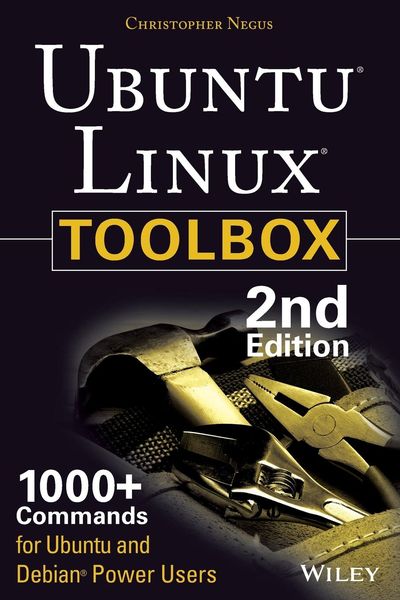
Produktbild: Ubuntu Linux Toolbox: 1000+ Commands for Power Users

Ubuntu Linux Toolbox: 1000+ Commands for Power Users

28,99 €

inkl. gesetzl. MwSt., zzgl. Versandkosten


  • Kostenlose Lieferung ab 30 € Einkaufswert
  • Versandkostenfrei für Bonuscard-Kund*innen

Beschreibung

Produktdetails

Einband

Taschenbuch

Erscheinungsdatum

19.08.2013

Verlag

John Wiley & Sons Inc

Seitenzahl

368

Maße (L/B/H)

22,9/15,2/2 cm

Gewicht

533 g

Auflage

2nd edition

Sprache

Englisch

ISBN

978-1-118-18352-6

Beschreibung

Produktdetails

Einband

Taschenbuch

Erscheinungsdatum

19.08.2013

Verlag

John Wiley & Sons Inc

Seitenzahl

368

Maße (L/B/H)

22,9/15,2/2 cm

Gewicht

533 g

Auflage

2nd edition

Sprache

Englisch

ISBN

978-1-118-18352-6

Herstelleradresse

Libri GmbH
Europaallee 1
36244 Bad Hersfeld
DE

Email: gpsr@libri.de

Noch keine Bewertungen vorhanden

Verfassen Sie die erste Bewertung zu diesem Artikel

Helfen Sie anderen Kundinnen und Kunden durch Ihre Meinung.

Kundinnen und Kunden meinen

Bewertungen (0)

Die Leseprobe wird geladen.
  • Produktbild: Ubuntu Linux Toolbox: 1000+ Commands for Power Users
  • Introduction xix
     
    Chapter 1: Starting with Ubuntu Linux 1
     
    Ubuntu, Debian, and Linux 2
     
    Understanding Ubuntu Releases 3
     
    Ubuntu Compared to Other Linux Distributions 3
     
    Finding Ubuntu Resources 5
     
    Ubuntu Software 7
     
    Focusing on Linux Commands 7
     
    Finding Commands 9
     
    Reference Information in Ubuntu 11
     
    Using help Messages 12
     
    Using man Pages 12
     
    Using info Documents 15
     
    Summary 15
     
    Chapter 2: Installing Ubuntu and Adding Software 17
     
    Obtaining and Installing Ubuntu 17
     
    Preparing to Install 18
     
    Choosing Installation Options 19
     
    Answering Installation Questions 19
     
    Working with Debian Software Packages 20
     
    Working with Software Packages 22
     
    Enabling More Repositories for apt 23
     
    Adding Software Collections with tasksel 24
     
    Managing Software with APT 25
     
    Finding Packages with APT 27
     
    Installing Packages with APT 27
     
    Upgrading Packages with APT 28
     
    Upgrading a Single Package with APT 28
     
    Removing Packages with APT 29
     
    Cleaning Up Packages with APT 29
     
    Downloading Packages with APT 30
     
    Managing Software with dpkg 30
     
    Installing a Package with dpkg 32
     
    Removing a Package with dpkg 32
     
    Extracting Files from a .deb File with dpkg 32
     
    Querying Information about .deb Packages 33
     
    Managing Software with aptitude 35
     
    Updating and Upgrading Packages with aptitude 37
     
    Querying Information about Packages with aptitude 37
     
    Installing Packages with aptitude 38
     
    Removing Packages with aptitude 38
     
    Cleaning Up Packages with aptitude 39
     
    Useful Combinations of Options with aptitude 39
     
    Verifying Installed Packages with debsums 41
     
    Building deb Packages 44
     
    Summary 47
     
    Chapter 3: Using the Shell 49
     
    Terminal Windows and Shell Access 49
     
    Using Terminal Windows 49
     
    Using Virtual Consoles 51
     
    Using the Shell 52
     
    Using Bash History 53
     
    Using Command Line Completion 54
     
    Redirecting stdin and stdout 54
     
    Using alias 57
     
    Watching Commands 58
     
    Watching Files 58
     
    Acquiring Super User Power 58
     
    Delegating Power with sudo 59
     
    Using the su Command 61
     
    Using Environment Variables 62
     
    Creating Simple Shell Scripts 64
     
    Editing and Running a Script 64
     
    Adding Content to Your Script 65
     
    Summary 68
     
    Chapter 4: Working with Files 69
     
    Understanding File Types 69
     
    Using Regular Files 69
     
    Using Directories 71
     
    Using Symbolic and Hard Links 71
     
    Using Device Files 72
     
    Using Named Pipes and Sockets 73
     
    Setting File/Directory Permissions 73
     
    Changing Permissions with chmod 74
     
    Setting the umask 76
     
    Changing Ownership 76
     
    Traversing the Filesystem 77
     
    Copying Files 79
     
    Changing File Attributes 80
     
    Searching for Files 82
     
    Finding Files with locate 82
     
    Locating Files with find 83
     
    Using Other Commands to Find Files 85
     
    Finding Out More about Files 86
     
    Listing Files 86
     
    Verifying Files 86
     
    Summary 88
     
    Chapter 5: Manipulating Text 89
     
    Matching Text with Regular Expressions 89
     
    Editing Text Files 90
     
    Using the JOE Editor 91
     
    Using the Pico and nano Editors 92
     
    Graphical Text Editors 94