
IPad 2 for Seniors for Dummies
-
- Englisch ausgewählt
29,99 €
inkl. gesetzl. MwSt.,
- Kostenlose Lieferung ab 30 € Einkaufswert
- Versandkostenfrei für Bonuscard-Kund*innen
Beschreibung
Produktdetails
Einband
Taschenbuch
Erscheinungsdatum
23.11.2011
Verlag
WileySeitenzahl
402
Maße (L/B/H)
23,5/19,1/2,2 cm
Gewicht
748 g
Sprache
Englisch
ISBN
978-1-118-17678-8
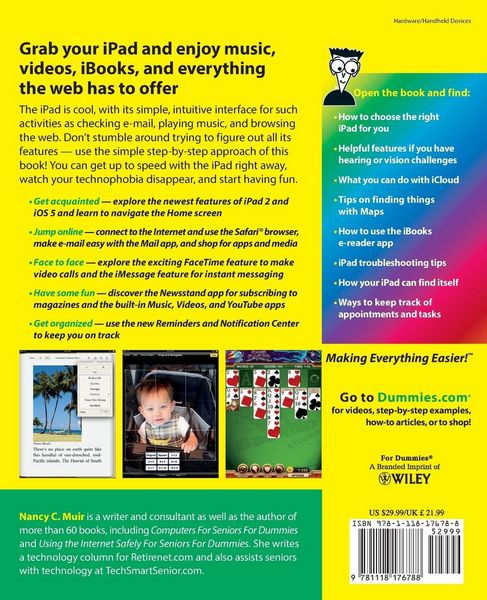
The iPad is cool, with its simple, intuitive interface for such activities as checking e-mail, playing music, and browsing the web. Don't stumble around trying to figure out all its features -- use the simple step-by-step approach of this book! You can get up to speed with the iPad right away, watch your technophobia disappear, and start having fun.
-
Get acquainted -- explore the newest features of iPad 2 and iOS 5 and learn to navigate the Home screen
-
Jump online -- connect to the Internet and use the Safari(R) browser, make e-mail easy with the Mail app, and shop for apps and media
-
Face to face -- explore the exciting FaceTime feature to make video calls and the iMessage feature for instant messaging
-
Have some fun -- discover the Newsstand app for subscribing to magazines and the built-in Music, Videos, and YouTube apps
-
Get organized -- use the new Reminders and Notification Center to keep you on track
Open the book and find:
-
How to choose the right iPad for you
-
Helpful features if you have hearing or vision challenges
-
What you can do with iCloud
-
Tips on finding things with Maps
-
How to use the iBooks e-reader app
-
iPad troubleshooting tips
-
How your iPad can find itself
-
Ways to keep track of appointments and tasks
Learn to:
-
Exchange e-mails, share photos, and make video calls with FaceTime
-
Browse the web, listen to music, play games, and watch movies
-
Read iBooks and magazines, set reminders, and get cool apps online
IN FULL COLOR!
Noch keine Bewertungen vorhanden
Verfassen Sie die erste Bewertung zu diesem Artikel
Helfen Sie anderen Kundinnen und Kunden durch Ihre Meinung.
Kurze Frage zu unserer Seite
Vielen Dank für Ihr Feedback
Wir nutzen Ihr Feedback, um unsere Produktseiten zu verbessern. Bitte haben Sie Verständnis, dass wir Ihnen keine Rückmeldung geben können. Falls Sie Kontakt mit uns aufnehmen möchten, können Sie sich aber gerne an unseren Kund*innenservice wenden.
zum Kundenservice