Gutscheinbedingungen

**Gültig bis 15.06.2026 auf Spiele & Spielzeug online auf thalia.at, in der Thalia App ab einem Mindestbestellwert von 30€ und in allen Thalia Buchhandlungen in Österreich. In den Buchhandlungen nur gültig auf lagernde Ware. Einzelne Artikel können ausgeschlossen sein. Ausgenommen sind preisgebundene Artikel sowie online auf thalia.at und in der Thalia App einzelne Artikel von tonies®. Pro Einkauf einmal einlösbar. Nur gültig gegen Vorlage oder im Onlineshop hinterlegter Bonuscard. Infos zur Einlösung in der Buchhandlung sind auf der Bonuscard-Vorteilspreisseite zu finden. Click & Collect nur bei Onlinevorabzahlung möglich. Keine Einlösung bei Scan & Go-Bezahlung. Keine Barauszahlung. Nicht kombinierbar mit anderen Aktionen und Gutscheinen. Gutschein wird auf max. 500€ Bestellwert angerechnet. Nicht gültig für Geschenkkarten, Versandkosten und Services.

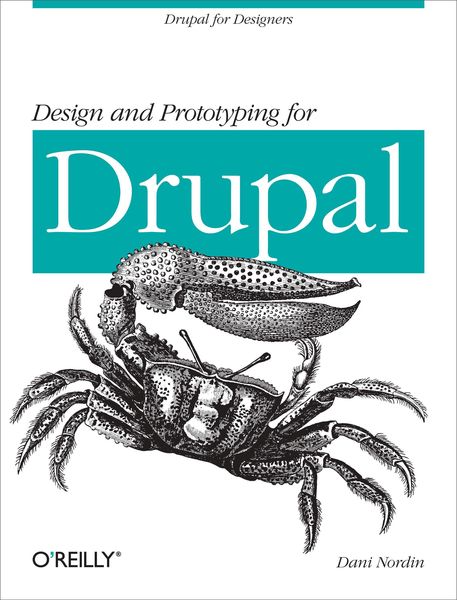
Produktbild: Design and Prototyping for Drupal

Design and Prototyping for Drupal Drupal for Designers

18,99 €

inkl. gesetzl. MwSt., zzgl. Versandkosten


  • Kostenlose Lieferung ab 30 € Einkaufswert
  • Versandkostenfrei für Bonuscard-Kund*innen

Beschreibung

Produktdetails

Einband

Taschenbuch

Erscheinungsdatum

24.01.2012

Verlag

O'Reilly and Associates

Seitenzahl

166

Maße (L/B/H)

23,3/17,9/1,3 cm

Gewicht

304 g

Sprache

Englisch

ISBN

978-1-4493-0550-5

Beschreibung

Produktdetails

Einband

Taschenbuch

Erscheinungsdatum

24.01.2012

Verlag

O'Reilly and Associates

Seitenzahl

166

Maße (L/B/H)

23,3/17,9/1,3 cm

Gewicht

304 g

Sprache

Englisch

ISBN

978-1-4493-0550-5

Herstelleradresse

Libri GmbH
Europaallee 1
36244 Bad Hersfeld
DE

Email: gpsr@libri.de

Kundinnen und Kunden meinen

0 Bewertungen

Informationen zu Bewertungen

Zur Abgabe einer Bewertung ist eine Anmeldung im Konto notwendig. Die Authentizität der Bewertungen wird von uns nicht überprüft. Wir behalten uns vor, Bewertungstexte, die unseren Richtlinien widersprechen, entsprechend zu kürzen oder zu löschen.

Die Bewertungen sind nach Format, Anzahl Sterne und Datum sortiert.

Verfassen Sie die erste Bewertung zu diesem Artikel

Helfen Sie anderen Kund*innen durch Ihre Meinung

Kundinnen und Kunden meinen

0 Bewertungen filtern

Die Leseprobe wird geladen.
  • Produktbild: Design and Prototyping for Drupal
  • Preface;
    Introduction;
    Conventions Used in This Book;
    Using Code Examples;
    Safari® Books Online;
    How to Contact Us;
    About the Reviewers;
    Acknowledgments;
    Getting Started: Some Stuff to Consider;
    Chapter 1: Design for Drupal: Basic Concepts;
    1.1 About the Case Studies;
    Chapter 2: The Drupal Designer's Toolkit;
    2.1 Balsamiq Mockups;
    2.2 Fireworks;
    2.3 Coda;
    2.4 LessCSS and Less.app;
    Design and Layout;
    Chapter 3: Sketch Many, Show One;
    3.1 Ideation: Methods and Madness;
    Chapter 4: Using Style Tiles to Explore Design Ideas;
    Chapter 5: Design Layout: Covering All Your Bases;
    5.1 Greyboxing: An In-Between Option;
    Chapter 6: Working with Layout Grids;
    6.1 Why Use a Grid?;
    6.2 Grids in Wireframing;
    6.3 Grids in Theming;
    6.4 Anatomy of a Grid Layout;
    6.5 But What About All These Presentational Classes? There Must Be a Better Way!;
    6.6 The New CSS Grid Layout module: The Future Is Now;
    6.7 Going Deeper: CSS Layout and Grid Systems;
    Chapter 7: Setting up Fireworks Templates for Drupal;
    7.1 Step One: Setting Up the Grid;
    7.2 Step Two: Setting Up the Header;
    7.3 Step 3: Single Node Page;
    7.4 Step 4: Single Node Pages with Sidebars;
    7.5 Step 5: Create the Other Pages;
    7.6 Step 6: Step Up the Visuals;
    Prototyping, Theming, and Managing your Markup;
    Chapter 8: Paper Prototyping;
    8.1 When to Use a Paper Prototype;
    8.2 Fidelity;
    8.3 Creating a Paper Prototype;
    8.4 Walking Through the Prototype;
    8.5 Other Types of Prototypes;
    Chapter 9: Breaking Down a Layout for Drupal Implementation;
    9.1 Nodes;
    9.2 Blocks;
    9.3 Views;
    Chapter 10: Working with Base Themes;
    10.1 How to Choose a Base Theme;
    10.2 Other Base Themes to Try;
    10.3 Creating a Child Theme;
    10.4 Other Things You Should Know About Base Themes;
    10.5 Please, Tell Me More!;
    Chapter 11: Prototyping in the Browser;
    Chapter 12: Practical Example #1: Using Views to Enhance a Layout;
    12.1 But I'm Not a Developer-What if I Don't Want to Code?;
    12.2 Step 1: Create the "Event Categories" Taxonomy Vocabulary;
    12.3 Step 2: Create the Event Content Type;
    12.4 Step 3: Create an Image Style;
    12.5 Step 4: Create the User Profile;
    12.6 Step 5: Getting Profile Content into the Event Page;
    12.7 Step 6: Setting Up the Contextual Filter;
    12.8 Step 7: Setting Up the "Related Events" Block;
    12.9 So What Did We Just Do Here?;
    Chapter 13: Practical Example #2: Controlling Views Markup;
    13.1 Step 1: Associating an Image with a Taxonomy Term;
    13.2 Step 2: Create the Event Categories View;
    13.3 Step 3: Update the Field Settings;
    13.4 Step 4: Add a Custom Class to Each Taxonomy Term: Name Field;
    13.5 Step 5: Style Away;
    13.6 So What Did We Just Do Here?;
    Chapter 14: Managing Your Code: Some Modules that Can Help;
    14.1 Block Class;
    14.2 HTML5 Tools and Elements;
    14.3 @font-your-face;
    14.4 Semantic Fields;
    Chapter 15: Working with LessCSS;
    15.1 Creating Variables;
    15.2 The Mighty Mixin;
    15.3 Nesting Behavior;
    15.4 Compiling the Code;
    15.5 Working with LessCSS: Organizing Your Stylesheets;
    15.6 Why This is Awesome (Aside From the Obvious);
    15.7 Working with LessCSS on a Team;