KI-Beratung Beta

Gutscheinbedingungen

**Gültig bis 11.11.2026 auf Spielzeug, Schreibwaren, Filme, Geschenke & Trends, Musik, tolino eReader & Zubehör, Hörbücher und Hörbuch-Downloads, nicht preisgebundene Bücher und Kalender online auf thalia.at und in der Thalia App. Einzelne Artikel können ausgeschlossen sein. Aufgrund der Buchpreisbindung sind deutschsprachige Bücher und eBooks ausgenommen. Zusätzlich ausgenommen sind Abos & Flatrates, Games, Geschenkkarten/-boxen, Shelfies, Software, Zeitschriften sowie einzelne Artikel von tonies®. Pro Einkauf einmal einlösbar. Click & Collect nur bei Onlinevorabzahlung möglich. Keine Barauszahlung. Nicht kombinierbar mit anderen Aktionen und Gutscheinen. Gutschein wird auf max. 500€ Bestellwert angerechnet. Nicht gültig für Versandkosten und Services.

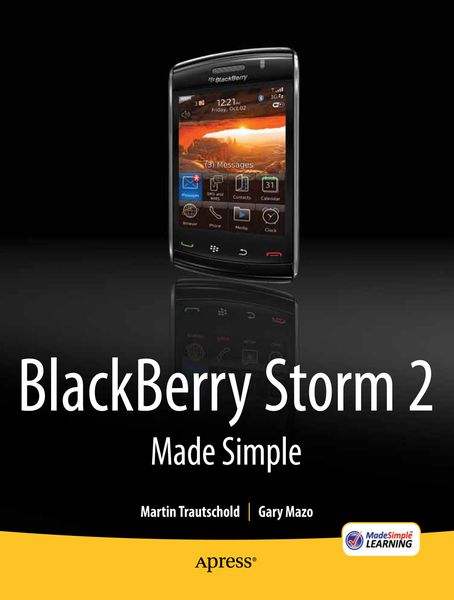
  • Produktbild: BlackBerry Storm2 Made Simple
  • Produktbild: BlackBerry Storm2 Made Simple

BlackBerry Storm2 Made Simple Written for the Storm 9500 and 9530, and the Storm2 9520, 9530, and 9550

32,99 €

inkl. gesetzl. MwSt., Versandkostenfrei


Beschreibung

Produktdetails

Einband

Taschenbuch

Erscheinungsdatum

01.09.2010

Abbildungen

640 p.

Verlag

Apress

Seitenzahl

640

Maße (L/B/H)

23,5/19,1/3,4 cm

Gewicht

1176 g

Auflage

1st ed.

Sprache

Englisch

ISBN

978-1-4302-3120-2

Beschreibung

Produktdetails

Einband

Taschenbuch

Erscheinungsdatum

01.09.2010

Abbildungen

640 p.

Verlag

Apress

Seitenzahl

640

Maße (L/B/H)

23,5/19,1/3,4 cm

Gewicht

1176 g

Auflage

1st ed.

Sprache

Englisch

ISBN

978-1-4302-3120-2

Herstelleradresse

Libri GmbH
Europaallee 1
36244 Bad Hersfeld
DE

Email: gpsr@libri.de

Noch keine Bewertungen vorhanden

Verfassen Sie die erste Bewertung zu diesem Artikel

Helfen Sie anderen Kundinnen und Kunden durch Ihre Meinung.

Kundinnen und Kunden meinen

Bewertungen (0)

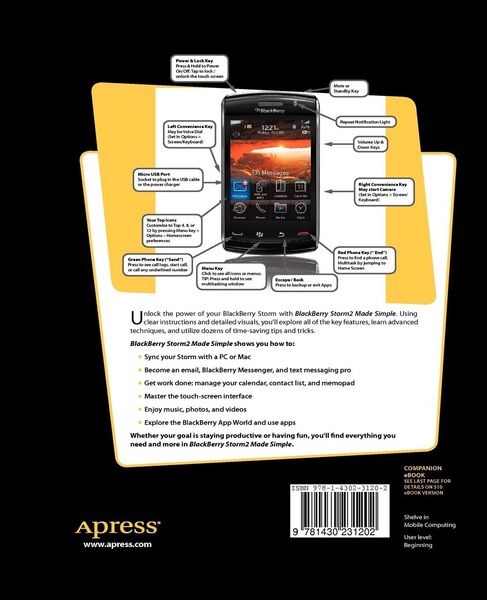
  • Produktbild: BlackBerry Storm2 Made Simple
  • Produktbild: BlackBerry Storm2 Made Simple
  • Contents at a Glance 4.- Detailed Contents 5.- Authors & Acknowledgements 11.- Other BlackBerry & Smartphone Learning Products 13.- Quick Reference Guide 14.- Staying In Touch 15.- Stay Organized With Your Blackberry 16.- Be Entertained With Your Blackberry 17.- Personalize Your Blackberry 18.- Add & Remove Software Icons 18.- Learning 19.- The Screen, Buttons, And More 19.- Reading Your Top Status Bar 20.- Your Blackberry: Learning Touch Screen Gestures 21.- Basic Touch Screen Gestures 22.- Starting Icons 23.- Selecting 23.- Click On Many 24.- Hover For Pop-Up Information 24.- Swipe Gesture 25.- Hiding And Showing The Keyboard 25.- Multi-Tasking 26.- Scrolling Up And Down The Screen 27.- Scrolling And Tap To Show/Hide Controls Or Soft Keys 28.- Select, Copy & Paste Text With Multitouch Mode 34.- Introduction 35.- Chapter 1: Setup Wizard & Email Setup 42.- Chapter 2: Windows(tm) PC Setup 61.- Chapter 3: Apple(r) Mac(tm) Setup 86.- Chapter 4: Typing, Spelling & Help 103.- Chapter 5: Personalize your BlackBerry 120.- Chapter 6: Sounds: Ring & Vibrate 139.- Chapter 7: Phone & Voice Dialing 147.- Chapter 8: Advanced Phone 166.- Chapter 9: Social Networking 182.- Chapter 10: Email Like a Pro 189.- Chapter 11: Your Contact List 208.- Chapter 12: Manage Your Calendar 224.- Chapter 13: Get Tasks Done 245.- Chapter 14: MemoPad: Sticky Notes 251.- Chapter 15: SMS Text & MMS 261.- Chapter 16: Even More Messaging 271.- Chapter 17: Add Memory & Media 287.- Chapter 18: Your Music Player 294.- Chapter 19: Snapping Pictures 306.- Chapter 20: Fun with Videos 321.- Chapter 21: BlackBerry as a Tethered Modem 326.- Chapter 22: Connect with Bluetooth 328.- Chapter 23: Surf the Web 337.- Chapter 24: Add or Remove Software 350.- Chapter 25: Maps & Directions 357.- Chapter 26: Other Applications 367.- Chapter 27: Searching for Lost Stuff 372.- Chapter 28: Fixing Problems 377.- Chapter 29: Boost Your Battery 385.- Chapter 30: Simple Video Tutorials 388.