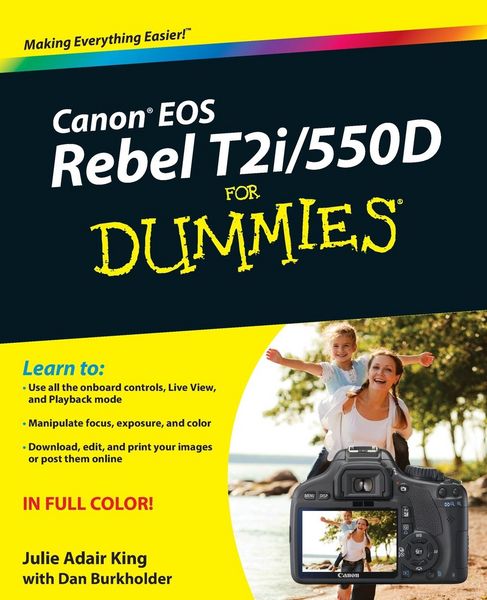
• Produktbild: Canon EOS Rebel T2i/550D For Dummies
  • Produktbild: Canon EOS Rebel T2i/550D For Dummies

Canon EOS Rebel T2i/550D For Dummies With Downloads

29,99 €

inkl. gesetzl. MwSt., zzgl. Versandkosten


  • Kostenlose Lieferung ab 30 € Einkaufswert
  • Versandkostenfrei für Bonuscard-Kund*innen

Beschreibung

Produktdetails

Einband

Taschenbuch

Erscheinungsdatum

08.06.2010

Verlag

John Wiley & Sons Inc

Seitenzahl

384

Maße (L/B/H)

23,5/19,1/2,1 cm

Gewicht

719 g

Auflage

1. Auflage

Sprache

Englisch

ISBN

978-0-470-76881-5

Beschreibung

Produktdetails

Einband

Taschenbuch

Erscheinungsdatum

08.06.2010

Verlag

John Wiley & Sons Inc

Seitenzahl

384

Maße (L/B/H)

23,5/19,1/2,1 cm

Gewicht

719 g

Auflage

1. Auflage

Sprache

Englisch

ISBN

978-0-470-76881-5

Herstelleradresse

Libri GmbH
Europaallee 1
36244 Bad Hersfeld
DE

Email: gpsr@libri.de

Noch keine Bewertungen vorhanden

Verfassen Sie die erste Bewertung zu diesem Artikel

Helfen Sie anderen Kundinnen und Kunden durch Ihre Meinung.

Kundinnen und Kunden meinen

Bewertungen (0)

Die Leseprobe wird geladen.
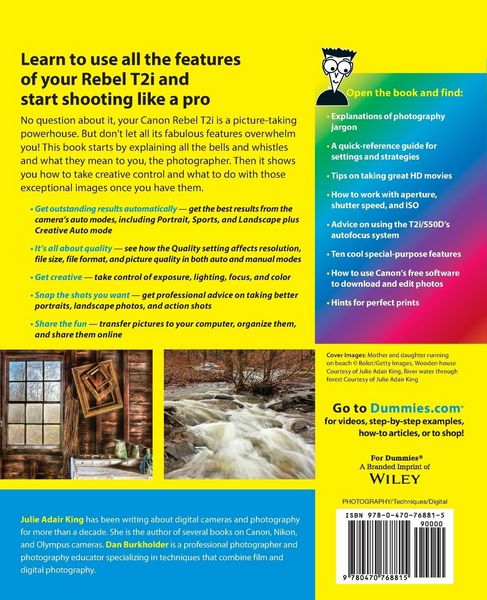
  • Produktbild: Canon EOS Rebel T2i/550D For Dummies
  • Produktbild: Canon EOS Rebel T2i/550D For Dummies
  • Introduction 1

    A Quick Look at What's Ahead 2

    Part I: Fast Track to Super Snaps 2

    Part II: Taking Creative Control 2

    Part III: Working with Picture Files 3

    Part IV: The Part of Tens 3

    Icons and Other Stuff to Note 4

    About the Software Shown in This Book 5

    eCheat Sheet 5

    Practice, Be Patient, and Have Fun! 6

    Part I: Fast Track to Super Snaps 7

    Chapter 1: Getting the Lay of the Land 9

    Getting Comfortable with Your Lens 10

    Attaching a lens 10

    Removing a lens 12

    Using an IS (image stabilizer) lens 13

    Shifting from autofocus to manual focus 14

    Zooming in and out 15

    Adjusting the Viewfinder Focus 15

    Working with Memory Cards 17

    Exploring External Camera Controls 18

    Topside controls 18

    Back-of-the-body controls 20

    Front-left buttons 23

    Viewing and Adjusting Camera Settings 24

    Ordering from menus 25

    Using the Shooting Settings display 27

    Taking advantage of the Quick Control screen 29

    Decoding viewfinder data 30

    Checking the Camera Settings display 32

    Reviewing Basic Setup Options 33

    Setup Menu 1 33

    Setup Menu 2 35

    Setup Menu 3 37

    Three more customization options 38

    Chapter 2: Taking Great Pictures, Automatically 41

    Getting Good Point-and-Shoot Results 42

    Exploring Basic Flash Options 47

    Using Red-Eye Reduction Flash 48

    Shooting in the Fully Automatic Modes 49

    Full Auto mode 50

    Automatic scene modes ( Image Zone modes) 51

    Gaining More Control with Creative Auto 58

    Changing the Drive Mode 62

    Chapter 3: Controlling Picture Quality 65

    Diagnosing Quality Problems 66

    Decoding the Quality Options 68

    Considering Resolution: Large, Medium, or Small? 70

    Pixels and print quality 71

    Pixels and screen display size 72

    Pixels and fi le size 73

    Resolution recommendations 74

    Understanding File Type (JPEG or Raw) 76

    JPEG: The imaging (and Web) standard 76

    Raw (CR2): The purist's choice 79

    Our take: Choose Fine or Raw 81

    Chapter 4: Monitor Matters: Picture Playback, Live View, and Movie Mode 83

    Disabling and Adjusting Instant Review 84

    Viewing Images in Playback Mode 84

    Viewing multiple images at a time 85

    Jumping through images 86

    Rotating vertical pictures 88

    Zooming in for a closer view 90

    Viewing Picture Data 91

    Image Only display mode 92

    Detailed Information display 93

    Understanding Histogram display mode 96

    Deleting Photos 100

    Erasing single images 100

    Erasing all images on your memory card 100

    Erasing selected images 102

    Protecting Photos 103

    Using Your Monitor As a Viewfinder 105

    Enabling Live View 108

    Taking a shot in Live View mode 109

    Customizing Live View shooting data 111

    Using the Quick Control screen in Live View mode 113

    Displaying an alignment grid 114

    Recording Movies 115

    Changing the information display 120

    Setting basic recording options 121

    Shooting your first movie 124

    Playing movies 127

    Editing movies 129

    Part II: Taking Creative Control 133

    Chapter 5: Getting Creative with Exposure and Lighting 135

    Kicking Your Camera into Advanced Gear 136

    Introducing the Exposure Trio: Aperture, Shutter Speed, and ISO 137

    Understanding exposure-setting side effects 140

    Doing the exposure balancing act 145

    Monitoring Exposure Settings 146

    Choosing an Exposure Metering Mode 149

    Setting ISO, f-stop, and Shutter Speed 153

    Controlling ISO 153

    Adjusting aperture and shutter speed 157

    Sorting through Your Camera's Exposure-Correction Tools 160

    Overriding autoexposure results with Exposure Compensation 160

    Improving high-contrast shots with Highlight Tone Priority 164

    Experimenting with Auto Lighting Optimization 166

    Correcting lens vignetting with Peripheral Illumination Correction 169

    Locking Autoexposure Settings 172

    Bracketing Exposures Automatically 174

    Enabling AEB 174

    Putting AEB to work in HDR imaging 177

    Using Flash in Advanced Exposure Modes 179

    Understanding your camera's approach to flash 180

    Adjusting flash power with Flash Exposure Compensation 184

    Locking the flash exposure 187

    Exploring more flash options 188

    Using an external flash unit 191

    Chapter 6: Manipulating Focus and Color 193

    Reviewing Focus Basics 193

    Adjusting Autofocus Performance 196

    Selecting an autofocus point 196

    Changing the AF (autofocus) mode 198

    Autofocusing in Live View and Movie Modes 200

    Choosing the Live View or Movie mode autofocusing method 201

    Quick mode autofocusing 202

    Using Live mode autofocusing 205

    Using Live mode autofocus with face detection 206

    Manipulating Depth of Field 207

    Using A-DEP mode 212

    Checking depth of field 213

    Controlling Color 214

    Correcting colors with white balance 215

    Changing the White Balance setting 217

    Creating a custom White Balance setting 218

    Fine-tuning White Balance settings 220

    Bracketing shots with white balance 223

    Choosing a Color Space: sRGB versus Adobe RGB 225

    Taking a Quick Look at Picture Styles 227

    Chapter 7: Putting It All Together 233

    Recapping Basic Picture Settings 234

    Setting Up for Specific Scenes 234

    Shooting still portraits 235

    Capturing action 240

    Capturing scenic vistas 244

    Capturing dynamic close-ups 248

    Part III: Working with Picture Files 251

    Chapter 8: Downloading, Organizing, and Archiving Your Photos 253

    Sending Pictures to the Computer 254

    Connecting your camera and computer 255

    Starting the transfer process 257

    Downloading images with Canon tools 258

    Using ZoomBrowser EX/ImageBrowser 265

    Getting acquainted with the program 266

    Viewing photos in full-screen mode 268

    Organizing your photos 271

    Processing Raw (CR2) Files 273

    Chapter 9: Printing and Sharing Your Photos 279

    Avoiding Printing Problems 280

    Check the pixel count before you print 280

    Allow for different print proportions 282

    Get print and monitor colors in sync 284

    Printing Online or In-Store 287

    Printing from ZoomBrowser EX/ImageBrowser 288

    Preparing Pictures for E-Mail and Online Sharing 293

    Creating an In-Camera Slide Show 299

    Viewing Your Photos on a Television 302

    Part IV: The Part of Tens 305

    Chapter 10: Ten Fast Photo-Editing Tricks 307

    Removing Red-Eye 308

    Cropping Your Photo 312

    Adjusting Color Saturation 315

    Tweaking Color Balance 318

    Adjusting Exposure 320

    Three-point exposure control with the

    Level Adjustment filter 321

    Gaining more control with the Tone Curve Adjustment filter 323

    Sharpening Focus (Sort Of) 326

    Shifting to AutoPilot 330

    Adding Text 330

    Saving Your Edited Files 332

    Chapter 11: Ten Special-Purpose Features to Explore on a Rainy Day 333

    Changing the Function of the Set Button 333

    Customizing Exposure and Focus Lock Options 336

    Disabling the AF-Assist Beam 337

    Enabling Mirror Lockup 339

    Adding Cleaning Instructions to Images 340

    Turning Off the Shooting Settings Screen 342

    Adding Original Decision Data 344

    Creating Your Very Own Camera Menu 344

    Tagging Files with Your Copyright Claim 347

    Getting Free Help and Creative Ideas 349

    Index 351