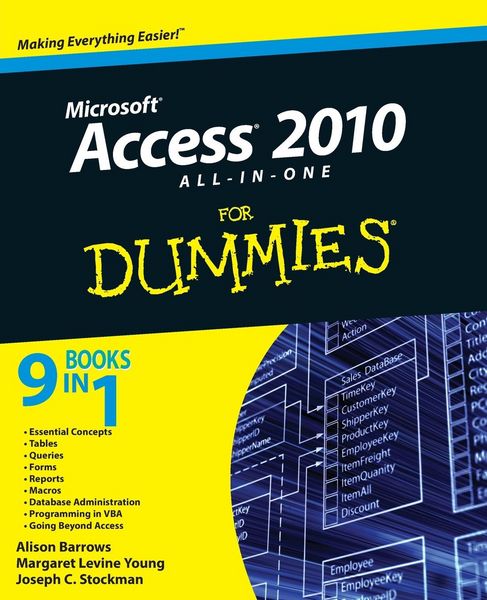
Access 2010 All-in-One For Dummies
-
- Taschenbuch ausgewählt
- eBook
-
Sprache:Englisch
35,99 €
inkl. gesetzl. MwSt.,
Beschreibung
Produktdetails
Einband
Taschenbuch
Erscheinungsdatum
03.05.2010
Verlag
John Wiley & Sons IncSeitenzahl
792
Maße (L/B/H)
23,5/19,1/4,2 cm
Gewicht
1453 g
Auflage
1. Auflage
Sprache
Englisch
ISBN
978-0-470-53218-8
The all-in-one reference to all aspects of Microsoft Access 2010
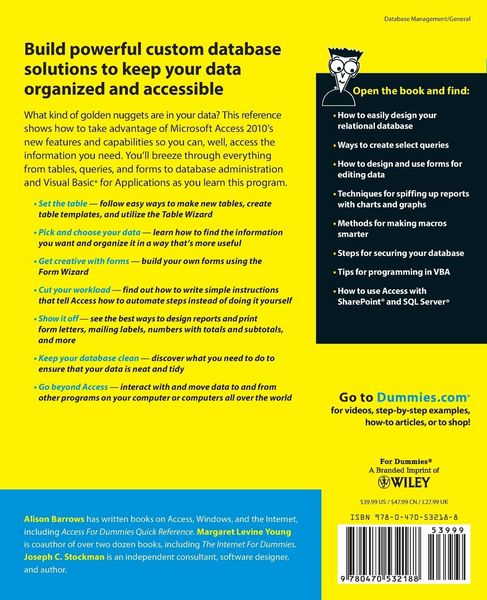
If you want to learn Microsoft Access inside and out, the nine minibooks in this easy-access reference are exactly what you need. Read the book cover to cover, or jump into any of the minibooks for the instruction and topics you need most. Learn how to connect Access to SQL Server, manipulate your data locally, use nifty new features from Office 2010 such as the enhanced Ribbon, create queries and macros like a champ, and much more. From the basics to advanced functions, it's what you need to make Access more accesssible.
* Shows you how to store, organize, view, analyze, and share data using Microsoft Access 2010, the database application included with Microsoft Office 2010
* Includes nine minibooks that cover such topics as database design, tables, queries, forms, reports, macros, database administration, securing data, programming with Visual Basic for Applications (VBA), and using Access with the Web
* Helps you build database solutions that integrate with the Web and other enterprise data sources
* Offers plenty of techniques, tips, and tricks to help you get the most out of Access
This all-in-one guide contains everything you need to start power-using Access 2010!
If you want to learn Microsoft Access inside and out, the nine minibooks in this easy-access reference are exactly what you need. Read the book cover to cover, or jump into any of the minibooks for the instruction and topics you need most. Learn how to connect Access to SQL Server, manipulate your data locally, use nifty new features from Office 2010 such as the enhanced Ribbon, create queries and macros like a champ, and much more. From the basics to advanced functions, it's what you need to make Access more accesssible.
* Shows you how to store, organize, view, analyze, and share data using Microsoft Access 2010, the database application included with Microsoft Office 2010
* Includes nine minibooks that cover such topics as database design, tables, queries, forms, reports, macros, database administration, securing data, programming with Visual Basic for Applications (VBA), and using Access with the Web
* Helps you build database solutions that integrate with the Web and other enterprise data sources
* Offers plenty of techniques, tips, and tricks to help you get the most out of Access
This all-in-one guide contains everything you need to start power-using Access 2010!
Kundinnen und Kunden meinen
Verfassen Sie die erste Bewertung zu diesem Artikel
Helfen Sie anderen Kund*innen durch Ihre Meinung
Kurze Frage zu unserer Seite
Vielen Dank für Ihr Feedback
Wir nutzen Ihr Feedback, um unsere Produktseiten zu verbessern. Bitte haben Sie Verständnis, dass wir Ihnen keine Rückmeldung geben können. Falls Sie Kontakt mit uns aufnehmen möchten, können Sie sich aber gerne an unseren Kund*innenservice wenden.
zum Kundenservice