Gutscheinbedingungen

**Gültig bis 28.07.2026 auf Spielzeug, Schreibwaren, Filme, Geschenke & Trends, Musik, tolino eReader & Zubehör, Hörbücher und Hörbuch-Downloads (außer Abo), nicht preisgebundene Bücher und Kalender in der Thalia App. Einzelne Artikel können ausgeschlossen sein. Aufgrund der Buchpreisbindung sind deutschsprachige Bücher und eBooks ausgenommen. Zusätzlich ausgenommen sind preisgebundene Artikel, Abos & Flatrates, eBooks, Games, Geschenkkarten/-boxen, Shelfies, Software, Zeitschriften sowie einzelne Artikel von tonies®. Pro Einkauf einmal einlösbar. Click & Collect nur bei Onlinevorabzahlung möglich. Keine Barauszahlung. Nicht kombinierbar mit anderen Aktionen und Gutscheinen. Gutschein wird auf max. 500€ Bestellwert angerechnet. Nicht gültig für Versandkosten und Services.

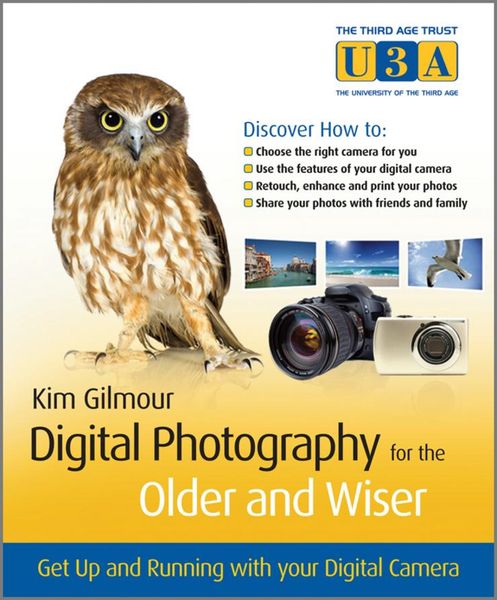
Produktbild: Digital Photography for the Older and Wiser

Digital Photography for the Older and Wiser Get Up and Running with Your Digital Camera

21,99 €

inkl. gesetzl. MwSt., zzgl. Versandkosten


  • Kostenlose Lieferung ab 30 € Einkaufswert
  • Versandkostenfrei für Bonuscard-Kund*innen

Beschreibung

Produktdetails

Einband

Taschenbuch

Erscheinungsdatum

29.03.2010

Verlag

John Wiley & Sons Inc

Seitenzahl

308

Maße (L/B/H)

21/17,2/1,6 cm

Gewicht

590 g

Auflage

1. Auflage

Sprache

Englisch

ISBN

978-0-470-68702-4

Beschreibung

Produktdetails

Einband

Taschenbuch

Erscheinungsdatum

29.03.2010

Verlag

John Wiley & Sons Inc

Seitenzahl

308

Maße (L/B/H)

21/17,2/1,6 cm

Gewicht

590 g

Auflage

1. Auflage

Sprache

Englisch

ISBN

978-0-470-68702-4

Herstelleradresse

Libri GmbH
Europaallee 1
36244 Bad Hersfeld
DE

Email: GPSR Kontakt

Noch keine Bewertungen vorhanden

Verfassen Sie die erste Bewertung zu diesem Artikel

Helfen Sie anderen Kundinnen und Kunden durch Ihre Meinung.

Kundinnen und Kunden meinen

Bewertungen (0)

Die Leseprobe wird geladen.
  • Produktbild: Digital Photography for the Older and Wiser
  • Chapter 1: Introduction.
     
    How this Book is Structured.
     
    Common Worries.
     
    Your Digital Camera.
     
    Your Computer.
     
    Summary.
     
    Brain Training.
     
    Part I: Understanding your Digital Camera.
     
    Chapter 2: Getting started with digital photography.
     
    Before You Start.
     
    What's Similar to Film?
     
    What's Different to Film?
     
    Taking Photos with Your Digital Camera.
     
    Sharing your photos.
     
    Summary.
     
    Brain Training.
     
    Chapter 3: Digital Photography Terms.
     
    Important Terminology.
     
    Summary.
     
    Brain Training.
     
    Chapter 4: Buying a digital camera.
     
    Types of Digital Cameras.
     
    Camera Manufacturers.
     
    Ease of Use Considerations.
     
    Budget Considerations.
     
    Where to Buy a Digital Camera.
     
    Getting More Control.
     
    Summary.
     
    Brain Training.
     
    Chapter 5: Camera Accessories: Batteries, Bags, and More.
     
    Nice to Have or Need to Have?
     
    Batteries.
     
    Camera Bags.
     
    Other Useful Equipment.
     
    Summary.
     
    Brain Training.
     
    Chapter 6: Before you Begin.
     
    Accessories.
     
    Charging the Battery.
     
    Reading the Instructions.
     
    Inserting the Battery and Memory Card.
     
    Wrist Strap.
     
    Summary.
     
    Brain Training.
     
    Chapter 7: Taking your first shots.
     
    Getting Ready.
     
    Test Drive.
     
    The Right Stance.
     
    Reviewing the Photographs.
     
    Erasing an Image.
     
    Setting the Date and Time.
     
    Timer Mode.
     
    Summary.
     
    Brain Training.
     
    Chapter 8: Taking Brilliant Shots.
     
    Rule of Thirds.
     
    Taking Photos of Animals and Children.
     
    Summary.
     
    Brain Training.
     
    Chapter 9: Using Your Camera to Get Greater Control of Your Photos.
     
    Using Special Settings and Modes on Your Camera.
     
    Summary.
     
    Brain Training.
     
    Part II: Entering the Digital Darkroom.
     
    Chapter 10: Getting photos to your computer.
     
    Why Put Your Digital Photos on Your Computer?
     
    Your Computer Specifications.
     
    Ways to Import and View Your Photos.
     
    Viewing your Photographs.
     
    Importing your Photographs.
     
    Summary.
     
    Brain Training.
     
    Chapter 11: Organising, backing up and viewing your photos.
     
    Organising your Images.
     
    Windows Live Photo Gallery.
     
    Picasa 3.5.
     
    Backing up Your Photos.
     
    Viewing Your Photographs.
     
    Summary.
     
    Brain Training.
     
    Chapter 12: Editing your photos the easy way.
     
    What's Photo-Editing Software?
     
    Common Photo-Editing Tools.
     
    Undoing changes.
     
    Saving Your Images.
     
    Summary.
     
    Brain Training.
     
    Chapter 13: Photo-Editing Software Uncovered.
     
    Quick Fixes with Picasa.
     
    Retouching with Picasa.
     
    Saving Images with Picasa.
     
    Make a Panorama with Windows Live Photo Gallery.
     
    Advanced Photo-Editing Software.
     
    Summary.
     
    Brain Training.
     
    Part III: Liberating your Digital Photos.
     
    Chapter 14: Sharing your images online and off.
     
    Alternatives to Printing.
     
    Emailing Your Photos.
     
    Online Web Galleries and Photo Sharing Websites.
     
    Social Networking Websites.
     
    Online Digital Photo Printing.
     
    Sharing Videos.
     
    Digital Photo Frames.
     
    Summary.
     
    Brain Training.