KI-Beratung Beta

Gutscheinbedingungen

**Gültig am 01.10.2026 ab einem Mindestbestellwert von 30€ auf Spielzeug, Schreibwaren, Filme, Geschenke & Trends, Musik, tolino eReader & Zubehör, Hörbücher und Hörbuch-Downloads, nicht preisgebundene Bücher und Kalender online auf thalia.at und in der Thalia App. Einzelne Artikel können ausgeschlossen sein. Aufgrund der Buchpreisbindung sind deutschsprachige Bücher und eBooks ausgenommen. Zusätzlich ausgenommen sind Abos & Flatrates, Games, Geschenkkarten/-boxen, Shelfies, Software, Zeitschriften sowie einzelne Artikel von tonies®. Pro Einkauf einmal einlösbar. Click & Collect nur bei Onlinevorabzahlung möglich. Keine Barauszahlung. Nicht kombinierbar mit anderen Aktionen und Gutscheinen. Gutschein wird auf max. 500€ Bestellwert angerechnet. Nicht gültig für Versandkosten und Services. Preisgebundene Artikel sind vom Mindestbestellwert ausgeschlossen.

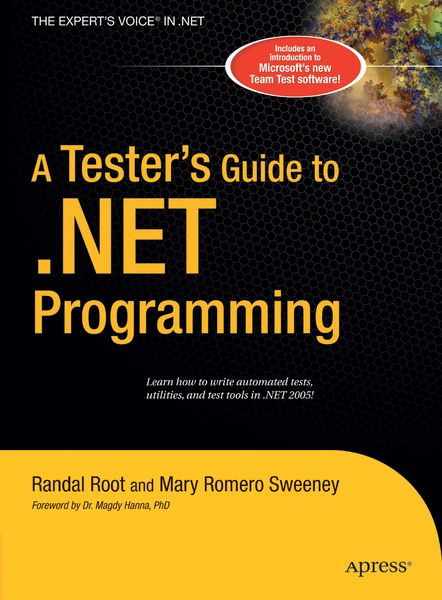
  • Produktbild: A Tester's Guide to .NET Programming
  • Produktbild: A Tester's Guide to .NET Programming

A Tester's Guide to .NET Programming

54,99 €

inkl. gesetzl. MwSt., Versandkostenfrei


Beschreibung

Produktdetails

Einband

Gebundene Ausgabe

Erscheinungsdatum

02.02.2006

Abbildungen

XXVI, 632 p.

Verlag

Apress

Seitenzahl

606

Maße (L/B/H)

23,8/18,6/3,7 cm

Gewicht

1120 g

Auflage

1st ed.

Sprache

Englisch

ISBN

978-1-59059-600-5

Beschreibung

Produktdetails

Einband

Gebundene Ausgabe

Erscheinungsdatum

02.02.2006

Abbildungen

XXVI, 632 p.

Verlag

Apress

Seitenzahl

606

Maße (L/B/H)

23,8/18,6/3,7 cm

Gewicht

1120 g

Auflage

1st ed.

Sprache

Englisch

ISBN

978-1-59059-600-5

Herstelleradresse

Libri GmbH
Europaallee 1
36244 Bad Hersfeld
DE

Email: gpsr@libri.de

Noch keine Bewertungen vorhanden

Verfassen Sie die erste Bewertung zu diesem Artikel

Helfen Sie anderen Kundinnen und Kunden durch Ihre Meinung.

Kundinnen und Kunden meinen

Bewertungen (0)

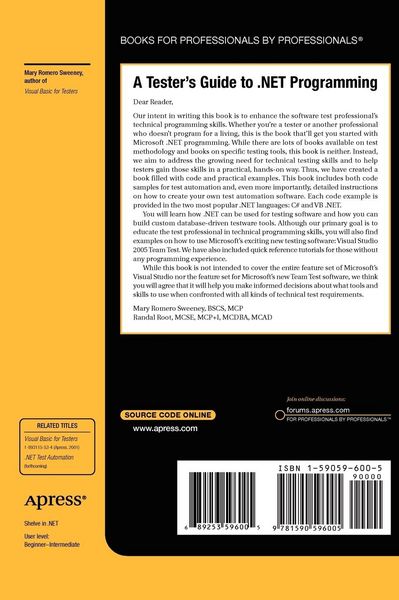
  • Produktbild: A Tester's Guide to .NET Programming
  • Produktbild: A Tester's Guide to .NET Programming
  • Understanding .Net Testing choices.- Outlines the 3 types of .Net Apps(Console, Web(ASP.Net),and Windows) and how they are used for testing.- Choosing a .Net language (Point them to the Tutorials in the back if they need them).- Overview of Testing Terms (Whitebox, BlackBox, Regression, etc.).- Discuss 'When to Automate' Topic.- Lab: Create 3 simple Apps(Console, Web, and Windows).- Storing Test Data (a simple overview).- Documenting your Tests.- Text Files.- Lab: Create a Simple Console App that writes to a text file.- The Registry.- Lab: Create a Simple Windows App that writes to the Registry.- Databases.- Lab: Create a Simple Web App that writes to a Access database.- Overview of the .Net Error handling.- Syntax, Run-time, and Logic errors.- How Try-Catch blocks work.- Using Debug and trace to get debugging information.- The Debugging windows.- Breakpoints.- The Exception Class.- Throwing Exceptions.- Lab: Using the VS.Net debugging tools.- Creating Test Utilities in a Windows Application.- Building a simple test application using procedures.- Describing the purpose of scope within procedures.- Logging an Automated testing project.- The SendKeys.- Adding timing to your test scripts.- Lab: Creating an automation application.- Objects and Classes in Net.- Unit, Component, and Integration testing.- Why Testers need to know about software components.- How applications are broken into Components.- White-Box and Black-Box testing.- What Classes and Objects are?- The difference between properties and methods.- DLL and EXE.- Some of the differences between COM and .Net. -What is N-Tier Architecture? - How the Object Browser is used to examine Classes.- Creating the 'Bug Reporter' application with components.- Testing with the Windows Registry.- Introduction to the Windows Registry.- Lab: Create the 'Registry Management' Utility.- Testing with the Windows API.- Introduction to the Windows API.- Lab: Create a 'Collecting OS information' Utility and write it data to a database.- Database Testing with ADO.Net.- Database Testing Overview.- Common ADO.Net classes.- Writing to an Access DB.- Writing to an SQL DB.- Writing to an XML File.- Lab: Create a Windows App that reads data from last labs Database and Writes to an XML file.- Creating Setup Automation Utilities with a Console Application.- File System Management (review).- Installation automation with Console Apps.- Lab: Automate an Xcopy Installation Script for the 'Registry management' Utility we made.- Using Database Scripts with SQL Server.- Lab: Automating Database Setup for the 'Collecting OS information' Utility.- Creating Test Utilities in a Web Application (ASP.Net).- Using Common Web Controls (Text, Combo, Radio, List).- Client Side vs. Server Side Code.- Using Trace features.- Web.config and Machine.config file settings.- Lab: Using Trace Utilities.- Logging User and Web Server Data to a Database.- Lab: Capture Web App Data.- Creating Testing Reports.- Importing Log files (using csv files).- Creating Web and Windows Reports.- Using Office Pivot Tables and Charts.- Lab: Create a Multi-Form Report using the DataGrid, Office Pivot Tables, and Office Charts.