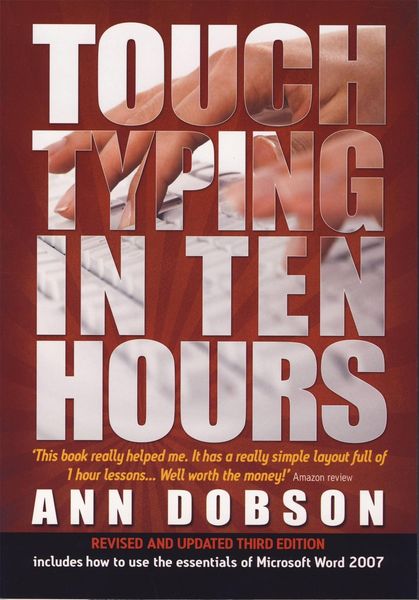
Touch Typing In Ten Hours, 3rd Edition Spend a Few Hours Now and Gain a Valuable Skill for Life
-
- Taschenbuch ausgewählt
- eBook
-
Sprache:Englisch
-
Verlag:Constable & Robinson
- Cassell 11,99 €
- Constable & Robinson 16,99 € ausgewählt
16,99 €
inkl. gesetzl. MwSt.,
- Kostenlose Lieferung ab 30 € Einkaufswert
- Versandkostenfrei für Bonuscard-Kund*innen
Beschreibung
Produktdetails
Einband
Taschenbuch
Erscheinungsdatum
02.02.2009
Verlag
Constable & RobinsonSeitenzahl
136
Maße (L/B/H)
24,6/16,9/1,7 cm
Gewicht
254 g
Sprache
Englisch
ISBN
978-1-84528-340-7
If you use a keyboard you need this book. Most of us use computers - many of us all the time - but how many of us can type properly? 'When you've learned how to touch type a 3000 word report will take you less than 1 hour to type!' With this book you can learn to 'touch type' in ten hours at a fraction of the cost of a course. It will also take you less time than the average course and, best of all, you can learn in your own home or office. Just think how much time you will save in your working day - and you will be able to concentrate on the content rather than finding the correct letters.
Touch Type in Ten Hours contains easy-to-use lessons divided into manageable one hour blocks, and there are plenty of exercises to consolidate what you have learned. There is also a reference guide giving useful 'tips of the trade'. This new edition goes on to show you how to use Microsoft Word 2007 to best advantage. Most of us want to learn all the basics as quickly as possible and in no time at all you should be able to do everything from simple word processing tasks such as moving blocks of text, to more complex tasks such as mail merge, graphics and creating newspaper style columns. Spend a few hours now and reap the benefits for a lifetime, whether you are using a keyboard at work or at home.
Contents: Preface; Introduction; Getting started; Part 1 - Drills, Hour 1: The Home Keys a, s, d, f, j, k, l, and; Consolidation; Hour 2: e and i, g and h; Consolidation; Hour 3: o and n, shift keys and t 20; Consolidation; Hour 4: Extra practice, full stop and y; Consolidation; Hour 5: Comma and w, r and b; Consolidation; Hour 6: m and u, p and c; Consolidation; Hour 7: v and x, q and z; Consolidation; Hour 8: Sentence drills; Hour 9: Figures; Consolidation; Hour 10: Alphabetical paragraphs; Part 2 - Additional Touch Typing Practice Material: Sentence practice; Paragraph practice; Longer practice pieces; Tasks 1-10; Part 3 - Microsoft Word Theory: AN INTRODUCTION TO WORD 2007; Running Word; The Opening Screen; Selecting Commands; Standard Toolbar; Formatting Toolbar; THE BASICS OF USING MICROSOFT WORD; Preparing, Saving and Printing a Document; Files and Folders; Getting Help; Selecting Text; Using Bold, Italic and Underline; Changing the Case of Text; Centreing Text; Moving or Copying Text; Indenting Paragraphs; Inserting Symbols; Line Spacing; Changing the Alignment of Text; Centring Text on a Page; Changing the Paper Size; Using Print Preview; Using Tabs; Page Numbering; Inserting a Page Break; Changing Margins; MORE ADVANCED FEATURES IN WORD; Tables; Mail Merge; Mail Merge to Include Labels; Graphics; Using Bullets and Numbering; Columns; Part 4 - Reference Guide: Important symbols and general rules; More general rules; Line spacing; Fonts; Margins; Paper sizes Manuscript correction signs; Abbreviations and their correct spellings; Putting together sentences and paragraphs; The business letter; Memos; Emails; Reports; Illustrations: Correct sitting position; Hand chart.
Noch keine Bewertungen vorhanden
Verfassen Sie die erste Bewertung zu diesem Artikel
Helfen Sie anderen Kundinnen und Kunden durch Ihre Meinung.
Kurze Frage zu unserer Seite
Vielen Dank für Ihr Feedback
Wir nutzen Ihr Feedback, um unsere Produktseiten zu verbessern. Bitte haben Sie Verständnis, dass wir Ihnen keine Rückmeldung geben können. Falls Sie Kontakt mit uns aufnehmen möchten, können Sie sich aber gerne an unseren Kund*innenservice wenden.
zum Kundenservice