Gutscheinbedingungen

**Gültig bis 25.06.2026 auf fremdsprachige Bücher online auf thalia.at und in der Thalia App. Einzelne Artikel können ausgeschlossen sein. Ausgenommen sind preisgebundene Artikel & eBooks. Pro Einkauf einmal einlösbar. Click & Collect nur bei Onlinevorabzahlung möglich. Keine Barauszahlung. Nicht kombinierbar mit anderen Aktionen und Gutscheinen. Gutschein wird auf max. 500€ Bestellwert angerechnet. Nicht gültig für Geschenkkarten, Versandkosten und Services.

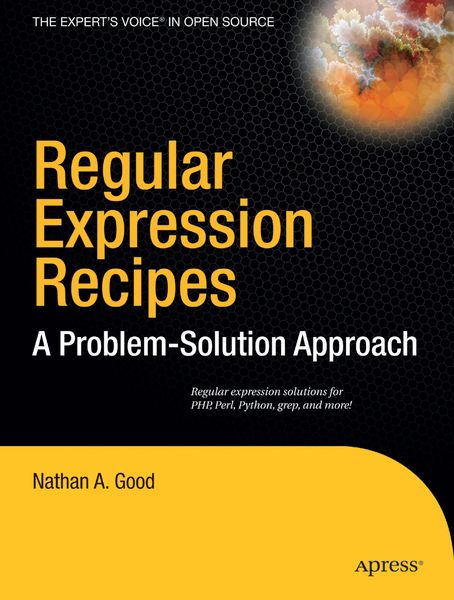
  • Produktbild: Regular Expression Recipes
  • Produktbild: Regular Expression Recipes
- 12%

Regular Expression Recipes A Problem-Solution Approach

12% sparen

28,99 € UVP 32,99 €

inkl. gesetzl. MwSt., zzgl. Versandkosten


  • Kostenlose Lieferung ab 30 € Einkaufswert
  • Versandkostenfrei für Bonuscard-Kund*innen

Beschreibung

Produktdetails

Einband

Taschenbuch

Erscheinungsdatum

08.12.2004

Verlag

Apress

Seitenzahl

289

Maße (L/B/H)

23,8/18/2,1 cm

Gewicht

620 g

Auflage

Corrected , Corr. 2nd Printing edition

Sprache

Englisch

ISBN

978-1-59059-441-4

Beschreibung

Produktdetails

Einband

Taschenbuch

Erscheinungsdatum

08.12.2004

Verlag

Apress

Seitenzahl

289

Maße (L/B/H)

23,8/18/2,1 cm

Gewicht

620 g

Auflage

Corrected , Corr. 2nd Printing edition

Sprache

Englisch

ISBN

978-1-59059-441-4

Herstelleradresse

Libri GmbH
Europaallee 1
36244 Bad Hersfeld
DE

Email: gpsr@libri.de

Kundinnen und Kunden meinen

0 Bewertungen

Informationen zu Bewertungen

Zur Abgabe einer Bewertung ist eine Anmeldung im Konto notwendig. Die Authentizität der Bewertungen wird von uns nicht überprüft. Wir behalten uns vor, Bewertungstexte, die unseren Richtlinien widersprechen, entsprechend zu kürzen oder zu löschen.

Die Bewertungen sind nach Format, Anzahl Sterne und Datum sortiert.

Verfassen Sie die erste Bewertung zu diesem Artikel

Helfen Sie anderen Kund*innen durch Ihre Meinung

Kundinnen und Kunden meinen

0 Bewertungen filtern

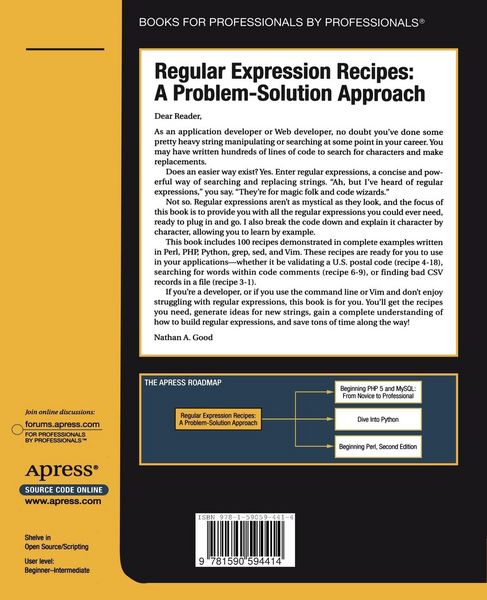
  • Produktbild: Regular Expression Recipes
  • Produktbild: Regular Expression Recipes
  • 1. Introduction and purpose Regular expressions defined b. When to use regular expressions c. When not to use regular expressions 2. Syntax a. shell reference i. grep ii. find b. Perl reference c. PHP reference d. vim reference e. Python reference 101 Regular Expressions 3. Words and text i. Finding blank lines ii. Finding words iii. Finding multiple words with one search iv. Finding variations on words (John, Jon, Jonathan) v. Finding similar words (bat, cat, mat) vi. Replacing words vii. Replacing newline characters viii. Replacing tab characters ix. Finding high-ASCII characters x. Finding repeated words xi. Searching for repeated words across multiple lines xii. Searching for lines beginning with a word xiii. Searching for lines ending with a word xiv. Capitalizing the first letter of a sentence xv. Filtering spam xvi. Filtering profanity xvii. Finding strings in quotes xviii. Escaping quotes xix. Removing escape sequences xx. Adding semicolons to the end of a line xxi. Adding to the beginning of a line xxii. Replacing smart quotes with straight quotes xxiii. Finding repeating words with different case xxiv. Replacing TM with (TM) xxv. Splitting lines in a file xxvi. Joining lines in a file xxvii. Replacing 2nd with 2nd 4. URLs and Paths i. Finding log files with ranges ii. Extracting query strings from URLs iii. Extracting hostnames from URLs iv. Formatting URLs v. Formatting file paths vi. Extracting directories from full paths vii. Extracting filenames from full paths viii. Extracting file extensions from full paths ix. Replacing URLs with links x. Replacing email addresses with links xi. Searching for multiple file types xii. Changing the extensions of multiple files xiii. Making URL query string substitutions xiv. Writing safe query strings xv. RewritingURLs 5. CSV and Tab-delimited files i. Finding bad CSV records ii. Finding bad Tab-delimited records iii. Changing CSV to tab-delimited iv. Changing tab-delimited files to CSV v. Extracting CSV fields vi. Extracting tab-delimited fields vii. Extracting fields from a CSV file to a new file viii. Extracting fields from a Tab-delimited file to a new file 6. Formatting and validating i. Formatting Phone Numbers ii. Formatting US Dates iii. Formatting European Dates iv. Formatting US Currency v. Removing formatting from phone numbers vi. Removing formatting from Credit Card numbers vii. Limiting user input to alpha characters viii. Limiting user input to numeric characters ix. Limiting user input to length x. Validating IP Addresses xi. Validating Email Addresses xii. Validating URLs xiii. Validating US Phone Numbers xiv. Validating International Phone Numbers xv. Validating Numbers xvi. Validating Dates in MM/DD/YYYY xvii. Validating Dates in YYYY-MM-DD xviii. Validating US Postal Codes xix. Extracting usernames from email addresses xx. Extracting dailing codes from International phone numbers xxi. Reformatting peoples' names (first name, last name) 7. HTML and XML i. Removing white space from HTML ii. Removing white space from CSS iii. Making HTML