
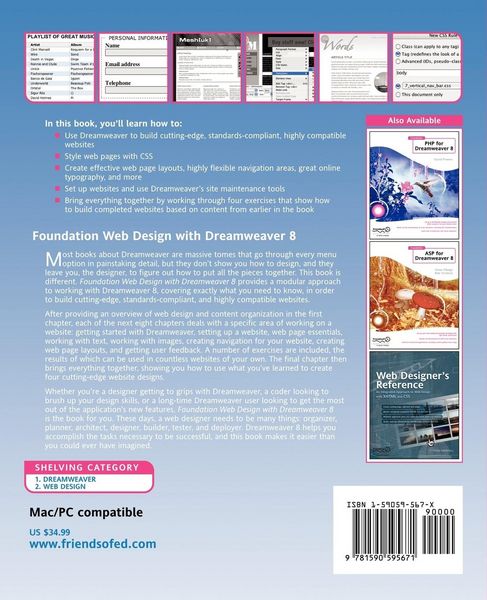
• Produktbild: Foundation Web Design with Dreamweaver 8
  • Produktbild: Foundation Web Design with Dreamweaver 8
- 18%

Foundation Web Design with Dreamweaver 8

18% sparen

26,99 € UVP 32,99 €

inkl. gesetzl. MwSt., zzgl. Versandkosten


  • Kostenlose Lieferung ab 30 € Einkaufswert
  • Versandkostenfrei für Bonuscard-Kund*innen

Beschreibung

Produktdetails

Einband

Taschenbuch

Erscheinungsdatum

16.02.2006

Verlag

Apress

Seitenzahl

328

Maße (L/B/H)

22,6/19,5/2,1 cm

Gewicht

660 g

Auflage

1st ed.

Sprache

Englisch

ISBN

978-1-59059-567-1

Beschreibung

Produktdetails

Einband

Taschenbuch

Erscheinungsdatum

16.02.2006

Verlag

Apress

Seitenzahl

328

Maße (L/B/H)

22,6/19,5/2,1 cm

Gewicht

660 g

Auflage

1st ed.

Sprache

Englisch

ISBN

978-1-59059-567-1

Herstelleradresse

Libri GmbH
Europaallee 1
36244 Bad Hersfeld
DE

Email: GPSR Kontakt

Noch keine Bewertungen vorhanden

Verfassen Sie die erste Bewertung zu diesem Artikel

Helfen Sie anderen Kundinnen und Kunden durch Ihre Meinung.

Kundinnen und Kunden meinen

Bewertungen (0)

  • Produktbild: Foundation Web Design with Dreamweaver 8
  • Produktbild: Foundation Web Design with Dreamweaver 8
  • i. ToC ii. [Preface] About the author About the technical reviewer(s) Acknowledgements Introduction 1. A new kind of web design About the internet The history of web design Why create a website? Introducing web standards XHTML CSS The cascade 2. Getting started with Dreamweaver General interface (show OS X and Windows) New documents Built-in stuff XHTML compliant checkbox Main window Code view Code hints Split view Design view Tabs (Win only) Other toolbar buttons Head section content Footer content Contextual menus Insert panel Properties inspector Right-hand panels section Important preferences Accessibility CSS defs Browser set-ups 3. Setting up a website Manage sites dialog (go straight for advanced version) Files panel (maximised and minimised) Site structure (assets, etc) Uploading/downloading files File management (moving, renaming, deletion) 4. Website essentials Web page element overview Where each type of element will be covered in the book Dreamweaver defaults XHTML transitional DOCTYPE (explain alts + mention XML declaration) iso-8859-1 meta element (show alts) title Adding meta elements Attaching JavaScript files Attaching CSS files Working with CSS CSS Style definition dialog box explained Page margins and padding Setting default fonts and colors Web page backgrounds HTML comments 5. Working with text Explaining semantic mark-up Creating paragraphs Creating headings Making text bold and italic Preformatted text Alignment (link to later—doing this directly in CSS with styles) Styling text (== element selectors) Avoiding inline styles (talk about the font/size/color options in the Properties panel) Using CSS (Type/Block section of CSS style definition) Creating a new style Font (tips on good webfonts) Weight Style Variant Line-height Case Decoration Color Word spacing Letter spacing Text-align Text-indent Using images (brief; refer to following chapter) Mac vs Windows comparison DW Design view limitations when using keywords and percentages Applying styles to multiple elements (== class selectors) Applying styles to inline elements (== spans) Examples/walkthroughts Contemporary Accessible Print-like Integrated images (backgrounds) Drop caps Pull quotes … Lists Creating lists Ordered Indents/outdents Management and editing Styling (List section of CSS Style Def box) Browser issues Inline lists 6. Working with images Exporting images from graphics packages JPEG GIF GIF89 PNG Inte