Gutscheinbedingungen

**Gültig nur für Bestellungen an die Wunsch-Poststation bis 10.06.2026 auf Spielzeug, Schreibwaren, Filme, Geschenke & Trends, Musik, tolino eReader & Zubehör, Hörbücher und Hörbuch-Downloads (außer Abo), nicht preisgebundene Bücher und Kalender online auf thalia.at und in der Thalia App. Einzelne Artikel können ausgeschlossen sein. Aufgrund der Buchpreisbindung sind deutschsprachige Bücher und eBooks ausgenommen. Zusätzlich ausgenommen sind preisgebundene Artikel, Abos & Flatrates, eBooks, Games, Geschenkkarten/-boxen, Shelfies, Software, Zeitschriften sowie einzelne Artikel von tonies®. Pro Einkauf einmal einlösbar. Kein Click & Collect möglich. Keine Barauszahlung. Nicht kombinierbar mit anderen Aktionen und Gutscheinen. Gutschein wird auf max. 500€ Bestellwert angerechnet. Nicht gültig für Versandkosten und Services.

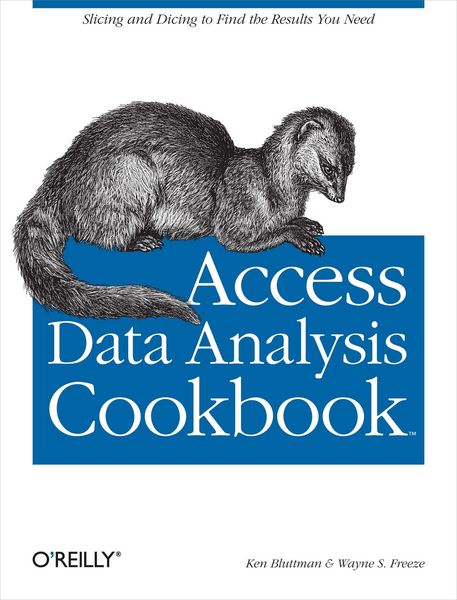
Produktbild: Access Data Analysis Cookbook

Access Data Analysis Cookbook Slicing and Dicing to Find the Results You Need

44,99 €

inkl. gesetzl. MwSt., Versandkostenfrei


Beschreibung

Produktdetails

Einband

Taschenbuch

Erscheinungsdatum

19.06.2007

Verlag

O'Reilly Media

Seitenzahl

368

Maße (L/B/H)

23,1/17,9/2,4 cm

Gewicht

595 g

Sprache

Englisch

ISBN

978-0-596-10122-0

Beschreibung

Produktdetails

Einband

Taschenbuch

Erscheinungsdatum

19.06.2007

Verlag

O'Reilly Media

Seitenzahl

368

Maße (L/B/H)

23,1/17,9/2,4 cm

Gewicht

595 g

Sprache

Englisch

ISBN

978-0-596-10122-0

Herstelleradresse

Libri GmbH
Europaallee 1
36244 Bad Hersfeld
DE

Email: gpsr@libri.de

Kundinnen und Kunden meinen

0 Bewertungen

Informationen zu Bewertungen

Zur Abgabe einer Bewertung ist eine Anmeldung im Konto notwendig. Die Authentizität der Bewertungen wird von uns nicht überprüft. Wir behalten uns vor, Bewertungstexte, die unseren Richtlinien widersprechen, entsprechend zu kürzen oder zu löschen.

Die Bewertungen sind nach Format, Anzahl Sterne und Datum sortiert.

Verfassen Sie die erste Bewertung zu diesem Artikel

Helfen Sie anderen Kund*innen durch Ihre Meinung

Kundinnen und Kunden meinen

0 Bewertungen filtern

Die Leseprobe wird geladen.
  • Produktbild: Access Data Analysis Cookbook
  • Inhaltsverzeichnis
    Preface
    1. Query Construction
         1.1 Finding Unmatched Records
         1.2 Making AND and OR Do What You Expect
         1.3 Working with Criteria Using the IN Operator
         1.4 Excluding Records with the NOT Operator
         1.5 Parameterizing a Query
         1.6 Returning a Top or Bottom Number of Records
         1.7 Returning Distinct Records
         1.8 Returning Random Records
         1.9 Fine-Tuning Data Filtering with Subqueries
         1.10 Combining Data with Union Queries
         1.11 Inserting On-the-Fly Fields in Select Queries
         1.12 Using Aliases to Simplify Your SQL Statements
         1.13 Creating a Left Join
         1.14 Creating a Right Join
         1.15 Creating an Outer Join
    2. Calculating with Queries
         2.1 Finding the Sum or Average in a Set of Data
         2.2 Finding the Number of Items per Group
         2.3 Using Expressions in Queries
         2.4 Using Custom Functions in Queries
         2.5 Using Regular Expressions in Queries
         2.6 Using a Cartesian Product to Return All Combinations of Data
         2.7 Creating a Crosstab Query to View Complex Information
    3. Action Queries
         3.1 Running an Update Query
         3.2 Appending Data
         3.3 Deleting Data
         3.4 Creating Tables with Make-Table Queries
    4. Managing Tables, Fields, Indexes, and Queries
         4.1 Creating Tables Programmatically
         4.2 Altering the Structure of a Table
         4.3 Creating and Using an Index
         4.4 Programmatically Removing a Table
         4.5 Programmatically Creating a Query
    5. Working with String Data
         5.1 Returning Characters from the Left or Right Side of a String
         5.2 Returning Characters from the Middle of a String When the Start Position and Length Are Known
         5.3 Returning the Start Position of a Substring When the Characters Are Known
         5.4 Stripping Spaces from the Ends of a String
         5.5 Stripping Spaces from the Middle of a String
         5.6 Replacing One String with Another String
         5.7 Concatenating Data
         5.8 Sorting Numbers That Are Stored as Text
         5.9 Categorizing Characters with ASCII Codes
    6. Using Programming to Manipulate Data
         6.1 Using Excel Functions from Access
         6.2 Working with In-Memory Data
         6.3 Working with Multidimensional Arrays
         6.4 Sorting an Array
         6.5 Flattening Data
         6.6 Expanding Data
         6.7 Encrypting Data
         6.8 Applying Proximate Matching
         6.9 Using Transaction Processing
         6.10 Reading from and Writing to the Windows Registry
         6.11 Creating Charts
         6.12 Scraping Web HTML
         6.13 Creating Custom Report Formatting
         6.14 Rounding Values
         6.15 Running Word Mail Merges
         6.16 Building a Multifaceted Query Selection Screen
    7. Importing and Exporting Data
         7.1 Creating an Import/Export Specification
         7.2 Automating Imports and Exports
         7.3 Exporting Data with the FileSystemObject
         7.4 Importing Data with the FileSystemObject
         7.5 Importing and Exporting Using XML
         7.6 Generating XML Schemas
         7.7 Using XSLT on Import or Export
         7.8 Working with XML via the MSXML Parser
         7.9 Reading and Writing XML Attributes
         7.10 Creating an RSS Feed
         7.11 Passing Parameters to SQL Server
         7.12 Handling Returned Values from SQL Server Stored Procedures
         7.13 Working with SQL Server Data Types
         7.14 Handling Embedded Quotation Marks
         7.15 Importing Appointments from the Outlook Calendar
         7.16 Importing Emails from Outlook
         7.17 Working with Outlook Contacts
         7.18 Importing Data from Excel
         7.19 Exporting Data to Excel
         7.20 Talking to PowerPoint
         7.21 Selecting Random Data
    8. Date and Time Calculations
         8.1 Counting Elapsed Time
         8.2 Counting Elapsed Time with Exceptions
         8.3 Working with Time Zones
         8.4 Working Around Leap Years
         8.5 Isolating the Day, Month, or Year
         8.6 Isolating the Hour, Minute, or Second
         8.7 Adding Time
    9. Business and Finance Problems
         9.1 Calculating Weighted Averages
         9.2 Calculating a Moving Average
         9.3 Calculating Payback Period
         9.4 Calculating Return on Investment
         9.5 Calculating Straight-Line Depreciation
         9.6 Creating a Loan Payment Schedule
         9.7 Using PivotTables and PivotCharts
         9.8 Creating PivotTables
         9.9 Charting Data
         9.10 Finding Trends
         9.11 Finding Head and Shoulders Patterns
         9.12 Working with Bollinger Bands
         9.13 Calculating Distance Between Zip Codes
    10. Statistics
         10.1 Creating a Histogram
         10.2 Finding and Comparing the Mean, Mode, and Median
         10.3 Calculating the Variance in a Set of Data
         10.4 Finding the Covariance of Two Data Sets
         10.5 Finding the Correlation of Two Sets of Data
         10.6 Returning All Permutations in a Set of Data
         10.7 Returning All Combinations in a Set of Data
         10.8 Calculating the Frequency of a Value in a Set of Data
         10.9 Generating Growth Rates
         10.10 Determining the Probability Mass Function for a Set of Data
         10.11 Computing the Kurtosis to Understand the Peakedness or Flatness of a Probability Mass Distribution
         10.12 Determining the Skew of a Set of Data
         10.13 Returning a Range of Data by Percentile
         10.14 Determining the Rank of a Data Item
         10.15 Determining the Slope and the Intercept of a Linear Regression
         10.16 Measuring Volatility
    Index