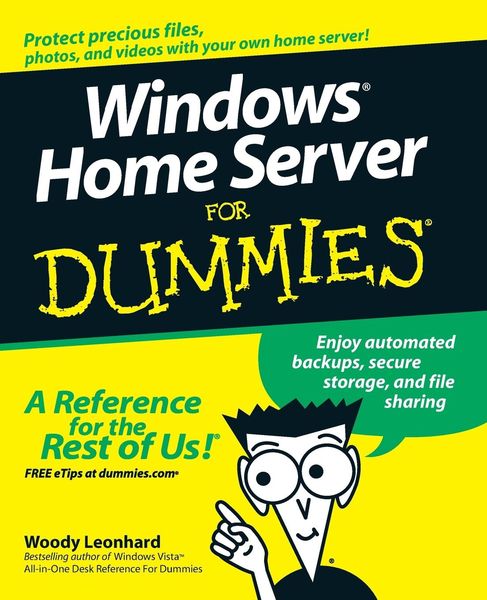
Produktbild: Windows Home Server for Dummies

Windows Home Server for Dummies Enjoy automated backups, secure storage, and file sharing

25,99 €

inkl. gesetzl. MwSt., zzgl. Versandkosten


  • Kostenlose Lieferung ab 30 € Einkaufswert
  • Versandkostenfrei für Bonuscard-Kund*innen

Beschreibung

Produktdetails

Einband

Taschenbuch

Erscheinungsdatum

19.11.2007

Verlag

John Wiley & Sons Inc

Seitenzahl

384

Maße (L/B/H)

23,5/19,1/2,1 cm

Gewicht

719 g

Auflage

1. Auflage

Sprache

Englisch

ISBN

978-0-470-18592-6

Beschreibung

Produktdetails

Einband

Taschenbuch

Erscheinungsdatum

19.11.2007

Verlag

John Wiley & Sons Inc

Seitenzahl

384

Maße (L/B/H)

23,5/19,1/2,1 cm

Gewicht

719 g

Auflage

1. Auflage

Sprache

Englisch

ISBN

978-0-470-18592-6

Herstelleradresse

Libri GmbH
Europaallee 1
36244 Bad Hersfeld
DE

Email: gpsr@libri.de

Kundinnen und Kunden meinen

0 Bewertungen

Informationen zu Bewertungen

Zur Abgabe einer Bewertung ist eine Anmeldung im Konto notwendig. Die Authentizität der Bewertungen wird von uns nicht überprüft. Wir behalten uns vor, Bewertungstexte, die unseren Richtlinien widersprechen, entsprechend zu kürzen oder zu löschen.

Die Bewertungen sind nach Format, Anzahl Sterne und Datum sortiert.

Verfassen Sie die erste Bewertung zu diesem Artikel

Helfen Sie anderen Kund*innen durch Ihre Meinung

Kundinnen und Kunden meinen

0 Bewertungen filtern

Die Leseprobe wird geladen.
  • Produktbild: Windows Home Server for Dummies
  • Introduction 1

    About This Book 1

    Foolish Assumptions 2

    How This Book Is Organized 2

    Part I: Getting Windows Home Server to Serve 3

    Part II: Setting Up the Network 3

    Part III: Making the Most of Multimedia 3

    Part IV: Sharing in the Wild 3

    Part V: Backing Up 3

    Part VI: Staying Alive and Well 4

    Part VII: The Part of Tens 4

    Icons Used in This Book 5

    Where to Go from Here 5

    Part I: Getting Windows Home Server to Serve 7

    Chapter 1: Bringing Windows Home Server to Life 9

    What Can You Do with Windows Home Server? 10

    Backing up and restoring 10

    Sharing folders 11

    Managing disks 12

    Accessing your network from far afield 14

    Keeping the home fires burning 15

    Streaming media 16

    How Do You Control Windows Home Server? 16

    Welcome to the Console 16

    What happens behind the scenes 18

    Knowing Windows Home Server's Limitations 19

    What Windows Home Server won't do 20

    Tapping into previous versions of a file 21

    What Hardware Do You Need? 22

    Choosing a Great Windows Home Server 24

    Positioning the Server in Your Home or Office 26

    Chapter 2: Installing the WHS Software 27

    Do You Need to Install Windows Home Server? 28

    Preparing to Install 29

    Installing Windows Home Server 31

    Part II: Setting Up the Network 37

    Chapter 3: Bringing Computers into the Home Server Fold 39

    Kick-Starting the Network 39

    Installing Windows Home Server Connector on a Windows XP Machine 42

    Installing Windows Home Server Connector on a Windows Vista Machine 46

    Configuring Windows Home Server 49

    Chapter 4: Adding Users and Controlling Passwords 55

    Understanding User Control 56

    Raising the Bar for Passwords 57

    Adding New Users the Smart Way 60

    Using the Guest Account 65

    Synchronizing Passwords 68

    Changing Passwords the Old-Fashioned Way 71

    On the server 71

    In Windows XP 72

    In Windows Vista 73

    Chapter 5: Using Built-In Shared Folders 75

    Organizing Files with Shared Folders 76

    Finding the Shared Folders 77

    Opening shared files on the server 78

    Pinpointing each user's shared folder 79

    Controlling Access to Shared Folders 80

    Experiencing folder permissions firsthand 80

    Changing shared folder permissions 82

    Controlling Shared Folders from the Console 84

    Creating new shared folders 86

    Usin' your noggin with sharin' 89

    Duplicating Shared Folders 90

    Part III: Making the Most of Multimedia 95

    Chapter 6: Sharing Music and Videos 97

    Sharing from A to Z to PC to PC 98

    Playing From (and With) the Server 102

    Ripping to the Server 107

    Sharing C.R.A.P Music on the Network 110

    Chapter 7: Recording and Playing TV 113

    Understanding Windows Home Server and Recorded TV 114

    Storing Shows on Your Server 115

    Creating a shared home for recorded TV 115

    Moving recorded TV to the server 118

    Recording TV directly to the server 124

    Viewing TV Shows Stored on the Server 125

    Why WHS Doesn't Back Up Recorded TV 126

    Chapter 8: Streaming with the Xbox 129

    Using an Xbox in Server Land 130

    Getting Your Xbox to Play with the Server 131

    Using a Media Center PC to Stream to an Xbox 137

    Connecting an Xbox to a Media Center computer 137

    Playing media files with a connected Xbox 139

    Chapter 9: Nailing Down Your Photos 141

    Using the Windows Tools 142

    Modifying XP for Shared Photos 144

    Viewing photos in the shared Photos folder 144

    Moving photos from your camera to the shared Photos folder 148

    Modifying the screen saver to use the shared Photos folder 153

    Modifying Vista for Shared Photos 155

    Viewing photos in the shared Photos folder 155

    Moving photos directly from your camera to the shared Photos folder 156

    Creating a screen saver from the shared Photos folder 159

    Part IV: Sharing in the Wild 163

    Chapter 10: Starting Remote Access 165

    Remote Access - the Good, the Bad, and the Really Frustrating 166

    An Overview of Remote Access Setup 167

    Setting up the Server 169

    Configuring Your Router 171

    Establishing a Permanent Domain Name 176

    Spreading Out the Welcome Mat 179

    Getting Connected for the First Time - or Maybe Not 182

    My Encounter with the Seventh Ring 185

    Chapter 11: Using Remote Access 189

    Logging on to Your Windows Home Server Remotely 190

    Accessing Shared Folders 192

    Uploading files 194

    Downloading files 196

    Getting into the Windows Home Server Console 197

    Pulling Puppet Strings on Your Home Network's Computers 199

    Reviewing the ground rules 200

    Getting logged on 201

    Part V: Backing Up 205

    Chapter 12: Running Backups 207

    Mired in Myriad Backups 208

    Backing up files on network computers 208

    Backing up shared folders with Folder Duplication 212

    Shadow copies in Windows Home Server 214

    Understanding what Vista is backing up 214

    Checking Windows XP for backup routines 215

    Unraveling the Mess 216

    Setting Up Server Backups That Serve You 217

    Backing up on your time 218

    Choosing what gets backed up 220

    Keeping backups 222

    Checking That Backups Run Smoothly 224

    Chapter 13: Restoring a Dead Computer from Backup 229

    Dealing with Home Computer Restore Restrictions 230

    Restoring a Hard Drive 231

    Rolling Your Own Home Computer Restore CD 238

    Chapter 14: Restoring Files from Backup 241

    Restoring a Backed-Up File 242

    Restoring a Shared Folder File with Windows XP, Media Center, or Tablet PC 246

    Restoring a Shared Folder File with Vista Business, Enterprise, or Ultimate 250

    Chapter 15: Backing Up the Server 255

    Mapping Out Windows Home Server Storage 256

    Using Folder Duplication 257

    Making Offsite Backups of Shared Files 258

    Copying files to an external drive 259

    Choosing an online backup provider 263

    Part VI: Staying Alive and Well 265

    Chapter 16: Monitoring System Health 267

    Understanding the Network Health Indicator 268

    What Can Go Wrong? 271

    How to Fix Health Problems 272

    Chapter 17: Breaking into the Server 277

    Deciding to Break In 278

    Logging On to the Server with RDP 280

    Attaching a Printer with RDP 283

    Restoring a Previous Version of a Shared File with RDP 286

    Giving Your Server a Permanent IP Address 290

    Chapter 18: Adding and Retiring Drives 293

    Knowing When and What to Feed the Maw 294

    Adding a New Internal Hard Drive 297

    Adding a New External Hard Drive 300

    Retiring an Old Drive Safely 302

    Chapter 19: Repairing and Recovering the Server 305

    Dealing with Lost Passwords 306

    Fixing a Broken Server Hard Drive 308

    Primary versus secondary drives 309

    Replacing a broken secondary drive 310

    Repairing the primary drive 313

    Part VII: The Part of Tens 319

    Chapter 20: Top Ten Health Traps Triaged 321

    No Spyware Protection 322

    Backup Warning 323

    Backup Warning, New Hard Drive 325

    Backup Error 325

    Backup Server Error 326

    Storage Status, Not Enough Room 327

    Storage Status, Failing Hard Drive 328

    Passwords Do Not Match 329

    Updates Are Ready 329

    Antivirus Out of Date 330

    Chapter 21: Ten More Tricks with Windows Home Server 331

    Installing (and Uninstalling) Add-Ins 332

    Launching Programs from Windows Home Server Console 334

    Changing Your Remote Access Page with Whiist 335

    Running uTorrent on the Server 336

    Wake on LAN for Home Server 336

    Uploading Photos to Flickr with PhotoSync 337

    Streaming Away from Home with WebGuide 337

    Streaming to Your TiVo 338

    Streaming to Your Phone with LobsterTunes 338

    Finding More Add-Ins 339

    Index 341