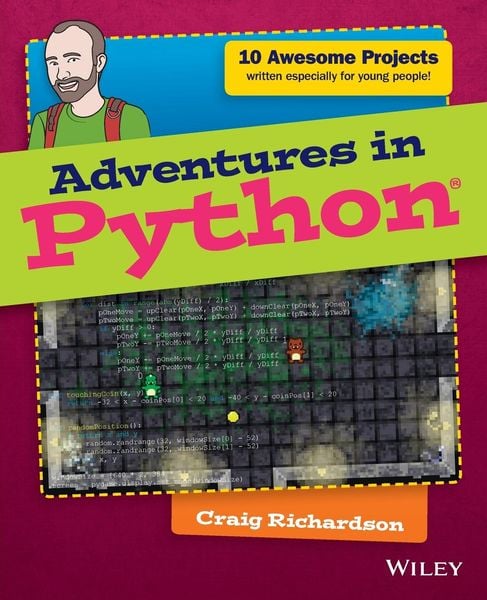
Produktbild: Adventures in Python

Adventures in Python

Aus der Reihe Adventures In ...

24,99 €

inkl. gesetzl. MwSt., zzgl. Versandkosten


  • Kostenlose Lieferung ab 30 € Einkaufswert
  • Versandkostenfrei für Bonuscard-Kund*innen

Beschreibung

Produktdetails

ISBN

978-1-118-95179-8

Auflage

1. Auflage

Erscheinungsdatum

09.02.2015

Einband

Taschenbuch

Verlag

John Wiley & Sons

Seitenzahl

280

Maße (L/B/H)

23,5/19,1/1,6 cm

Gewicht

499 g

Sprache

Englisch

Beschreibung

Produktdetails

ISBN

978-1-118-95179-8

Auflage

1. Auflage

Erscheinungsdatum

09.02.2015

Einband

Taschenbuch

Verlag

John Wiley & Sons

Seitenzahl

280

Maße (L/B/H)

23,5/19,1/1,6 cm

Gewicht

499 g

Sprache

Englisch

Herstelleradresse

Libri GmbH
Europaallee 1
36244 Bad Hersfeld
DE

Email: gpsr@libri.de

Noch keine Bewertungen vorhanden

Verfassen Sie die erste Bewertung zu diesem Artikel

Helfen Sie anderen Kundinnen und Kunden durch Ihre Meinung.

Kundinnen und Kunden meinen

Bewertungen (0)

  • Produktbild: Adventures in Python
  • Introduction 1

    Adventure 1

    Diving into Python 23

    What Is Programming? 24

    Opening IDLE 25

    Returning to Your First Python Program 26

    It Isn't Working-Grrr! 28

    Using a File Editor 30

    Asking Questions with Variables 33

    A Bit About Variables 35

    Using Variables for a Fill-in-the-Blanks Story 37

    Making the Program Make Decisions: Conditionals 39

    Using if Statements 39

    Nested if Statements 41

    Creating an Imaginary Vending Machine 43

    Repeating Code with Loops 45

    Using while Loops 45

    Infinite while Loops 47

    Praise Generator 48

    A Bigger Adventure: Spaceship Control Console 50

    Set-Up and Password 50

    Using the Console to Do Things 52

    Adventure 2

    Drawing with Turtle Graphics 57

    Getting Started with Turtle 57

    Using Variables to Change Angles and Lengths 61

    Using Addition to Draw a Spiral 64

    Saving Some Space with Loops 65

    A Shape with 360 Sides: Drawing a Circle 67

    Controlling the Number of Sides Using for Loops 68

    Changing the Fill Colour in a Shape 71

    Creating Functions to Reuse Your Code 72

    Shape Presets 75

    Adding Randomly Generated Pictures 76

    Adventure 3

    Windows, Buttons, and Other GUI Stuff 83

    Creating Buttons 84

    Changing the Button Text on Click 87

    Counting Clicks 88

    Creating Text Boxes 90

    Writing It Backwards 92

    Adding Passwords 93

    Building a Random Sentence Generator 96

    Programming a Guessing Game 99

    Adventure 4

    More GUI Elements with Tkinter 105

    Creating Sliders 105

    How Colours Work on Computers and as Hexadecimal Values 109

    Changing the Canvas Colour 111

    Making the Colour Picker 113

    Adding a Text Box 116

    Creating a Click Speed Game 117

    Adventure 5

    Drawing Shapes with PyGame 123

    Installing PyGame 123

    My First PyGame 124

    Creating Rectangles 127

    Creating a Rectangle 127

    A Rainbow of Rectangles 128

    Colour Grid 131

    Creating Ellipses 133

    Wobbling Circle 133

    Saving Your Images 135

    Saving a Single Image 135

    Saving a Series of Images 136

    Adventure 6

    Adding Keyboard Input with PyGame 139

    Using Keyboard Input 140

    Other Keys You Can Use 142

    Creating the Game 142

    Introducing Full Movement 146

    Moving the Player Offscreen 148

    Adding the Ball 150

    Creating Collisions 152

    Goal! 154

    Adding a Time Limit 157

    Adventure 7

    Creative Ways to Use a Mouse with PyGame 161

    Getting the Mouse Position 161

    Making a Button 163

    Moving Target 166

    Exploding Clicks 169

    Making a Mesh 172

    Creating Mouse Trails 175

    Adventure 8

    Using Images with PyGame 181

    Loading an Image 181

    Layering Images 184

    Randomly Layering Images 186

    Adding a Moustache to a Photograph 188

    Making Sprites 191

    Creating a Walking Animation 191

    Walking in All Directions 195

    Teleportation 197

    Adventure 9

    Using Sounds and Music with PyGame 203

    Playing Sounds 203

    Creating a Noise Loop 205

    Making Keyboard Sound Effects 207

    Using Music with Python 210

    Playing Music 210

    Adding Volume Tremolo 212

    Making a Music Player 215

    Adding Sounds and Music to a Game 218

    Adventure 10

    Your Really Big Adventure 223

    Writing the Program for the Game 224

    Setting Up the Files 224

    Making the Game 225

    Walls 226

    Doors, Collisions and Coins 229

    Setting Up the Window and Variables 231

    Adding the Game Loop 234

    Character Controls and Animations 234

    Player Collisions and Collecting Coins 237

    Displaying Points and Updating the Window 237

    Playing the Game 238

    Debugging the Game 239

    Summary 240

    Appendix A

    Installing and Downloading the Proper Files 243

    Installing PyGame 243

    Windows 8 243

    Windows 7 245

    Mac 245

    Linux (Ubuntu) 247

    Raspberry Pi 248

    Downloading the Files for Adventures 8, 9 and 10 248

    Windows 8 248

    Windows 7 249

    Mac 249

    Linux (Ubuntu) 250

    Raspberry Pi 250

    Glossary 251

    Index 257